
Dracula's Bedrock Obfuscator
Dracula’s Bedrock is a streamer-friendly texture pack that obfuscates bedrock while keeping a bold red, black, and white aesthetic. It’s designed to…
I don't know my version or loader
Overview
Dracula’s Bedrock is a streamer-friendly Minecraft texture pack designed to protect players and communities on faction and economy servers.
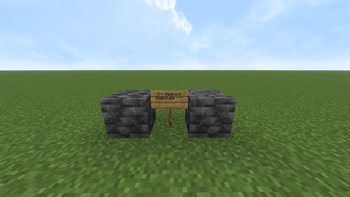
On these servers, exposing bedrock patterns during a livestream or recorded session can allow viewers to locate exact base coordinates, putting your faction, economy, and resources at risk. This pack obfuscates bedrock with a bold red, black, and white aesthetic, making it impossible to deduce base locations from streamed content.
Why It’s Useful
- Prevents viewers from gathering coordinates of your base via livestream or video.
- Keeps both you and your community safe from griefing, raids, or other exploits.
- Ideal for high-stakes faction and economy servers, where resource security is critical.
- Lets you stream or record confidently without compromising gameplay security.
Features
Bedrock Obfuscation:Replaces default textures with glitched, red/black/white style.Streamer-Focused:Safe for live content, protects sensitive in-game information.Vanilla Feel:Maintains the familiar Minecraft look while adding a modern edge.Custom Splashes:Adds a unique, stylish flair to your in-game menu.Easy Installation:Compatible with Minecraft Java Edition 1.21.1+.
How It Works
[Default Bedrock] → Visible on livestream → Coordinates leak
[Dracula's Bedrock] → Glitched Obfuscated Textures → Coordinates hidden
- Simply install the pack, activate it, and stream or record safely.
- All textures are designed to retain game readability while preventing exploits.
Ideal For
- Streamers and content creators on faction servers.
- Players on economy-focused servers with high-value bases.
- Anyone who wants to protect their coordinates while sharing gameplay publicly.
- Edition: Minecraft Java
- File type: .zip (resource pack)
- Minecraft versions listed: 1.21, 1.21.1, 1.21.2
- How to install: Download the .zip resource pack — do not unzip it. → Put it in .minecraft/resourcepacks. → Enable it in Options → Resource Packs.
- Where to get it: Opens on Modrinth — not every file is mirrored on our own servers.
Install steps are the general flow for this file type — How to install Minecraft Java resource packs walks through it step by step.
- Downloads as §cDracula’s §0§l§kBedrock§r.zip
- Download size: 160 KB
- Download link checked 21 Aug 2026 — working
These come from our own check of the pack file, not from the source page.