
Out Of Focus
Java shader pack listed for Minecraft 1.20–26.x. Downloads from the MC Java Mods app on Android.
⬇ Download on Modrinth
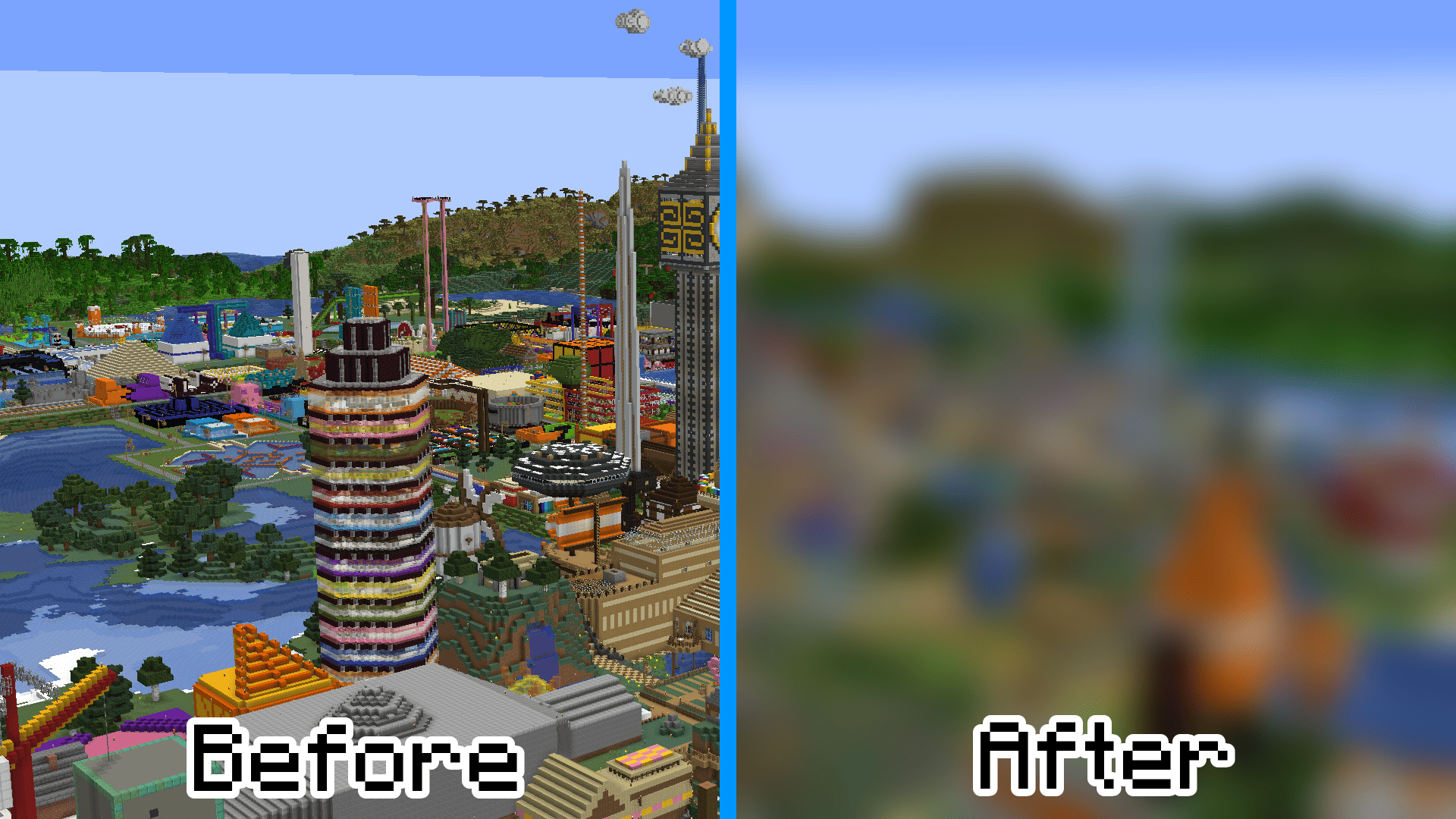
Before and after:
 Here are some Frequently Asked Questions that I ask myself.
Why did you make this?
I just thought that it might be funny to make something like this. It could be a good challenge for someone to try and beat minecraft with.
Is it laggy?
So far on the computer I tested, it's not bad at all. I get a mostly decent framerate with it, and it shouldn't lag your's too bad either. In fact, while testing it, I noticed I actually got MORE frames per second when it was enabled.
How strong is the blur?
There are 8 different levels of blur:
3 = Subtle
5 = A little Blurry
7 = Blurry
10 = Blurrier
14 = Blurriest
30 = Way Too Blurry
50 = Sir, This is a Wendy's
100 = WHY
"Sir, This is a Wendy's" is the one used in the image.
What type of blur is it?
Gaussian blur
📄 Other projects
 No Microsoft Splashes - Removes all of the Minecraft Splashes and Credits after the acquisition of Mojang and returns the ones that had left. (Reverts to 1.8.8)
 No Credits - Removes (most of) the long credits that some people don't want to see.
 Old Credits - Reverts the credits to how they were in release 1.8.8, before Microsoft bought Minecraft.
- More coming soon
- Edition: Minecraft Java
- File type: .zip (resource pack)
- Minecraft versions listed: 1.20, 1.20.1, 1.20.2
- How to install: Download the .zip resource pack — do not unzip it. → Put it in .minecraft/resourcepacks. → Enable it in Options → Resource Packs.
- Where to get it: Opens on Modrinth — not every file is mirrored on our own servers.
Install steps are the general flow for this file type — see the MC Java Mods guides for the full walkthrough.
- Downloads as Out Of Focus.zip
- Download size: 7 KB
- Download link checked 19 Oct 2026 — working
These come from our own check of the pack file, not from the source page.