LocalizedFishingTables
Java data pack listed for Minecraft 1.21–26.x. Downloads from the MC Java Mods app on Android.
I don't know my version or loader
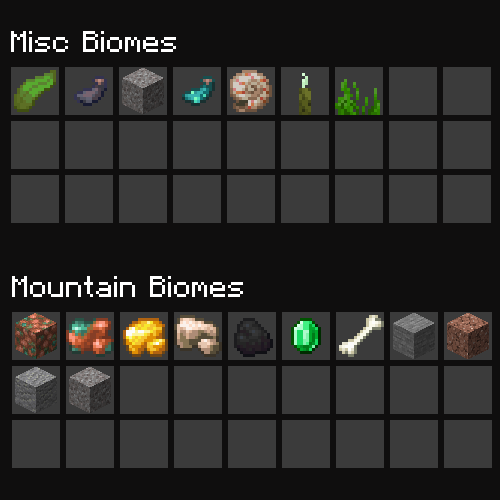
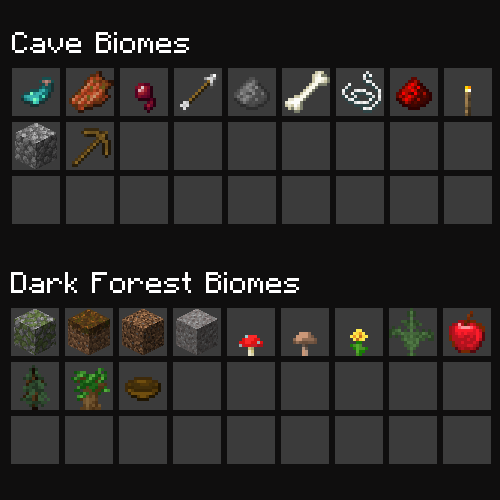
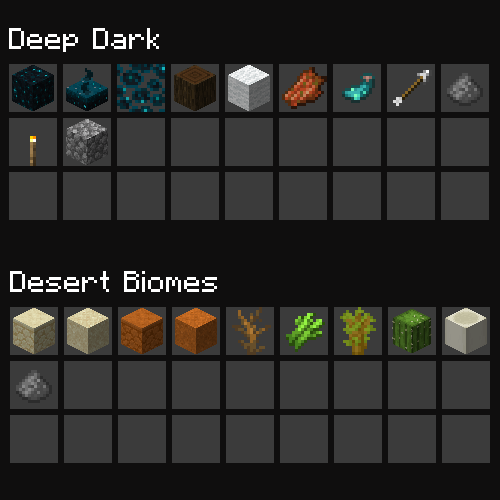
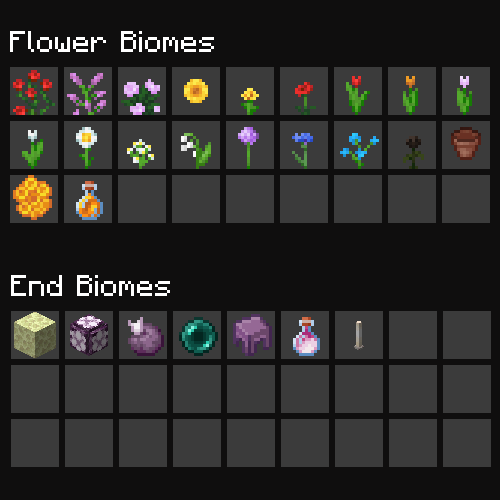
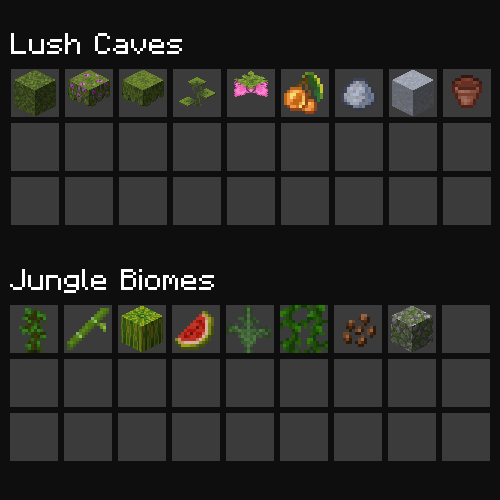
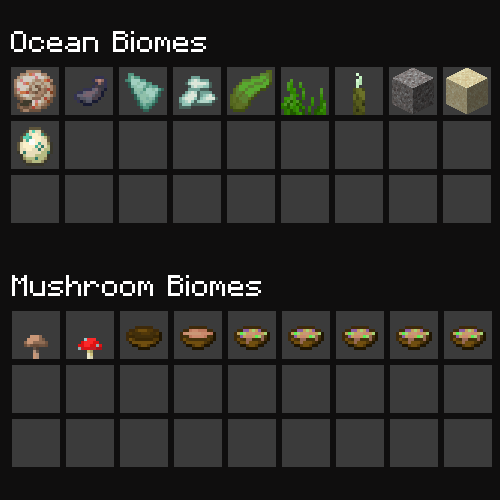
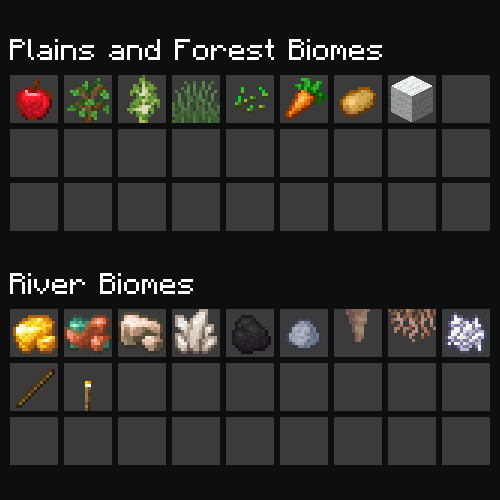
Biome-Specific Fishing Loot Tables
This datapack adds biome-specific fishing loot tables to Minecraft, so that what can be fished up in different biomes is unique and more varied.
Features
- Biome-specific loot tables for the following biome groups:
- cave_biomes
- dark_forest_biomes
- deep_dark
- desert_biomes
- end_biomes
- flower_forests
- jungle_biomes
- lush_caves
- misc_biomes
- mountain_biomes
- mushroom_biomes
- ocean_biomes
- plains_biomes
- river_biomes
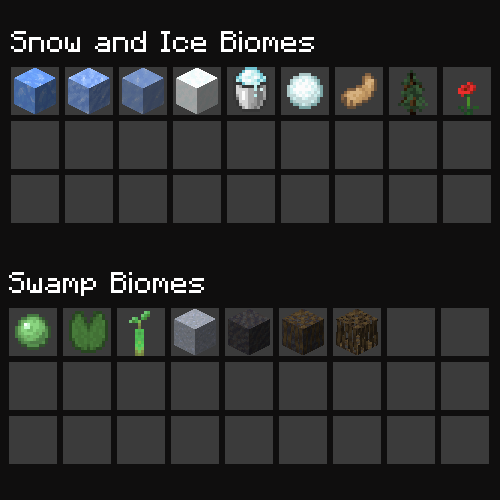
- snow_biomes
- swamp_biomes
Note: You are still able to catch normal fishing drops as expected, this pack just adds additional drops for different biomes
Datapack Installation
- Download the datapack from the versions tab
- Open your Minecraft world and click on "Edit" in the main menu.
- Click on "Open World Folder" in the "Worlds" tab.
- Open the "datapacks" folder and place the downloaded datapack zip file in this folder.
- In-game, type the following command to enable the datapack:
/datapack enable "file/localized-fishing-tables"
Note: If you are using this on a multiplayer server, go to your main world, (usually 'world' if it was automatically generated) and put the datapack there, and complete the above steps. This will enable it for all worlds. Or, if you're using Fabric/Forge/Quilt for your multiplayer world, you can use the mod version instead
Mod installation
- Forge: Add mod file to mod folder
- Fabric: Requires Fabric API
- Quilt: Requires Quilted Fabric API
Usage
Once the datapack is installed and enabled, the loot tables will be automatically applied to the corresponding biomes. You can find the loot by fishing a while, or by using the /loot command.
Configuration
You can customize the loot tables by modifying the files in the data/adhdmc/loot_tables/gameplay/fishing folder. These files are written in the loot table format and can be edited using any text editor.
License
This datapack is licensed under the MIT License. See LICENSE for more information.
- Edition: Minecraft Java
- File type: .jar
- Minecraft versions listed: 1.21.9, 1.21.10, 1.21.11
- How to install: Install the matching mod loader (Forge, Fabric or NeoForge) for your Minecraft version. → Download the .jar. → Put it in the .minecraft/mods folder and launch that loader profile.
- Where to get it: Opens on Modrinth — not every file is mirrored on our own servers.
Install steps are the general flow for this file type — see the MC Java Mods guides for the full walkthrough.
- Downloads as LocalizedFishingTables.zip
- Download size: 24 KB
- Download link checked 8 Oct 2026 — working
These come from our own check of the pack file, not from the source page.