
Kazzmon's DayCount
A simple and customizable Day Counter to tell you how many days have passed in your Minecraft world or server.
I don't know my version or loader
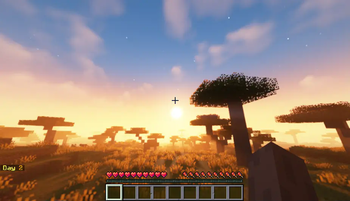
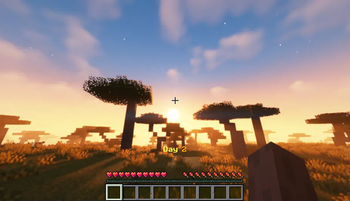
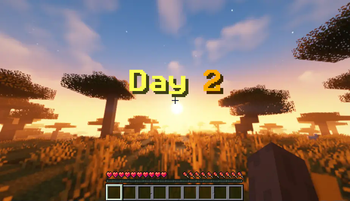
DayCount is a simple datapack that shows the number of days in the world. It is also a bit more realistic since it shows the actual count of days, instead of what is used in-game. This is very good to use especially on servers so players can get notified how many days have passed.
You can customize where the Day Count is displayed using the command /trigger DayCount_Style.
- it can be displayed in the chat
- it can be displayed in the Action Bar, just on top of the Hotbar
- it can be displayed as a Title on the screen
You can also customize the Theme of the Day Count by using the command /trigger DayCount_Theme.
You can also check the Day Count whenever you like by using the command /trigger DayCount_Check. Any players can use this command and they are the only ones that will see it on their screen.
If you have questions or have found any issues or suggestions, feel free to let me know via my Discord server. Thanks.
- Edition: Minecraft Java
- File type: .jar
- Minecraft versions listed: 1.21, 1.21.1, 1.21.2
- How to install: Install the matching mod loader (Forge, Fabric or NeoForge) for your Minecraft version. → Download the .jar. → Put it in the .minecraft/mods folder and launch that loader profile.
- Where to get it: Opens on Modrinth — not every file is mirrored on our own servers.
Install steps are the general flow for this file type — see the MC Java Mods guides for the full walkthrough.
- Downloads as DayCount v3-0.zip
- Download size: 820 KB
- Download link checked 28 Aug 2026 — working
These come from our own check of the pack file, not from the source page.