
Angel Islands
I don't know my version or loader
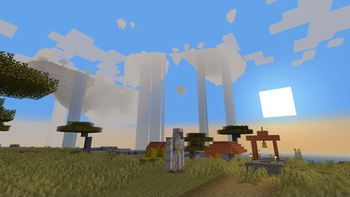
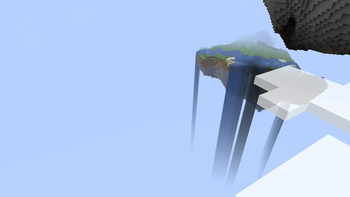
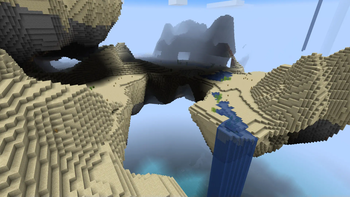
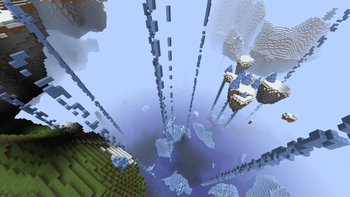
Angel Islands

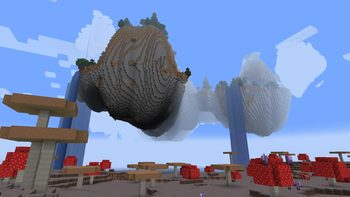
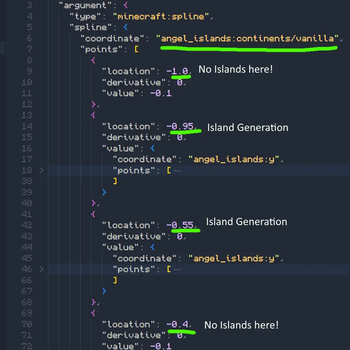
This worldgen datapack adds floating islands above the world's oceans whilst also retaining regular land generation!
By default, islands are fairly frequent yet scattered over the oceans. They are found only in the deepest section of oceans, typically around mushroom islands.
You could consider this pack a mix between regular worldgen and my other datapack, Aetherial Islands.
Notice:
The default foliage (trees, grass, flowers, etc.) typically would spawn on the highest surface block. I have modified them so that they can spawn on any level, so if an island is above an island, its shadow doesn't block trees from spawning on it. This also results in slightly different tree placement in the rest of the overworld.
Also checkout
- Skylands over the Sea a mod that replaces the void in Aetherial Islands with an infinite ocean.
- Aetherial Islands: Clusters Edit an add-on that creates zones where islands will and won't generate, creating large gaps between island clusters (works for Angel Islands as well!).
- Diabolical Islands a mod that brings the Aetherial Island generation to the Nether!
IMPORTANT:
Versions below 2.0.0 of the datapack/mod alter the dimension height for versions 1.20.5 due to an unremoved experimental file. This was added at first to add more breathing room for building on the islands, but I have since removed it in 2.0.0+, as this will corrupt worlds when the mod is removed. 2.0.0 does not have this issue. If you are migrating a 1.X.X pack to 1.21.9+, please use version 1.0.3, but note that it will not be supported for future versions. I apologize for any inconvenience.
Compatibility: Does this work with insert mod name here?
If that mod changes the terrain (e.g. Tectonic), one of the mods will probably overwrite the other. If that mod adds biomes (e.g. Terralith), it should be compatible, but if you have issues with bodies of water not generating, use the optional dependency, Lithostitched. This is just because of the tricky technique I had to use to make this, along with Minecraft's weirdness with surface builders. Some issues may need specific compatibility packs made, which I may make in the future.
Thank You to...
If you enjoy this pack, thank Nekomaster for making most of the modrinth page for me, and Iulian for originally commissioning me for this modification.
- Edition: Minecraft Java
- File type: .jar
- Minecraft versions listed: 1.20, 1.20.1, 1.20.2
- How to install: Install the matching mod loader (Forge, Fabric or NeoForge) for your Minecraft version. → Download the .jar. → Put it in the .minecraft/mods folder and launch that loader profile.
- Where to get it: Opens on Modrinth — not every file is mirrored on our own servers.
Install steps are the general flow for this file type — see the MC Java Mods guides for the full walkthrough.
- Downloads as Angel_Islands_2.0.3.zip
- Download size: 485 KB
- Download link checked 28 Aug 2026 — working
These come from our own check of the pack file, not from the source page.