
Lucky Block Pink
I don't know my version or loader
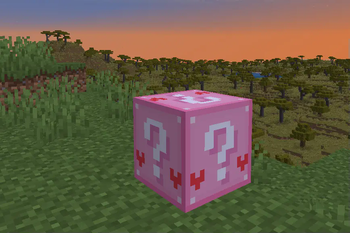
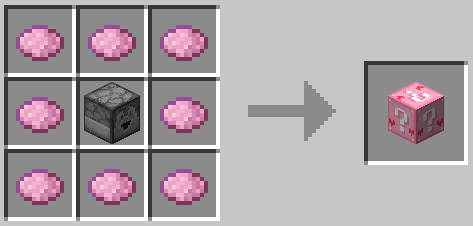
Lucky Block Pink
Lucky Block Pink is an addon for the Lucky Block/Modern Lucky Block Mods which has been around since February 12th, 2015 containing millions of possibilities due to its mixed and matched drops nature which allows for a multitude of differing drop combinations.
Features:
- Customized Weapons, Armours, and Potions!
- Unique structures to Lucky Block Pink!
- Explore handcrafted mineshafts, parkour courses, dungeons, and more...
- Obtain items from the latest versions of Minecraft!
- Beware of tricks and traps!
- Some may kill you, some may make your save worse...
Installation Instructions:
1.7.10 Installation Instructions is included in the 1.7.10 download due to the vastly differing installation method!
1.8-1.20.2 Installation Instructions:- Install Forge or Fabric for your desired version!
- Download and install the Lucky Block Mod by Alex Socha (PlayerInDistress) with the link below:
- Run Minecraft at least once.
- Go to either addons/lucky_block (1.8-1.12.2) or addons/lucky (1.13.2-1.20.2)
- Download Lucky Block Pink for your desired version!
- Drag the downloaded Lucky Block Pink ZIP into the addons/lucky_block (1.8-1.12.2) or addons/lucky (1.13.2-1.20.2) folder.
- You're Done!
Install NeoForge or Fabric for your desired version.
Download and Install Modern Lucky Block (0.1.3, later versions may not work!) (https://www.curseforge.com/minecraft/mc-mods/modern-lucky-block/files/all) (https://modrinth.com/mod/modern-lucky-block/versions)
2a. The Modern Lucky Block requires Architectury API which can be found at (https://www.curseforge.com/minecraft/mc-mods/architectury-api/files/) (https://modrinth.com/mod/architectury-api/versions)
2b. If you're using Fabric you will need Fabric API which can be found at (https://www.curseforge.com/minecraft/mc-mods/fabric-api/files/all) (https://modrinth.com/mod/fabric-api/versions)
Run Minecraft at least once with the required mods.
Drag the Lucky Block Pink .zip file into the .minecraft/addons folder.
You're Done!
Legal Notices:
LUCKY BLOCK PINK DOWNLOAD & REDISTRIBUTION TERMS AND CONDITIONS:Lucky Block Pink is only hosted on https://curseforge.com and https://modrinth.com/, at https://www.curseforge.com/minecraft/customization/lucky-block-pink and https://modrinth.com/datapack/lucky-block-pink respectively.
All other hosting sites are not official, nor are guaranteed to be completely safe, for the best experience please use the official download links listed above. Lucky Block Pink is created by Kristen Stuffs, anyone else who claims to be an owner is false.
By downloading Lucky Block Pink, you agree to the following:
- You may not redistribute Lucky Block Pink in any form, including, but not exclusively: maps, parts of the drops.txt file, resource packs, and lucky block pink as a whole publicly.
1A. You may however, redistribute Lucky Block Pink on https://curseforge.com or https://modrinth.com/ in modpacks, as long as the modpack downloads from an official Lucky Block Pink download link.
- You do not own Lucky Block Pink and Kristen Stuffs is the sole owner.
If you see an unauthorized distribution of Lucky Block Pink please contact Kristen Stuffs, however you do not have to do this though it would help if you did.
Notice for Content CreatorsIf you record gameplay footage of the Lucky Block Pink you agree to the following:
- You must not "rebrand" the Lucky Block Pink
In this case rebranding is defined as:
Having Lucky Block Pink shown in game as anything other than Lucky Block Pink, Pink Lucky Block, or the shorthand "LBP" without showing Lucky Block Pink being renamed.
2A. This does not apply if dropped from Lucky Block Pink itself.
2B. Capitalization does not matter, as an example; "luCkY BlOCk PiNk" would still be valid.
Altering the texture to a degree which would remove association to the Lucky Block Pink.
Failure to follow these guidelines may result in receiving in a takedown notice.
- Edition: Minecraft Java
- File type: .jar
- Minecraft versions listed: 1.21, 1.21.1, 1.21.3
- How to install: Install the matching mod loader (Forge, Fabric or NeoForge) for your Minecraft version. → Download the .jar. → Put it in the .minecraft/mods folder and launch that loader profile.
- Where to get it: Opens on Modrinth — not every file is mirrored on our own servers.
Install steps are the general flow for this file type — see the MC Java Mods guides for the full walkthrough.
- Downloads as Lucky Block Pink 9.0 [FUTURE!].zip
- Download size: 394 KB
- Download link checked 28 Aug 2026 — working
These come from our own check of the pack file, not from the source page.