HomeJavaDatapacksLight It Up
Light It Up
DatapacksJava

Light It Up

by AtlasPlays · on Modrinth

A small, lightweight Datapack that lets you craft Light Blocks that you can change the brightness of. Free Minecraft Java datapack for 1.21.5, 1.21.6…

Which build do you need?

This mod ships a separate file for every mod loader and every version of the game. Pick both, then download — the wrong build installs fine and then does nothing in the game.

Mod loader

Minecraft version

⬇ Download for 1.21.5–1.21.9 · Data pack⬇ Download for 1.21.4 · Data pack⬇ Download for 1.21–1.21.1 · Data pack⬇ Download for 1.21.5–1.21.9 · Fabric⬇ Download for 1.21.1–1.21.4 · Fabric⬇ Download for 1.21 · Fabric⬇ Download for 1.21.5–1.21.9 · Forge⬇ Download for 1.21.1–1.21.4 · Forge⬇ Download for 1.21 · Forge⬇ Download for 1.21.5–1.21.9 · NeoForge⬇ Download for 1.21.1–1.21.4 · NeoForge⬇ Download for 1.21 · NeoForge⬇ Download for 1.21.5–1.21.9 · Quilt⬇ Download for 1.21.1–1.21.4 · Quilt⬇ Download for 1.21 · Quilt
I don't know my version or loader
Open the Minecraft launcher and look at the profile you play on — it names both, like fabric-loader-1.21.4. The version also shows in the bottom-right corner of the game's main menu.
No loader in the profile name? Then it's plain Minecraft, and these mods won't run — you need Fabric or NeoForge installed first.
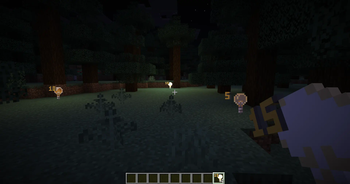
Light It Up — screenshot 1Light It Up — screenshot 2

Light It Up Datapack for Minecraft Java Edition

Make sure to install the Datapack Version that correctly matches your Minecraft Version or issues may arise.

📖 About

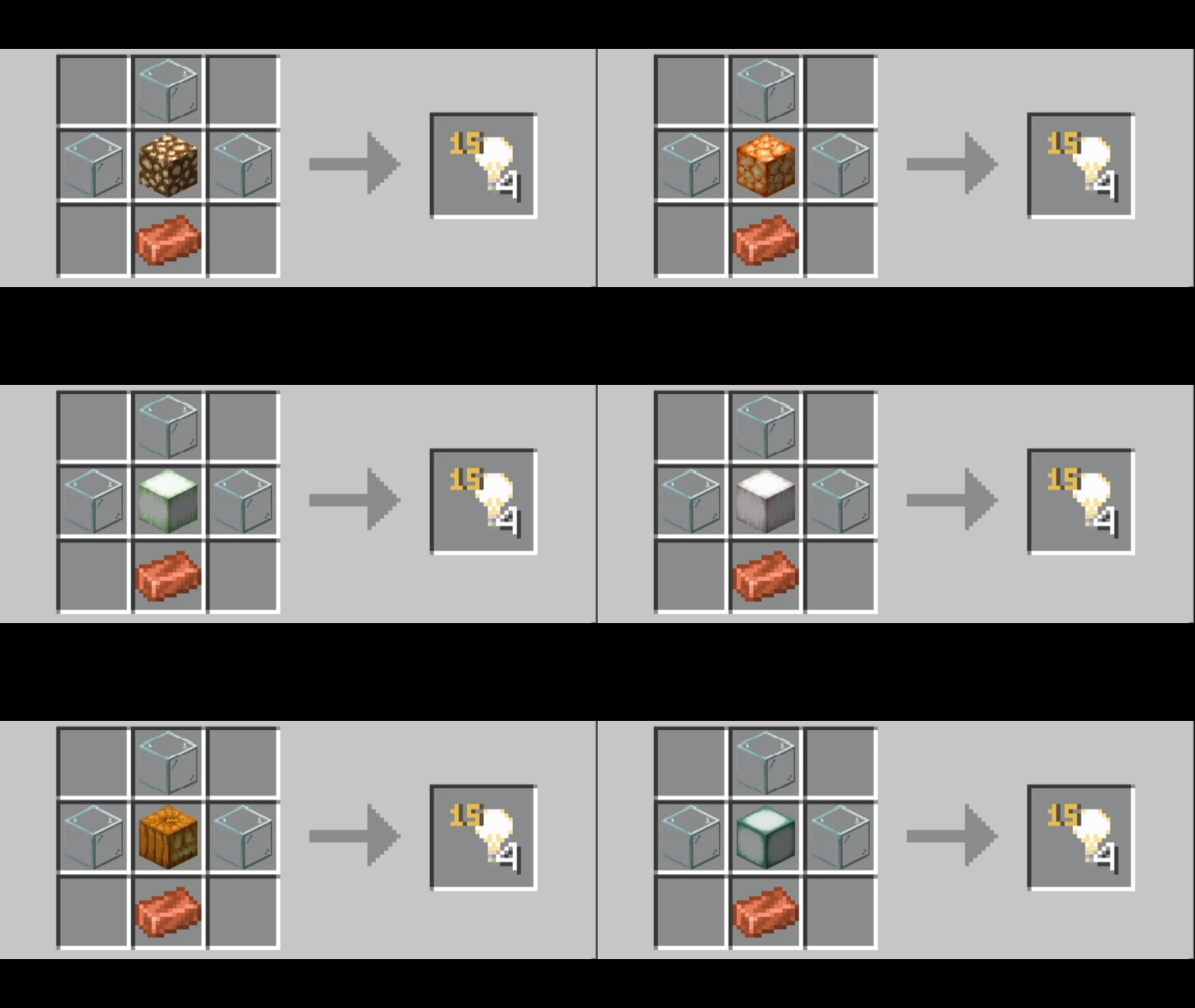
This Datapack adds craftable invisible Light Blocks that you can also adjust to any light level you would like.

This is perfect for trying to light up a base without ruining the asethetic of your build with torches or lanterns everywhere.

📝 Features

Stand inside a Light Block and type /trigger lightLevelAP set # to change the light level of the block.

Replace # with whatever light level you would like the block to become.

Keep in mind light levels only go from 0-15

gif crafting display

📂 Installation

Be sure to install this Datapack to the right location or it will not work properly, the correct file path is saves/[world]/datapacks

ℹ️ Extra Information

I now have a Ko-fi link located on the pack’s Modrinth page on the sidebar, but always remember donations are appreciated, but never required.

👾 Issues

Please report any issues to the Discord located in the Links tab, or on the Planet Minecraft page.

Verified by MCModsHub

These come from our own check of the pack file, not from the source page.

Explore more