
Harder Difficulty
A datapack/mod designed to make Minecraft - Hard Difficulty actually difficult. Caves are more dangerous deeper you go, totems are harder to obtain, most…
I don't know my version or loader
Harder Difficulty - Make Minecraft Difficult Again
This datapack/mod increases the overall difficulty of Minecraft by introducing tougher mechanics and more dangerous encounters. Hostile mobs are more aggressive and survival requires greater skill and strategy. All is done just by enhancing but not changing vanilla mechanics. Perfect for players looking for a more fun and intense challenge, or modpack creators who feel that vanilla mobs are too weak or underwhelming compared to modded ones!
Most features are configurable, allowing players to customize their experience: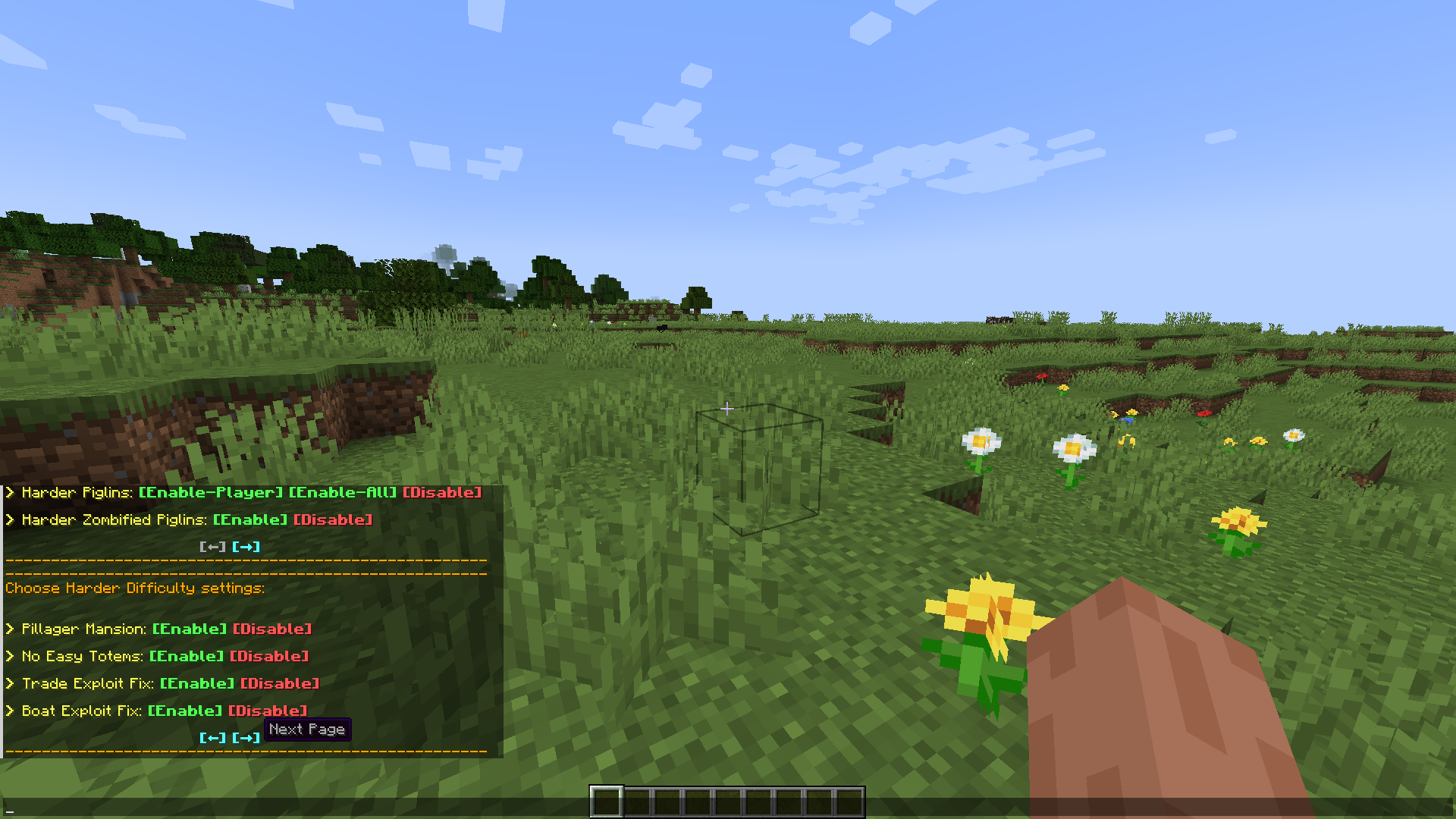
Use /trigger Config.Harder_Difficulty while in creative mode to open config menu (must have cheats enabled/OP permisions to change settings)
All Features:
Buffed Mobs - Most hostile (humanoid) mobs can now spawn with armor or weapons depending on the Y level they spawn at, have increased follow range, and feature more unique behavior based on their type.
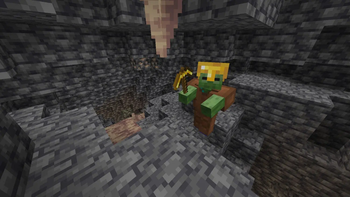
Undead (Zombie Type) - All zombie-type mobs, including Zombies, Husks, Drowned, Zombified Piglins and Zombie Villagers, can now break down wooden doors, have a 100% chance to pick up dropped items, and have an increased chance (compared to vanilla) to summon reinforcements when damaged. Also, there is a 10% chance for regular zombies to spawn as their baby variants if they appear below Y=0.
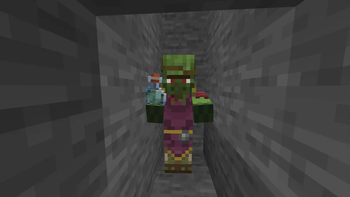
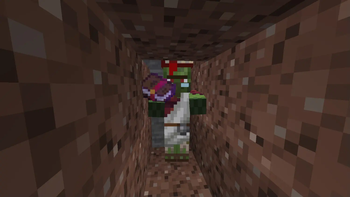
Zombie Villager Flavor - Zombie Villagers have a chance to spawn holding items related to their professions. For example, a Cleric may spawn holding a potion, a Librarian may hold a book (even an enchanted one), and a Cartographer may even hold a treasure map.
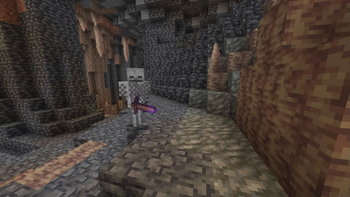
Smart Skeletons (Configurable, default=true) - Some Skeletons in the Overworld and some Wither Skeletons in the Nether are now Smart - meaning they can switch between a sword and a bow depending on their distance to the target. Also, Skeletons spawned in Nether Fortresses are swaped for Wither Skeletons.
Strays and Slowness Aura (Configurable, default=true) - Strays now emit an icy aura within a 6-block radius, applying Slowness II to all entities except the Undead and those naturally immune to cold, such as Polar Bears or Snow Golems. This effect can be negated by wearing a full set of Leather Armor.
Harder Piglins (Configurable, default=Players Only) - Piglins now attack on sight unless players are wearing a full set of Golden Armor, instead of just one piece. If config is set to All, Piglins will also aggro on any mob not wearing a golden armor set.
Harder Zombified Piglins (Configurable, default=true) - Zombified Piglins now attack all non-undead mobs and players in radius of 15 blocks—unless they’re wearing a monster head/skull in the helmet slot. However, if a Player gets within 5 blocks, they’ll be detected and attacked even with a disguise. This works similarly to vanilla Minecraft’s mob detection behavior—wearing a monster head reduces the chance of being noticed.
Illagers - Pillagers can spawn with enchanted crossbows, Vindicators with enchanted axes or swords, and Evokers now use Totems of Undying (which they also drop on death). Witches may spawn with effects like Regeneration or Slow Falling.
Pillager Mansion (Configurable, default=true) - Zombies spawned in Woodland Mansions are now replaced with Witches, Skeletons and Creepers with Pillagers, and Zombie Villagers with Vindicators, making the Mansion structure more consistent with the Pillager theme. Added Illusioner mob to the structure.
Spiders, Blazes, Creepers and Drowned - Spiders now have a higher chance to spawn with a Skeleton riding them and are more likely to spawn with effects like Invisibility or Regeneration, similar to how they spawn on Hard difficulty in vanilla Minecraft. They also are immune to fall damage. Blazes gain the Regeneration effect while in lava or fire. Creepers have a small chance to spawn as charged, and every second, there is a small chance for lightning to strike and charge a Creeper if it’s thundering. Drowned receive a Speed effect when in water or during rain.
No Easy Totems (Configurable, default=true) - Evokers no longer spawn in raids, so players must explore and find those rare Woodland Mansions everyone forgot about if they want their Totems of Undying.
Trade Exploit Fix (Configurable, default=true) - Zombie Villagers now have a chance to die instead of being cured after the curing process, preventing the exploitation of cheap trades!
Boat Exploit Fix (Configurable, default=true) - All mobs that are not named or tamed now have a 30% chance per second to dismount when riding boats or minecarts. Say goodbye to kidnapping Villagers or easy Enderman farming! 😈
Unnamed Mobs Despawn Naturally (Configurable, default=true) - All unnamed zombie type mobs (including those in minecarts or boats-if boat exploit fix is false, or even zombies holding items) will now naturally despawn, preventing lag and more importantly, easy iron farms. Mobs, such as villagers or wolfs, that do not naturally despawn in vanilla remain unaffected.
Agressive Wolves (Configurable, default=true) - Wild wolves now have increased HP (20 hearts, same as tamed ones) and will aggro on every mob within a 15-block radius, except for creepers and other wolves. However, they can still be tamed.
Infested Rotten Flesh (Configurable, default=true) - Rotten Flesh now has a chance to be infested with 1-5 Silverfish, which may spawn when Rotten Flesh is dropped by a Zombie.
Added Bossbar For Warden (Configurable On/Off)
How to Configure:
To be able to configure settings you’ll need to enable cheats (have OP permission) and be in Creative or Spectator mode
For singleplayer or LAN worlds:
In game hit Esc → "Open to LAN", then make sure "Allow Cheats" button is set to "ON" and click "Start LAN World" button
Change your gamemode to Creative
Run the command
/trigger Config.Harder_Difficultyto open the configuration menuClick on [Enable] or [Disable] buttons to change any setting
Once you're done, simply exit and rejoin the world to return to normal gameplay
Installation Instructions (datapack):
SpoilerDownload the datapack file.
Open your Minecraft world save folder:
C:\Users<YourUsername>\AppData\Roaming.minecraft\saves<YourWorldName>\datapacks
Copy the downloaded datapack file into the datapacks folder.
Start your Minecraft world and use
/reloadto load the datapack.
- Downloads as Harder Difficulty.1.20.1_v_1.2.1.zip
- Download size: 90 KB
- Download link checked 28 Aug 2026 — working
These come from our own check of the pack file, not from the source page.