
Minecraft but the World Floods
Java data pack listed for Minecraft 1.20–26.x. Downloads from the MC Java Mods app on Android.
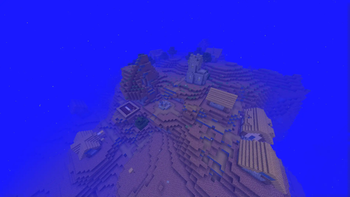
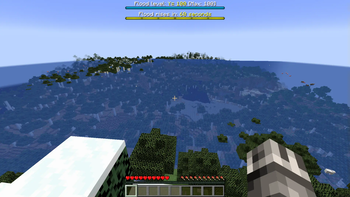
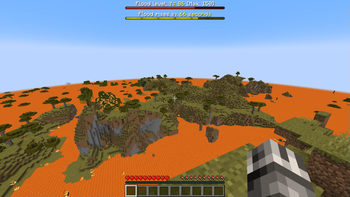
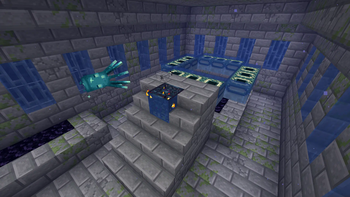
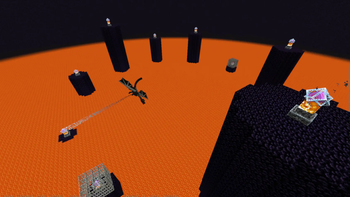
In this challenge, the world floods over time. Race to the end of the game and beat the dragon before it's too late!
I don't know my version or loader

Overview
In this challenge, the world floods over time. Race to the end of the game and beat the dragon before it's too late!
I don't recommend using this pack in a world you intend to keep, since the world will pretty much be irreversibly destroyed by the end.
If you'd like to make a video or content using this pack, go for it! If you do so, you must provide credit to me (Ambiguous Chameleon) and provide a link to this pack in the description and/or comments. Thank you!
Cheats & Commands
Depending on how these options are set, and your render distance, the world may struggle to keep up with all the block updates!
| Command | Description |
|---|---|
/trigger ac.world_floods.cause.damage |
Makes flood rise when a player takes damage |
/trigger ac.world_floods.cause.time |
Makes flood rise after x seconds pass |
/trigger ac.world_floods.set_time_interval set x |
Sets how often (in seconds) a flood rise occurs1 |
/trigger ac.world_floods.rise |
Manually triggers the flood to rise |
/trigger ac.world_floods.set_amount set x |
How many blocks the flood rises by when it is triggered2 |
/trigger ac.world_floods.set_block |
Changes flood to be made of held mainhand block3 |
/trigger ac.world_floods.set_level set x |
Raises the flood to height of x |
/trigger ac.world_floods.set_level_max set x |
Sets the maximum height the flood can reach4 |
/trigger ac.world_floods.toggle_bossbar |
Toggles visibility of the bossbars |
/function ac_cheat:uninstall |
Uninstalls project (data pack version only!) |
1Default is 60
2Default is 1
3Buckets of water/lava/powder snow change it to that respective block. Default flood block is water. In 1.20.1 and lower, this command instead acts as a toggle between water and lava as the flood block
4Default is 100
- Edition: Minecraft Java
- File type: .jar
- Minecraft versions listed: 1.20.2, 1.20.3, 1.20.4
- How to install: Install the matching mod loader (Forge, Fabric or NeoForge) for your Minecraft version. → Download the .jar. → Put it in the .minecraft/mods folder and launch that loader profile.
- Where to get it: Opens on Modrinth — not every file is mirrored on our own servers.
Install steps are the general flow for this file type — see the MC Java Mods guides for the full walkthrough.
- Downloads as MC but World Floods v1.1.3a.zip
- Download size: 384 KB
- Download link checked 9 Oct 2026 — working
These come from our own check of the pack file, not from the source page.