
Easy Multi Item Sorter
Java data pack listed for Minecraft 1.21–26.x. Downloads from the MC Java Mods app on Android.
I don't know my version or loader
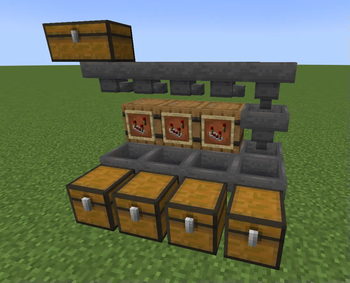
Building a Multi Item Sorter (or MIS) is always complex, prone to breaking, and overall, not fun to build. I couldn't find one online that met my demands. Some were too expensive, others too large or too slow...
So, I decided to make this. Instead of your MIS looking clustered with redstone and minecart circuits, you get this very simple design.
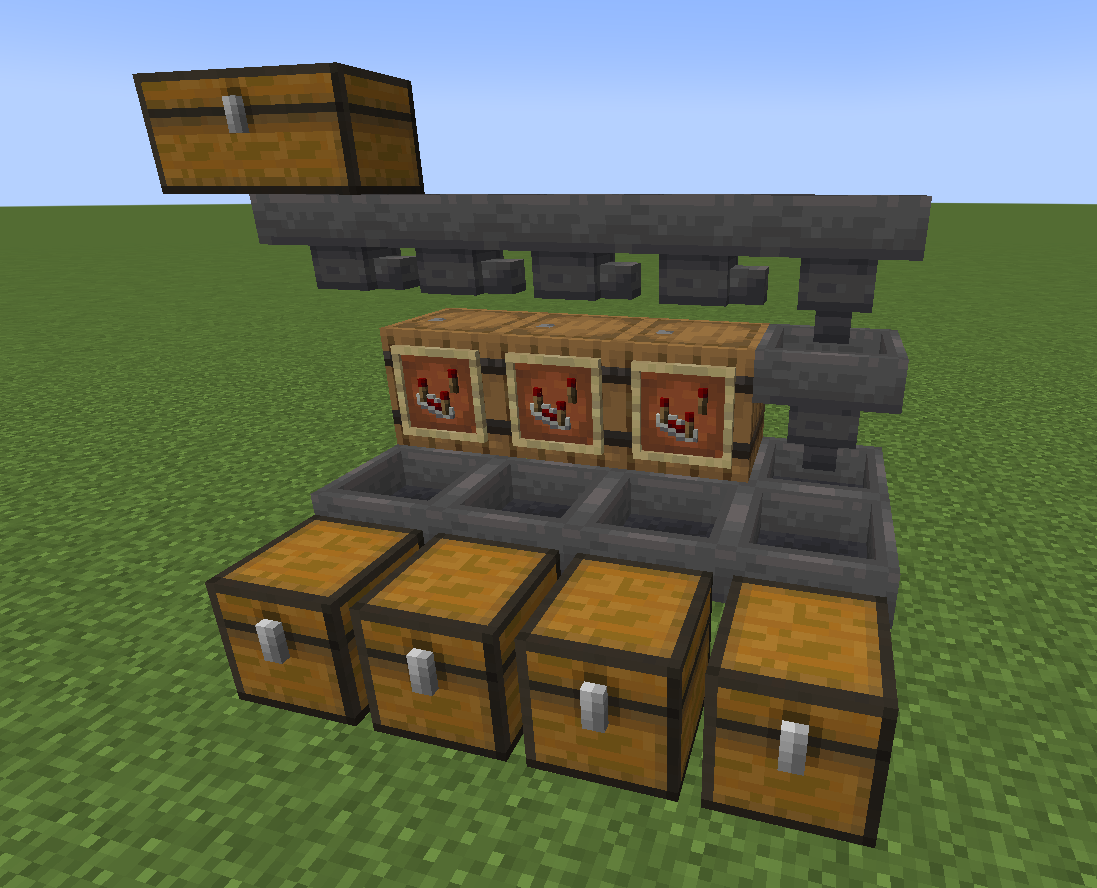
How does it work?
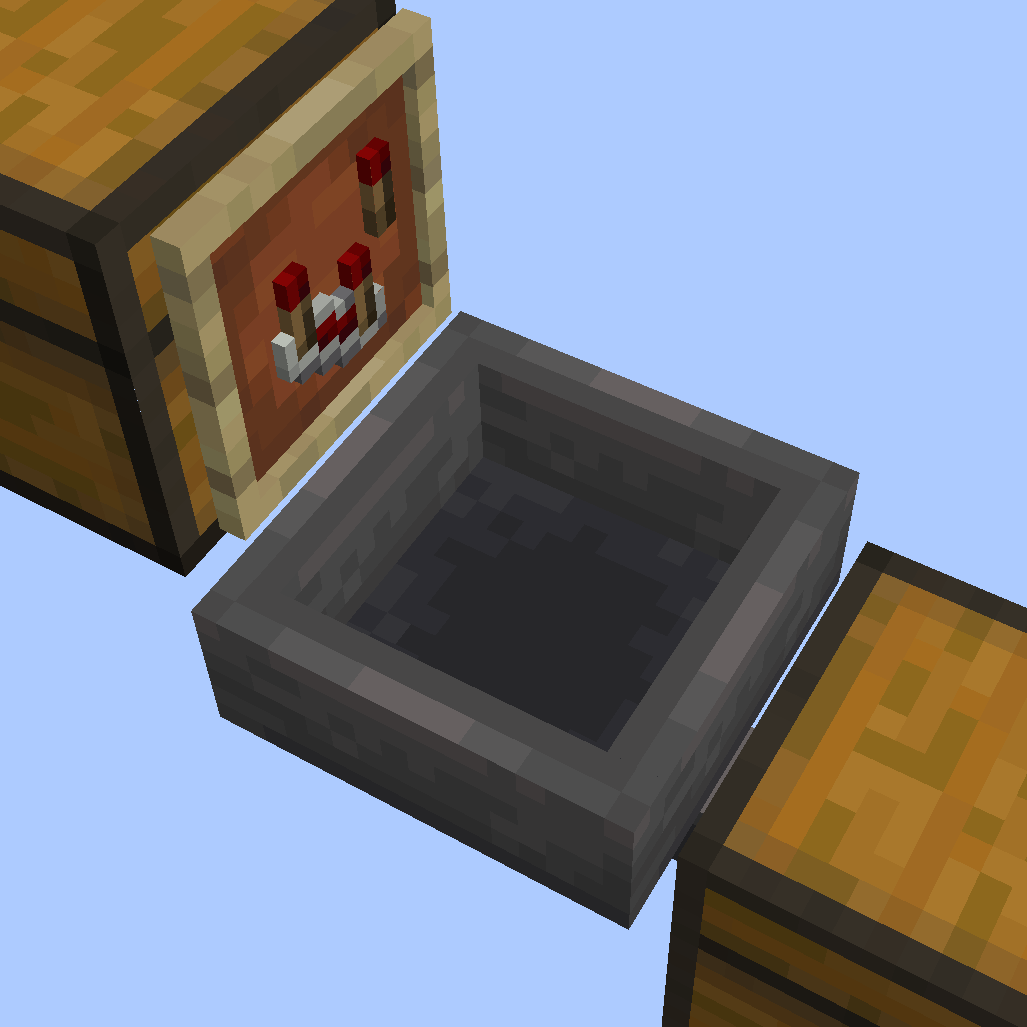
Slap an item frame on any container with a comparator in it. The container with the item frame on it, we'll call the filtering container.
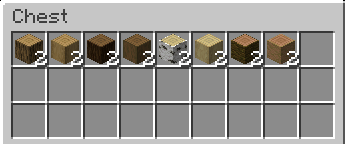
Place any stackable item in the filtering container making sure it has at least two of the items. The items you place in the filtering container will be the items that are being filtered.
Again, it MUST have at least two of the items in the container or it will not see the item for filtering.
The filtering container will pull items it already has inside it from any containers above it. So, this is typically where you'd place a line of hoppers. As the items get transported down the hopper line, the filtering containers will snatch all the items that match their contents.
The filtered items go in the hopper directly below the item frame:
You can then point that hopper into a chest where you'll be able to access your filtered items. You can also have the hopper point into another hopper or even replace the hopper with a chest. Any container that can hold items will do.
Do not place a hopper on the underside of the filtering container, that would just mess up your filtering placement. The hopper goes below the item frame, not below the filtering container.
Got hoppers that are faster than vanilla? Like the Super Hopper? Well, if you plan on using hoppers that are faster than regular hoppers, you will need to adjust the filtering rate of your MIS. The default speed is 1 item per 8 ticks, same as a vanilla hopper. However, you can set the MIS to 1 item per tick with
/trigger easy_mis_fast_mode
You can also slow things down by 4 times if you have a not-so-great pc with
/trigger easy_mis_slow_mode
and back to default with /trigger easy_mis_normal_mode
I recommend using regular-speed hoppers if you don't have great computer specs.
See my other mods
- Edition: Minecraft Java
- File type: .jar
- Minecraft versions listed: 1.21, 1.21.1, 1.21.2
- How to install: Install the matching mod loader (Forge, Fabric or NeoForge) for your Minecraft version. → Download the .jar. → Put it in the .minecraft/mods folder and launch that loader profile.
- Where to get it: Opens on Modrinth — not every file is mirrored on our own servers.
Install steps are the general flow for this file type — see the MC Java Mods guides for the full walkthrough.
- Downloads as Easy MIS (1.21) [1.0.2].zip
- Download size: 55 KB
- Download link checked 9 Oct 2026 — working
These come from our own check of the pack file, not from the source page.