
Biome Powder: Paint Biomes
Change Biomes in your Builds to make them Extra Special! Survival-Friendly & for Creative. Modify Foliage & Grass colors into all 16 vanilla colors.
I don't know my version or loader
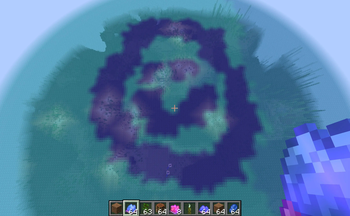
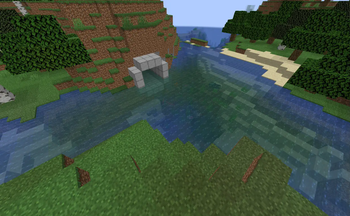
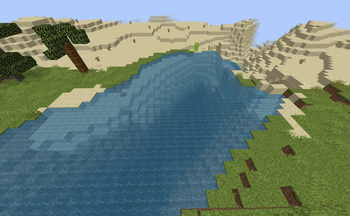
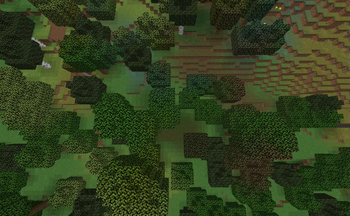
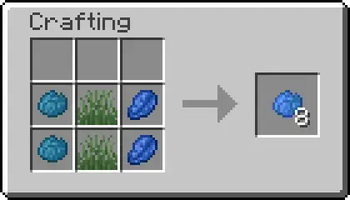
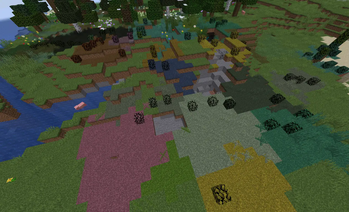



Allows you to change the biome in a Survival-Friendly way. Simply right-click with a Biome Powder to use it. The Biome Powders are also really useful for Builders in Creative Mode. You always get 8 Biome Powder from a single crafting process.
📶 Sizes
Biome Powders come in 3 different Sizes:
- Small
- Mid
- Big Each Biome Powder has 2-3 Ingredients. The amount of times you use these Ingredients while Crafting will Change the size.
Small
Use Ingredients once for small Biome Powder. This is meant to be used for details, corrections and for pathways.
Mid
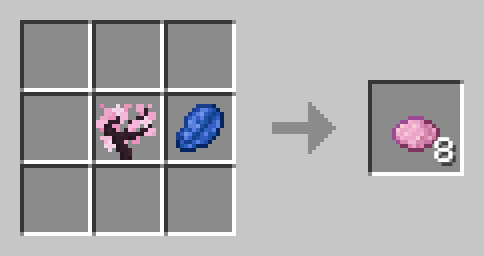
Use Ingredients twice for mid-sized Biome Powder. you can use this to fill rather small areas.
Big
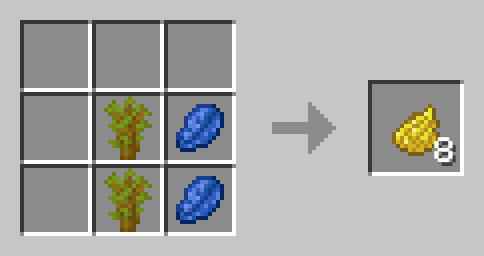
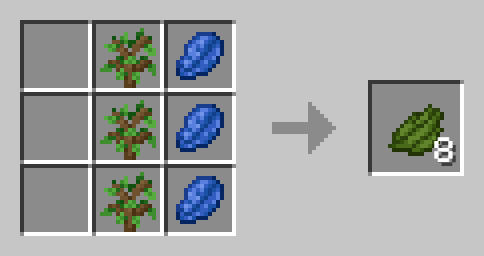
For most bigger areas, you will want to use the big biome powder. It is crafted by using the ingredients three times.
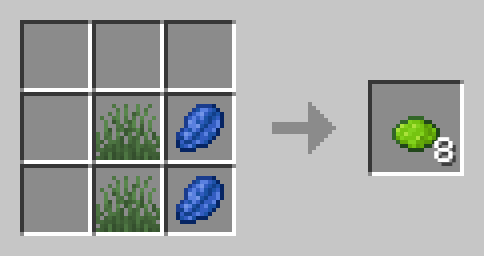
🏞️ Included Biomes
Plains
Short Grass and Lapis Lazuli
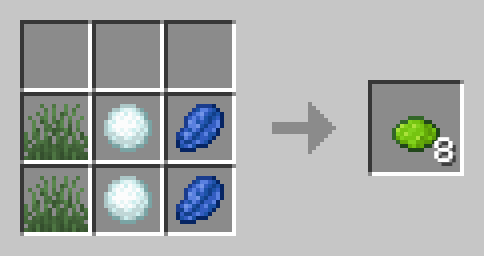
Snowy Plains
Short Grass, Snowball and Lapis Lazuli
Forest
Oak Sapling and Lapis Lazuli
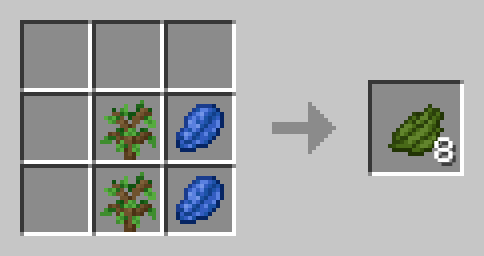
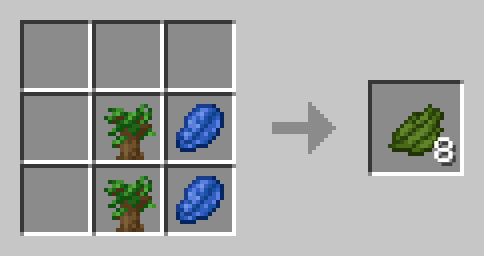
Dark Forest
Dark Oak Sapling and Lapis Lazuli
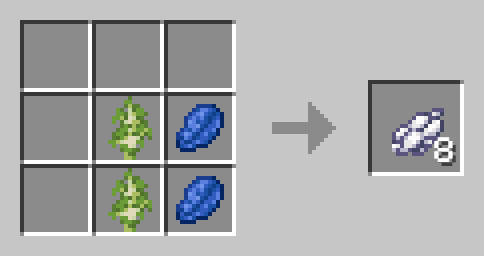
Birch Forest
Birch Sapling and Lapis Lazuli
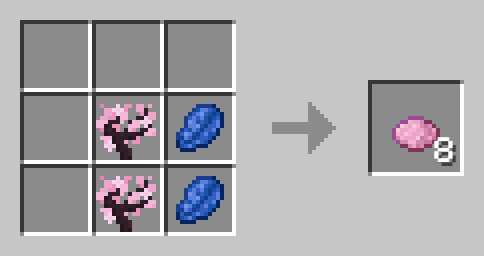
Cherry Grove
Cherry Sapling and Lapis Lazuli
Savanna
Acacia Sapling and Lapis Lazuli
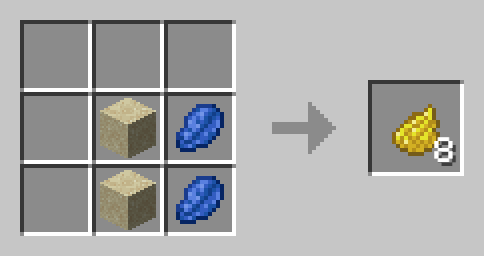
Desert
Sand and Lapis Lazuli
Badlands
Red Sand and Lapis Lazuli
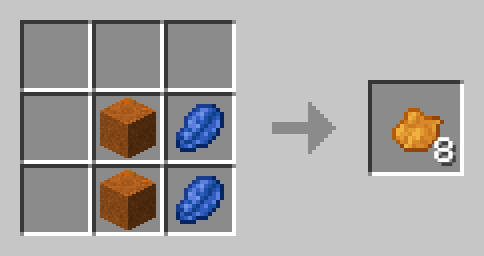
Swamp
Lily Pad and Lapis Lazuli
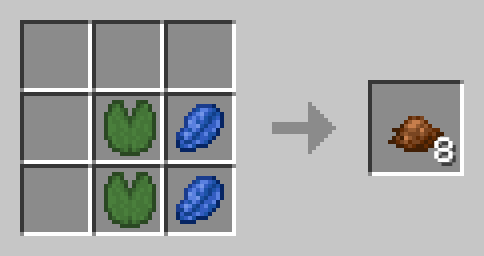
Mangrove Swamp
Mangrove Sapling and Lapis Lazuli
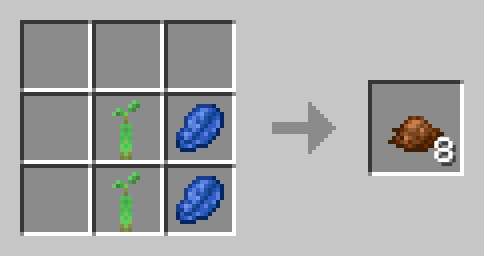
Jungle
Jungle Sapling and Lapis Lazuli
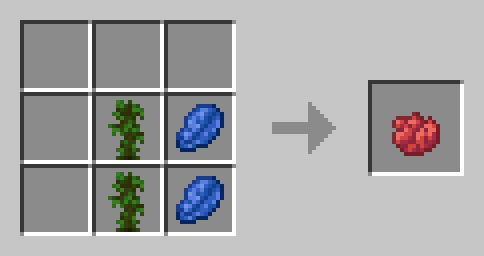
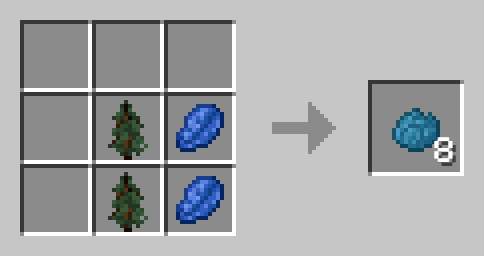
Taiga
Spruce Sapling and Lapis Lazuli
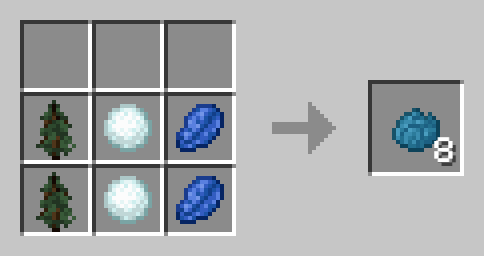
Snowy Taiga
Spruce Sapling, Snowball and Lapis Lazuli
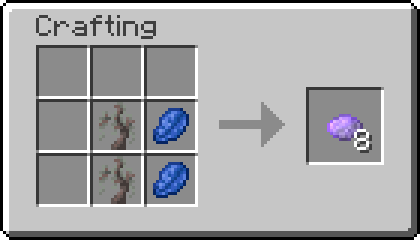
Pale Gardens
Pale Oak Sapling and Lapis Lazuli
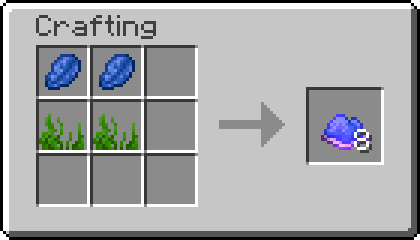
Ocean
Seagrass and Lapis Lazuli
Lukewarm Ocean
2x Seagrass and Lapis Lazuli
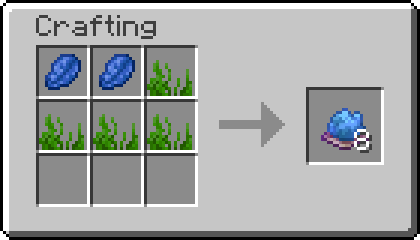 !
!
Warm Ocean
Seagrass, Sea Pickle and Lapis Lazuli
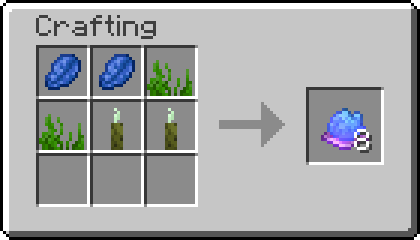 !
!
Cold Ocean
Seagrass, Snow and Lapis Lazuli
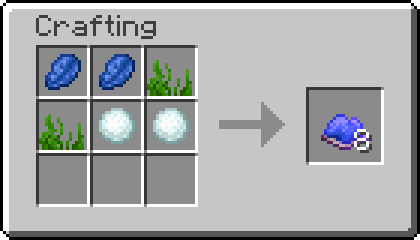
Frozen Ocean
Seagrass, Ice and Lapis Lazuli
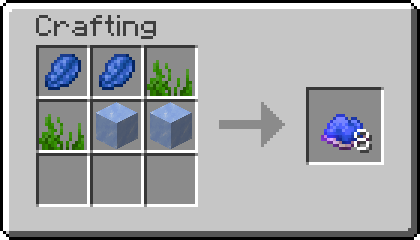
Colored Plains (1.2-1.3 only)
Short Grass, any Dye and Lapislazuli

📗 How to add all Recipes to the Recipe Book?
Without Commands
By simply crafting and using the Biome Powder Knowledge Book you will gain all the recipes.
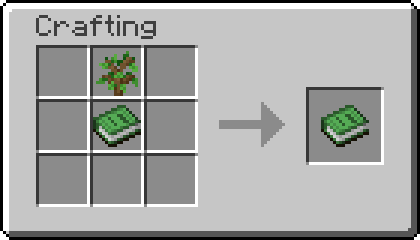
To craft Knowledge Books, you will need "Craftable Knowledge Book".
With Commands
You can add all recipes to the Recipe Book by using the command /function biome_powder:unlock_all_recipes. If you want to give all players all Recipes, use /execute as @a run function biome_powder:unlock_all_recipes instead.
🛠️ Installation
Datapack Installation Guide
Copy the .zip archive into the ".minecraft/saves/yourworldname/datapacks" folder, where yourworldname is the name of your world.
Mod installation Guide
Copy the .jar archive into the folder your Mod Loader of choice provides.
⚙️ Compatibility
Do not use an "Unlock all achievements" datapack after having installed this datapack!. Recipes are Subject to Change in Future Versions.
🤝 Attributions
Datapack is loosely inspired by Terraria
❗Issues and Suggestions
Please report issues on My Discord.
- Edition: Minecraft Java
- File type: .jar
- Minecraft versions listed: 1.21.9, 1.21.10
- How to install: Install the matching mod loader (Forge, Fabric or NeoForge) for your Minecraft version. → Download the .jar. → Put it in the .minecraft/mods folder and launch that loader profile.
- Where to get it: Opens on Modrinth — not every file is mirrored on our own servers.
Install steps are the general flow for this file type — see the MC Java Mods guides for the full walkthrough.
- Downloads as biomePowder1.21.10.zip
- Download size: 40 KB
- Download link checked 29 Aug 2026 — working
These come from our own check of the pack file, not from the source page.