
Better Harnesses
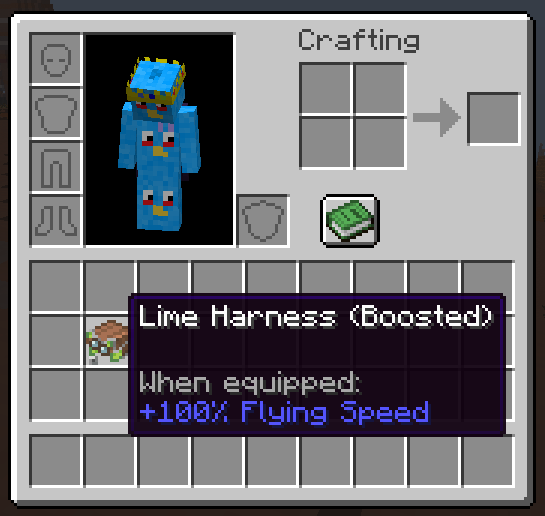
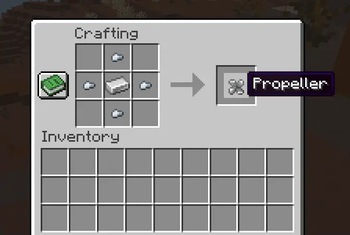
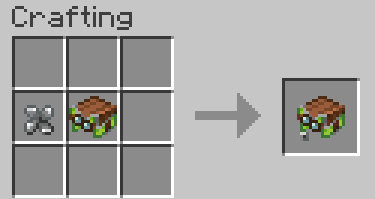
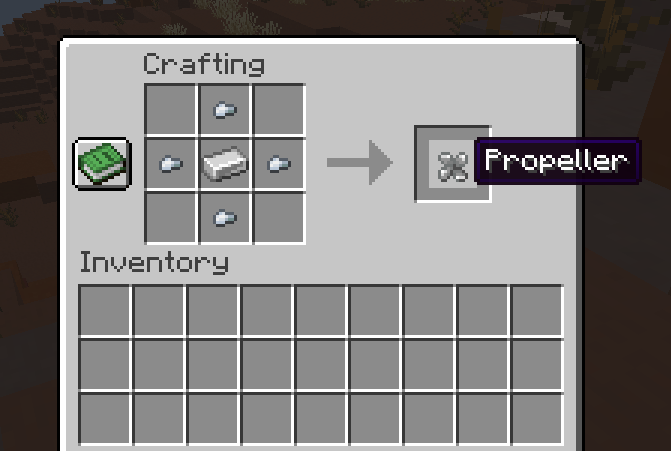
Adds a harness upgrade to improve happy ghast flying speeds. Craft a propeller from 1 iron surrounded by 4 iron nuggets and combine it with a harness to…
I don't know my version or loader
Info
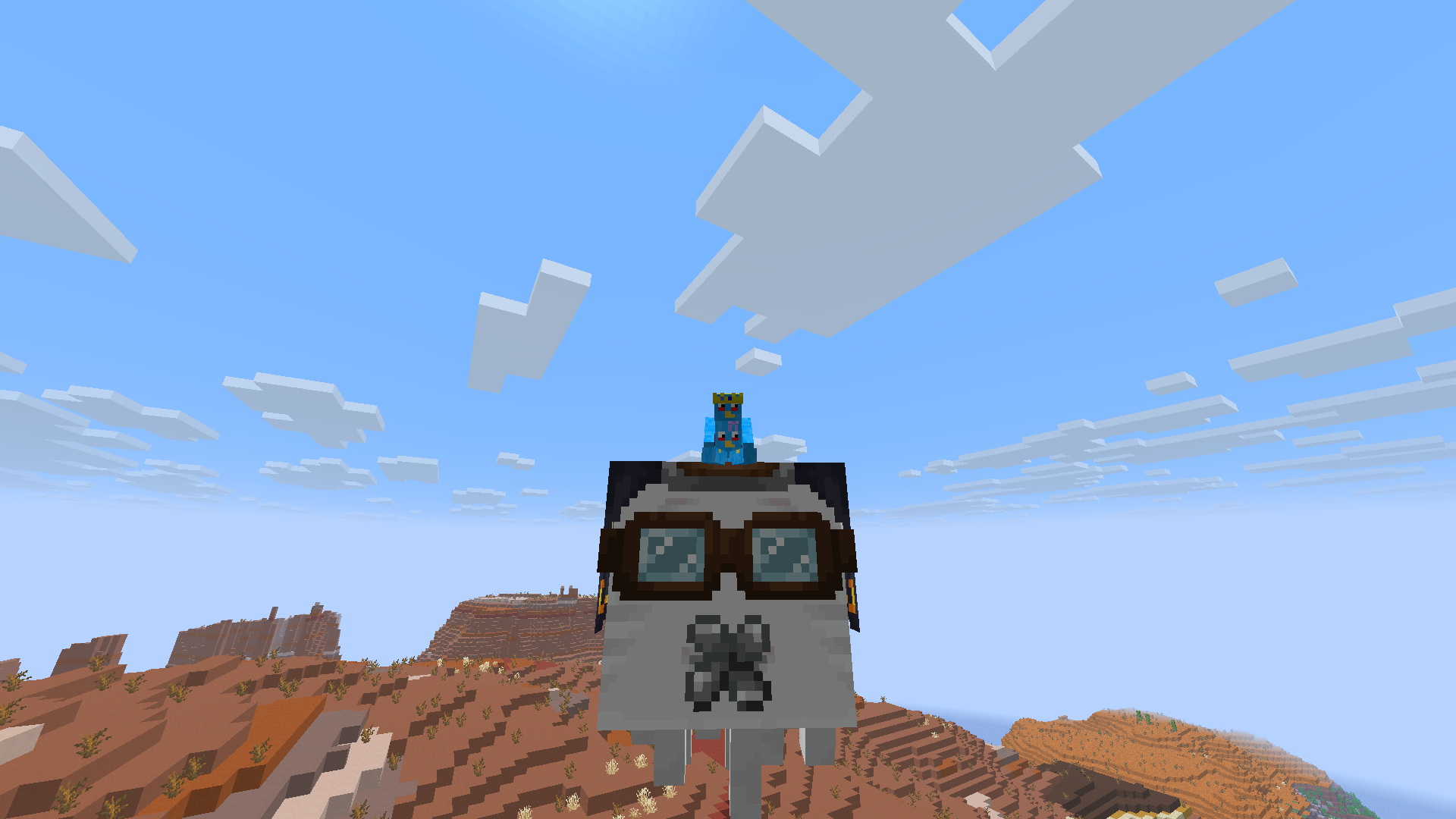
Do you hate the slow speed of happy ghasts? Do you want the speed to be doubled? Well this datapack has you covered! You can craft a new harness with a propeller to increase the speed of happy ghasts. This doubles the speed of those slow happy ghasts.
Recipes and Images
FAQ
Q: I get a missing texture when trying to use this how do I fix it?
A: Make sure to download the resourcepack
Q: Where can I download the resourcepack?
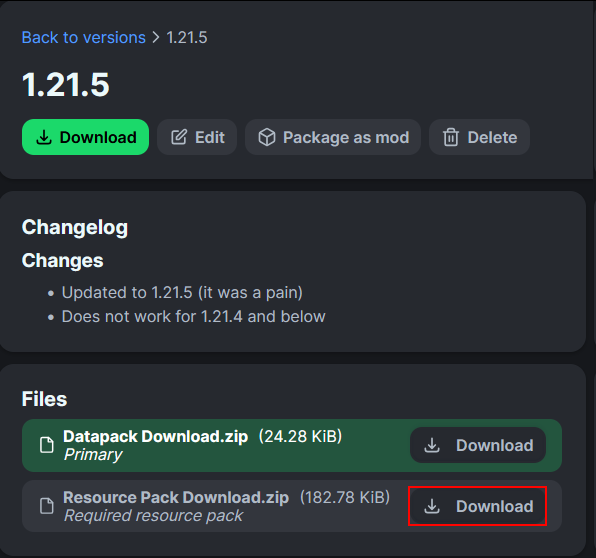
A: Those who click the big download button at the top of the screen are only prompted to download the datapack and not the resourcepack. Modrinth does not show both of them in that menu. You instead have to go to the versions tab.
First you have to go to the versions tab

Then you go to the version you want
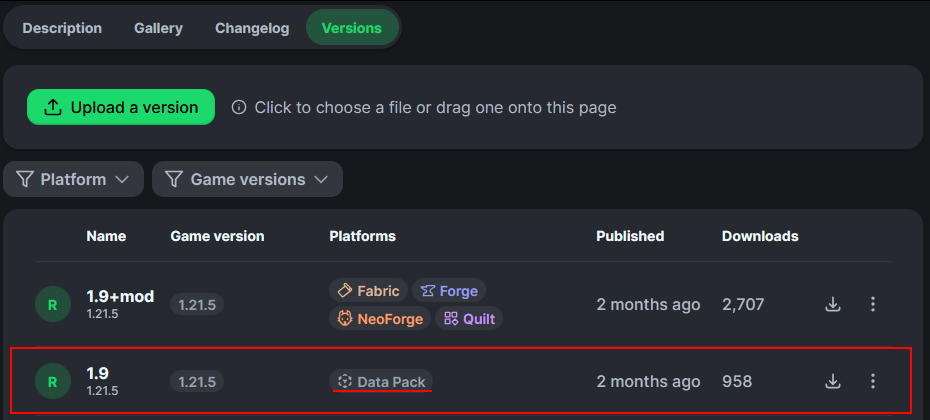
Then underneath the datapack download is the resourcepack download
- Edition: Minecraft Java
- File type: .jar
- Minecraft versions listed: 1.21.9, 1.21.10, 1.21.11
- How to install: Install the matching mod loader (Forge, Fabric or NeoForge) for your Minecraft version. → Download the .jar. → Put it in the .minecraft/mods folder and launch that loader profile.
- Where to get it: Opens on Modrinth — not every file is mirrored on our own servers.
Install steps are the general flow for this file type — see the MC Java Mods guides for the full walkthrough.
- Downloads as Better Harnesses Datapack v1.1.zip
- Download size: 21 KB
- Download link checked 29 Aug 2026 — working
These come from our own check of the pack file, not from the source page.