
Armor Stand 12 Poses
I don't know my version or loader
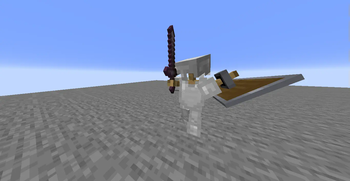
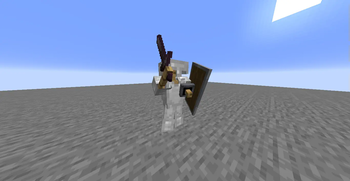
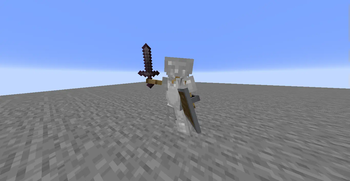
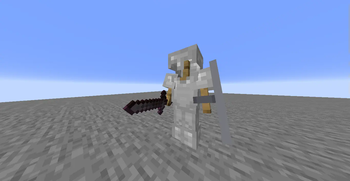
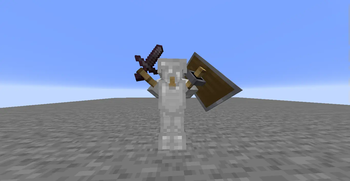
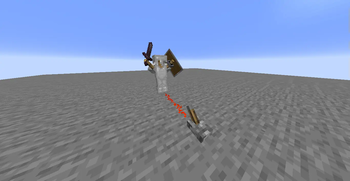
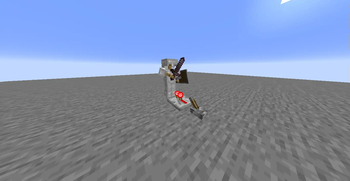
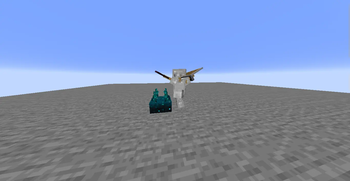
Java Armor Stand Poses (12 Poses)
Bedrock Armor Stand Poses is a Minecraft Java data pack that brings 12 unique armor stand poses from Bedrock Edition to Java Edition.
✨ Features
Adds 12 Bedrock-style armor stand poses

Manual interaction: Right-click on the leg section of the armor stand while directly facing the block it is standing on

Redstone compatible: Any redstone signal exactly 1 block away from the stand triggers a pose change

Works in both single-player and multiplayer worlds
⚠️ For Redstone activation to work properly, the signal must be exactly 1 block away from the armor stand. Even the slightest misplacement can cause the system to malfunction.
🛠️ How does it work?
Each pose change cycles through 12 different positions.
Players can manually trigger it by interacting with it.
Redstone blocks, torches, redstones, repeaters, comparators, buttons, levers, and more are supported (as long as they are active and properly placed). It works on the same principle as redstone systems in Minecraft. When sending signals, you can set up the system as if you were sending signals to normal systems.
Notes:
Automatically creates arms for all armor stands, allowing you to add any shield and sword you want to the armor stands. (All armor stands spawn with arms.)
**📦 Installation ** Download the Datapack .zip file.
Place it in your world's datapacks folder.
Enter your world and run the
/reload
command. You are now ready to use the new armor stand placement system!
🧱 Compatibility
Minecraft Java Edition 1.21.5+

No mod or resource pack required
👤 Creator
Created by egementoni0922 ❤️
💬 Feedback and Requests
If you have any requests or feedback, please message EgemenKaragoz on Discord.
🌐 ITITAN Hosting

- Edition: Minecraft Java
- File type: .jar
- Minecraft versions listed: 1.21.5, 1.21.6, 1.21.7
- How to install: Install the matching mod loader (Forge, Fabric or NeoForge) for your Minecraft version. → Download the .jar. → Put it in the .minecraft/mods folder and launch that loader profile.
- Where to get it: Opens on Modrinth — not every file is mirrored on our own servers.
Install steps are the general flow for this file type — see the MC Java Mods guides for the full walkthrough.
- Downloads as armor_stand_12_pose.zip
- Download size: 8 KB
- Download link checked 29 Aug 2026 — working
These come from our own check of the pack file, not from the source page.