
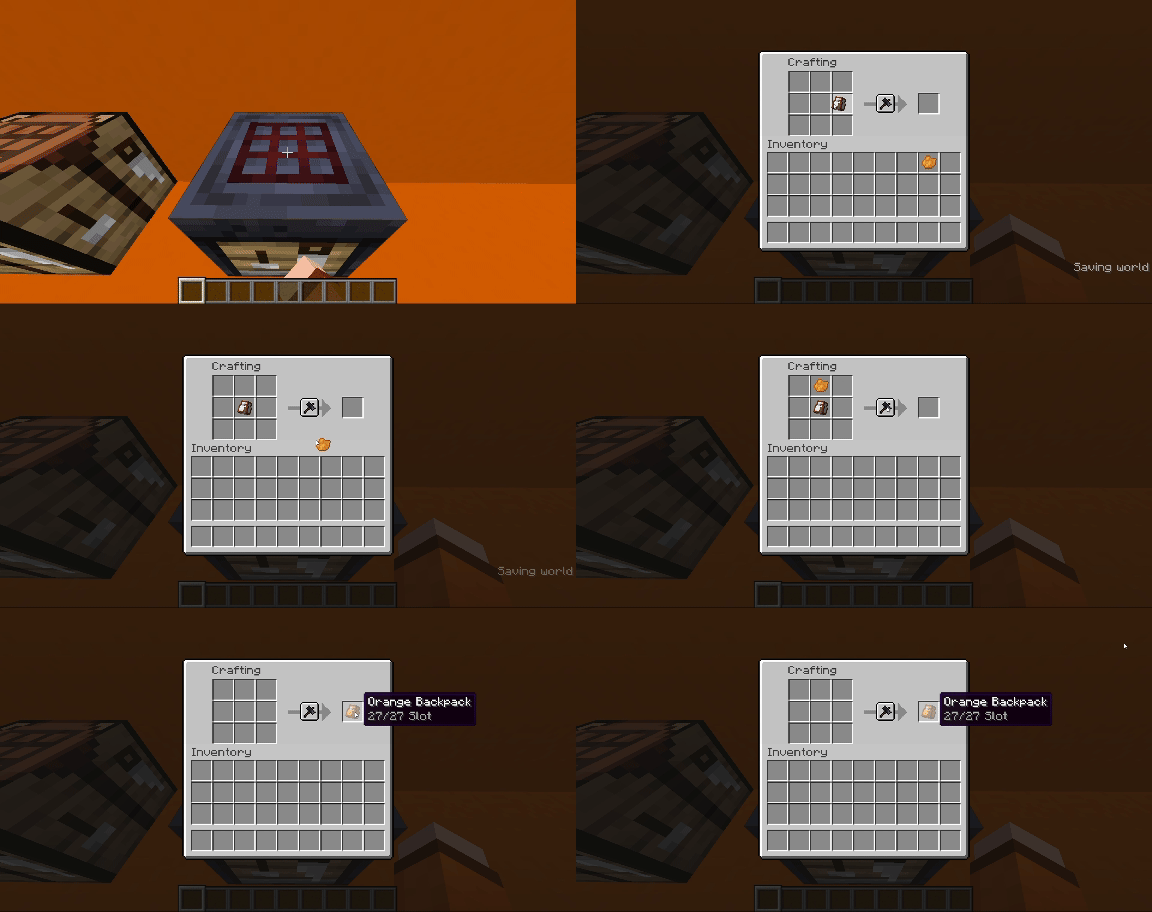

Hello! I'm Focal. I added Backpack in Minecraft.
About this pack
- Crafting
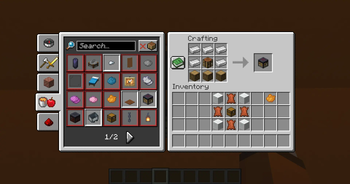
First, You need craft a Advanced Crafting Table.
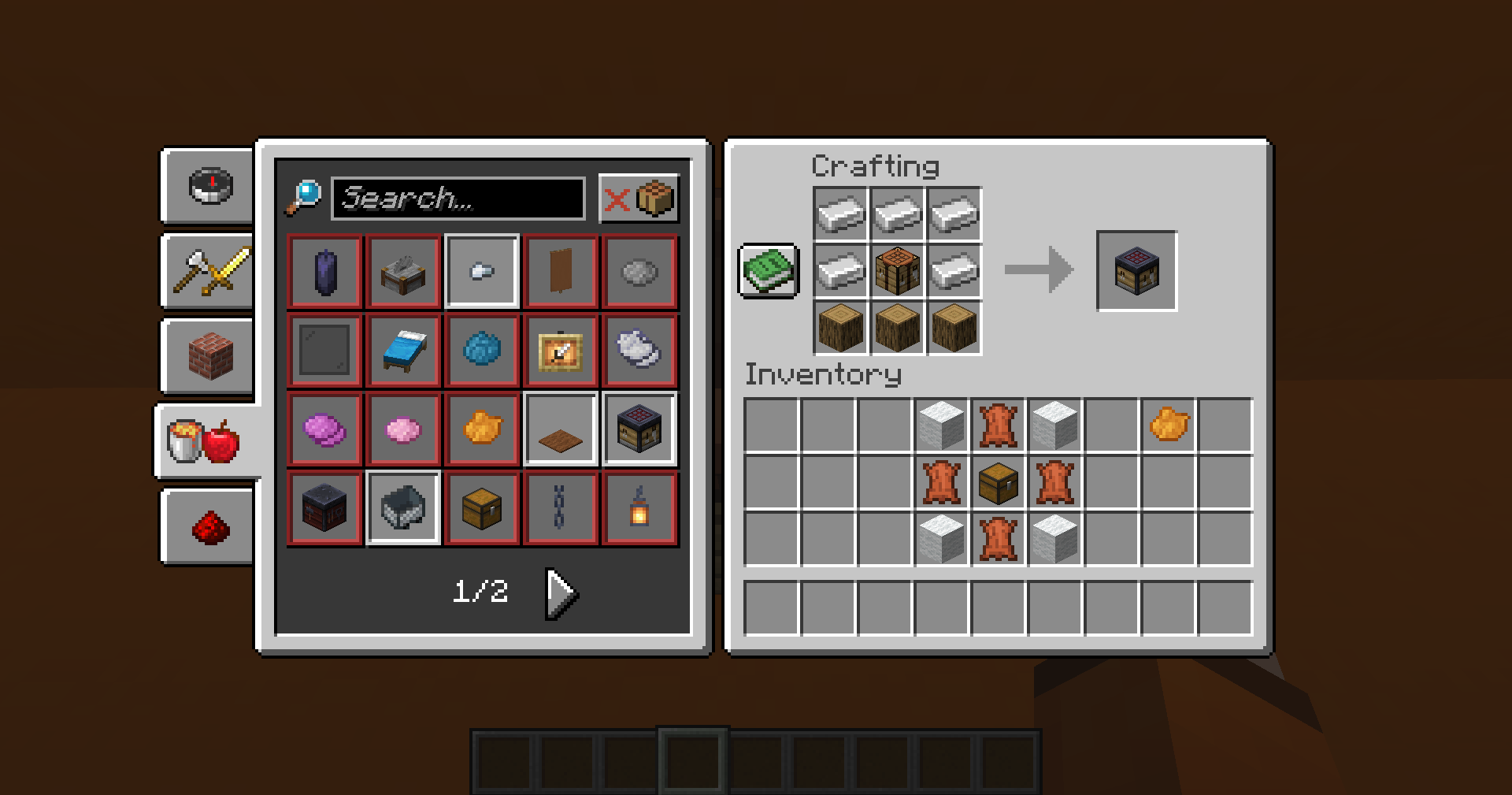
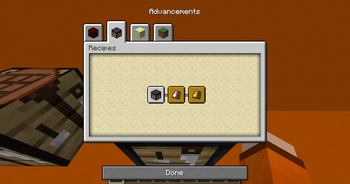
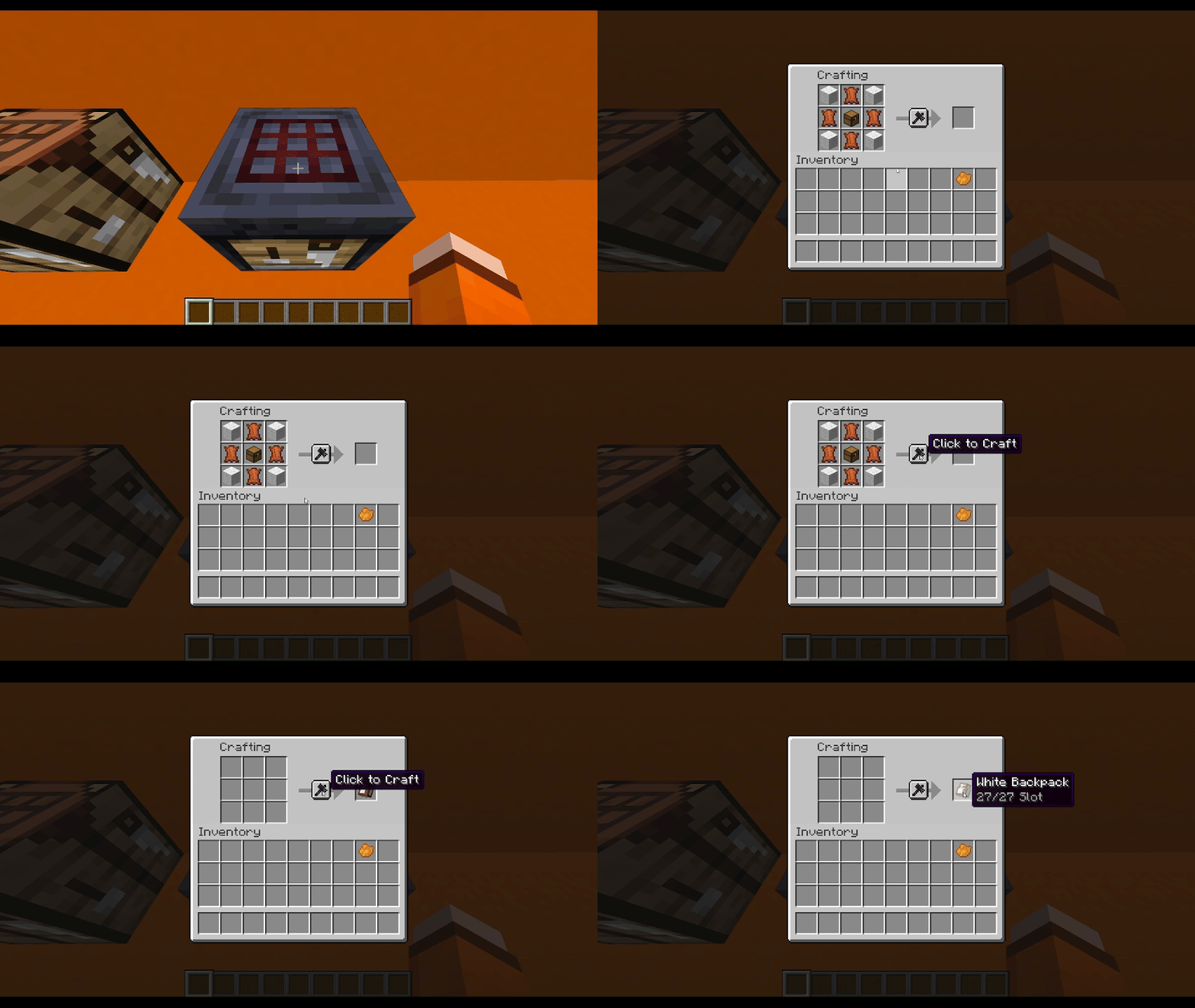
Then watch recipes in the advancements pages.
You will get recipes when you get chest
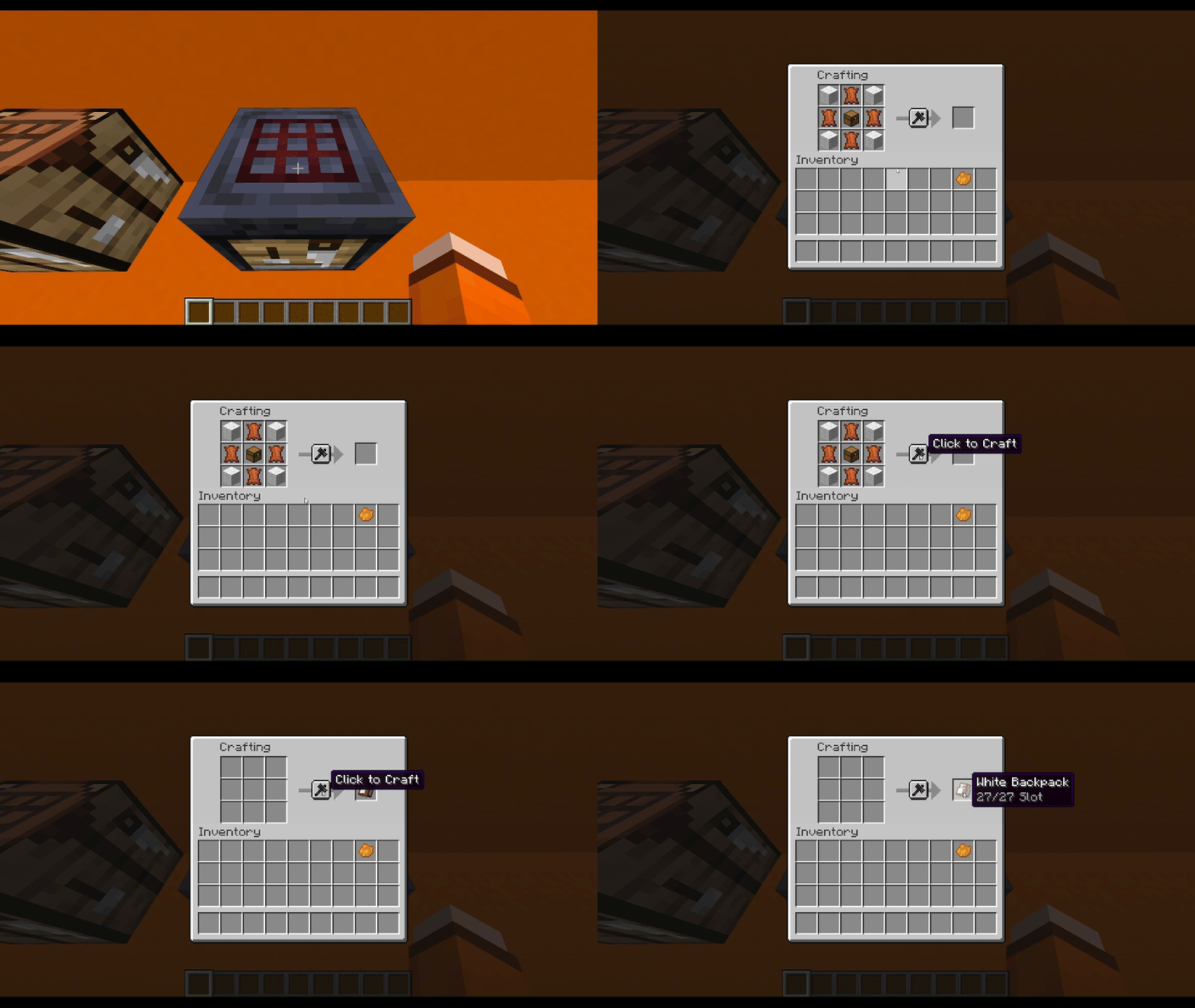
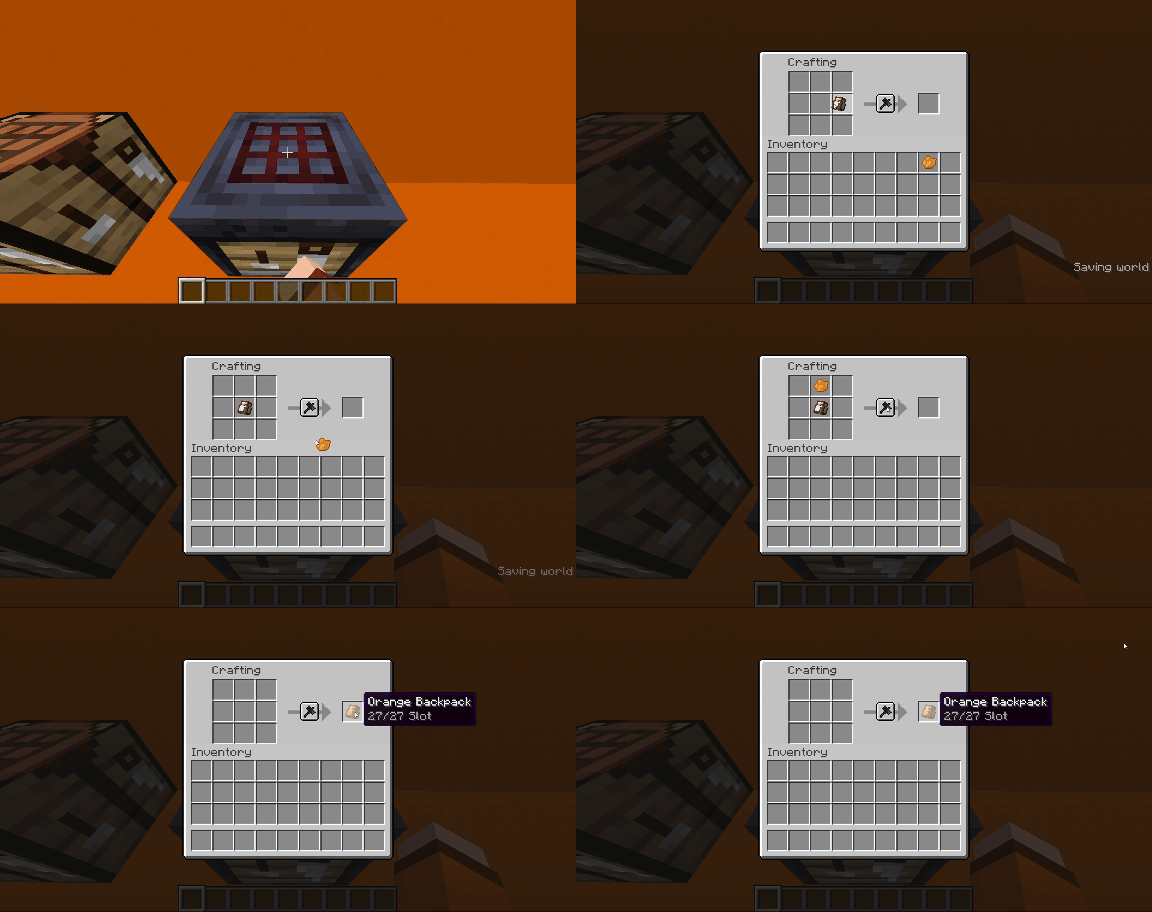
If you want dye your backpack, here is recipe
How to Use Backpack
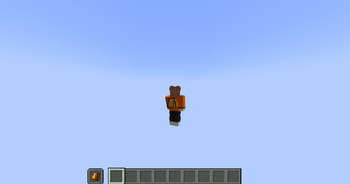
When right click with the backpack in your main hand, it will toggle between your inventory and the backpack.
The backpack's description will show the remaining space.
I know I'm making this too complicated, but you can download it and try it out for yourself.
If you want to see me create more content, supporting my work gives me the energy to make more stuff.


Any BUG or Suggest, welcome to my Discord Server to report.
Hope you like it, enjoy :D
- Edition: Minecraft Java
- File type: .jar
- Minecraft version listed: 1.21
- How to install: Install the matching mod loader (Forge, Fabric or NeoForge) for your Minecraft version. → Download the .jar. → Put it in the .minecraft/mods folder and launch that loader profile.
- Where to get it: Opens on Modrinth — not every file is mirrored on our own servers.
Install steps are the general flow for this file type — see the MC Java Mods guides for the full walkthrough.
- Downloads as Focal-Backpack-Datapack-v1.2.0.zip
- Download size: 113 KB
- Download link checked 29 Aug 2026 — working
These come from our own check of the pack file, not from the source page.