
Copper Golem
I was not satisfied with the outcome of the 2021 mob vote, so I made this data pack for those who wanted the Copper Golem to win!
⬇ Download on Modrinth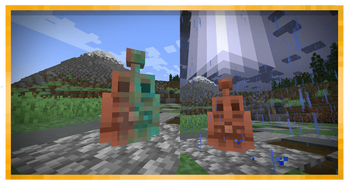
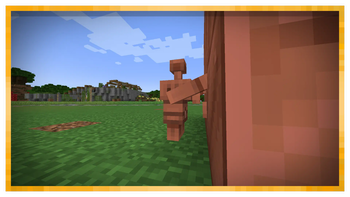
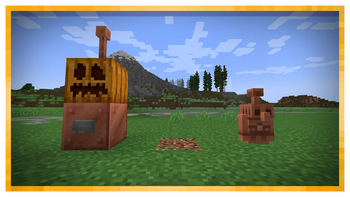
 (Edited promotional image, does not work the same in-game)
Copper Golem
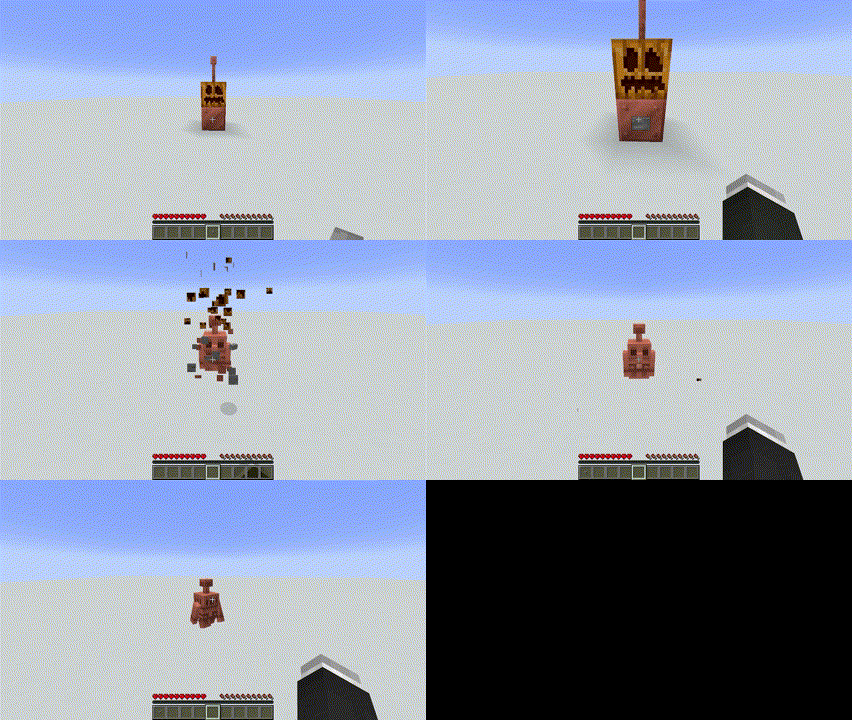
How to summon 🧱
Build this structure, then place a button on the copper block and press it. You can use a copper block in any oxidized and waxed state, and it will generate the respective copper golem according to the block used.


If you use a waxed copper block the golem will also spawn with that feature! It will be indicated with some waxed particles when spawning.
Example GIF
Attributes 🔧
The copper golem has 40 life points (20 hearts). It also does not take fall damage and cannot drown. Can drop between 1 and 4 copper ingots upon death.
Mechanics ⚙️
- The copper golem can press copper buttons that are a maximum of 3 blocks away and randomly. (the copper golem does not look for buttons and will not approach them, at the moment).
- The copper golem oxidizes over time, for each oxidation phase, its speed of movement will be slightly reduced, when it reaches the fourth and final stage, it will become a statue and will not move, nor press buttons.
- To deoxidize your copper golem you must hit it with an axe (it will not die, as it heals completely once deoxidized, unless you hit it with a very strong attack capable of lowering all its life to 0) once your copper golem is deoxidized, it will act normally again.
- To prevent your copper golem from rusting, you can drop a honeycomb on its position, it will wax and its rusting cycle will stop, with an axe you can remove the waxing.
- In a storm, your copper golem can attract lightning, which will deoxidize your copper golem if it was rusted. If the golem is under a roof, it will not attract any lightning, when the conditions to attract lightning are met, the golem will emit some electric particles as a warning.


As you can't add new mobs to minecraft as with mods, this data pack uses a zombie horse as a base entity, so the copper golem will be considered as an undead mob, this causes it to take damage with healing potions and other details (breeding is disabled).
As a detail, the golem rotates its head at times.
Example GIFs

Copper Button
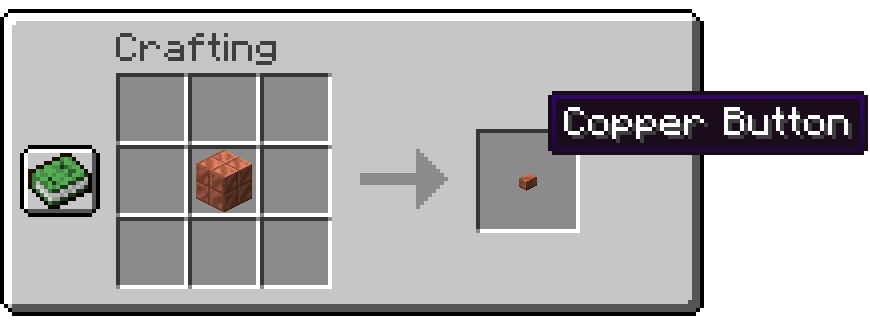
How to craft 🛠️

You can use any cut copper block in any oxidized and waxed state.
Mechanics ⚙️
- The copper button is the only button of all that the copper golem will press.
- The copper button oxidizes over time, unlike the copper golem, this does not affect its function, it is only visual.
- You can wax the copper button in the same way you wax the copper golem.
- To scrape the copper button, right click with an axe on it.
The copper button is internally an item frame, so you can place several copper buttons on the same block, but it will be removed instantly, and will drop the copper button item.
Example GIF
New advancements
"The Button Masher": Build a Copper Golem and summon it.
"Come back to life, Copper!": Scrape a copper Golem with an axe.
You can see them inside the game by opening the advancements menu with the L key or the key you have chosen for it.
Example GIF
Videos
Release v1.0One of the most relevant features of this version is that the copper golem could appear in villages, this is no longer the case, the only way to get a copper golem is to build it.
Release v1.1 Lightning attraction example- Edition: Minecraft Java
- File type: .jar
- Minecraft versions listed: 1.20.5, 1.20.6
- How to install: Install the matching mod loader (Forge, Fabric or NeoForge) for your Minecraft version. → Download the .jar. → Put it in the .minecraft/mods folder and launch that loader profile.
- Where to get it: Opens on Modrinth — not every file is mirrored on our own servers.
Install steps are the general flow for this file type — see the MC Java Mods guides for the full walkthrough.
- Downloads as Copper Golem Datapack [v2.3.4] [for MC1.20.6].zip
- Download size: 86 KB
- Download link checked 29 Aug 2026 — working
These come from our own check of the pack file, not from the source page.