🔥Features
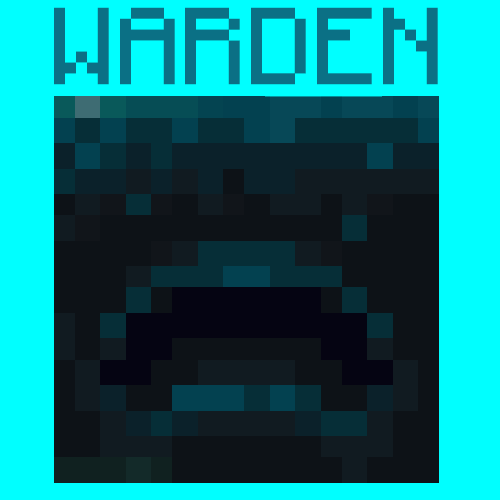
You can now become the Warden in Minecraft! Multiplayer Supported
Buffs:
- You get a Super OP Warden Sonic Boom Weapon
- As the Warden, You are fire and lava resistant and you can no longer Drown
- You are now 10x Stronger, Faster and More Durable than a normal Player
- Because you are a Warden, you have a Whopping 250 Health!
- You can hear players that are sprinting, but if they are on wool they won't make a sound
Debuffs:
- You are blind, and can only see people that are making sound, either by running or stepping in fire
- That's it lol
⚙️Commands
- To become the warden, use
/trigger warden_trigger. - Using
/trigger warden_uninstallwill remove warden effects from you and you will be a normal player.
📥Installation Process
Choose Weather you want it to be a Datapack or a Mod.
Mod: Go to your
.minecraftfolder then find the folder namedmodsand open it. Drop the Warden.jarfile here.
Datapack: Put the pure data pack .zip file into the
datapacksfolder of your Minecraft world. To find your minecraft world, Press your Windows key and search%appdata%. It should come up with a File Folder which you will need to open. After opening it, go to.minecraft, then try and locate yoursavesfolder which you will need to open. This is the folder where you will find your Minecraft world folder.
- Edition: Minecraft Java
- File type: .jar
- Minecraft version listed: 1.19.4
- How to install: Install the matching mod loader (Forge, Fabric or NeoForge) for your Minecraft version. → Download the .jar. → Put it in the .minecraft/mods folder and launch that loader profile.
- Where to get it: Opens on Modrinth — not every file is mirrored on our own servers.
Install steps are the general flow for this file type — see the MC Java Mods guides for the full walkthrough.
- Downloads as Warden 1.2.0.zip
- Download size: 10 KB
- Download link checked 29 Aug 2026 — working
These come from our own check of the pack file, not from the source page.