
Floating Texts
I don't know my version or loader

This datapack allows you to create floating texts, using armor stands
You can then change the color and the decoration (bold, underlined, ...) of the text in 2 different ways :
- With the book, that can be obtained in survival but requires the minimum OP level for commands
- With the chat, which also requires the function commands permission
- (Not implemented yet) With dyes (and other items that are easy to obtain in survival), which is fully survival and does not require any OP permission
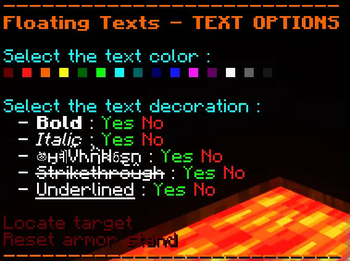
These are the different modifications you can bring to your texts (you can change do this with the book or in the chat)


To obtain the book you can :
- Sign a book & quill with
FT- Use the chat options (enter
/function floating_texts:chat/chat_optionsin the chat to access them)

and here is what it can look like

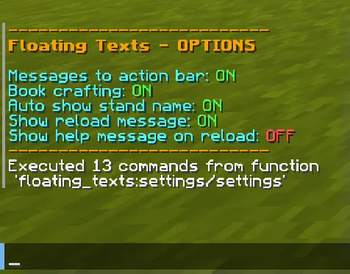
You can edit some options too ! (enter
/function floating_texts:settings/settingsin the chat)

If you find any issue, please make sure to report it here: https://todo.sr.ht/~aeldit/MC-Resourcepacks-And-Datapacks so I can fix it
If you have a suggestion, you can go on my discord server and create a post in 🗽-suggestions-forum

Check out the rest of my projects !


- Edition: Minecraft Java
- File type: .jar
- Minecraft versions listed: 1.19.4, 1.20, 1.20.1
- How to install: Install the matching mod loader (Forge, Fabric or NeoForge) for your Minecraft version. → Download the .jar. → Put it in the .minecraft/mods folder and launch that loader profile.
- Where to get it: Opens on Modrinth — not every file is mirrored on our own servers.
Install steps are the general flow for this file type — see the MC Java Mods guides for the full walkthrough.
- Downloads as FloatingTexts_4.2.0+1.19.4-1.21.x.zip
- Download size: 172 KB
- Download link checked 29 Aug 2026 — working
These come from our own check of the pack file, not from the source page.