
Fake Armor
I don't know my version or loader
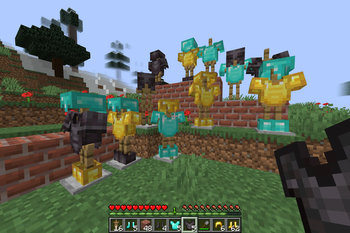
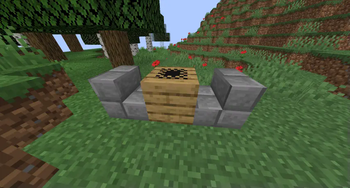
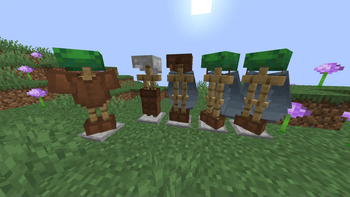



All that glitters is not gold.
🤔 How does it work?
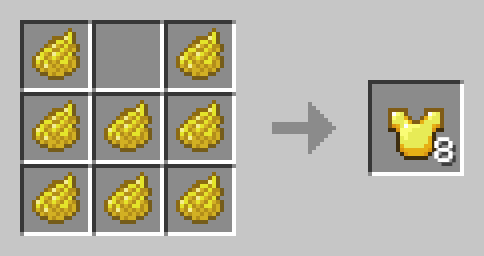
Craft Fake armor like any other Armor, but use Dye instead of valuable Materials. Fake Armor cam be worn, but provides no Armor. It can be also used to decorate Armor Stands.
Yellow Dye -> 8x Gold
Cyan Dye -> 8x Diamond
Black Dye -> 8x Netherite
Light Gray Dye -> 8x Chainmail
Gray Dye -> 8x Iron
Brown Dye -> 8x Leather
Orange Dye -> 8x Copper
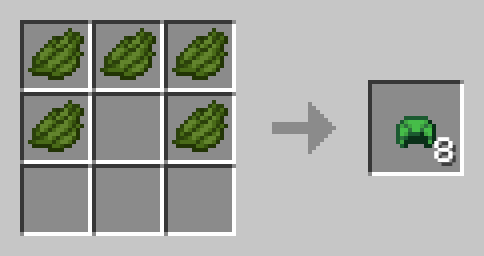
Fake Turtle Shell
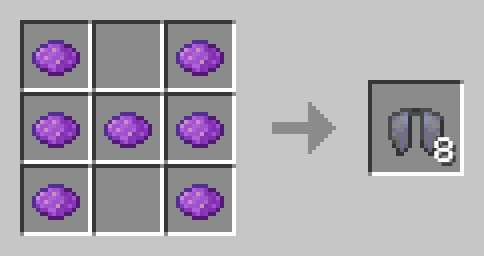
Fake Elytra
🛠️ Installation
Datapack Installation Guide
Copy the .zip archive into the ".minecraft/saves/yourworldname/datapacks" folder, where yourworldname is the name of your world.
Mod installation Guide
Copy the .jar archive into the folder your Mod Loader of choice provides.
⚙️ Compatibility
Previous to v1.3:Might not be compatible with certain Uncrafting/Recycling Mods that allow Armor to be converted back to their respective Materials efficiently.
❗Issues and Suggestions
Please report issues on My Discord.
- Edition: Minecraft Java
- File type: .jar
- Minecraft versions listed: 1.21.9, 1.21.10
- How to install: Install the matching mod loader (Forge, Fabric or NeoForge) for your Minecraft version. → Download the .jar. → Put it in the .minecraft/mods folder and launch that loader profile.
- Where to get it: Opens on Modrinth — not every file is mirrored on our own servers.
Install steps are the general flow for this file type — see the MC Java Mods guides for the full walkthrough.
- Downloads as fakeArmor1.21.10.zip
- Download size: 17 KB
- Download link checked 29 Aug 2026 — working
These come from our own check of the pack file, not from the source page.