
ModsJava
VCT - Voiid Countdown Timer
Java mod listed for Minecraft 1.13–26.x. Downloads from the MC Java Mods app on Android.
I don't know my version or loader
Open the Minecraft launcher and look at the profile you play on — it names both, like fabric-loader-1.21.4. The version also shows in the bottom-right corner of the game's main menu.
No loader in the profile name? Then it's plain Minecraft, and these mods won't run — you need Fabric or NeoForge installed first.


Voiid Countdown Timer
As simple as the name implies. A customizable timer datapack & plugin.







❓ What is VCT?
Voiid Countdown Timer (VCT) is a fully customizable timer for Minecraft.
It works in two different versions:
- 📦 Datapack → The Lite version of VCT, ideal for single-player worlds or realms.
- 🔌 Plugin → The full version of VCT, perfect for multiplayer servers with Spigot/Paper.
With both versions, you can:
- 🎨 Create visual timers with a progress bar.
- 🖌️ Customize color styles.
- 🛠️ Run custom events when the timer starts or ends.
✨ Features
Voiid Countdown Timer includes:
- 🎨 Custom Colors Styles
- ⚙️ Quick and easy setup
- ⏳ Progressive Time Bar
- 🎈 Custom Events
- 👥 SinglePlayer and Multiplayer Compatible
- 💻 Open Source and constantly updated
📋 Requirements
📦 Datapack
- Version:
1.15+
🔌 Plugin
- Version:
1.13+ - Server: Spigot, Paper, or Purpur (not CraftBukkit)
🚀 Installation
📦 Datapack
- Download the latest version here
- Place the downloaded
.zipfile in thedatapacksfolder of your world. - Enter the world and you will receive a message confirming the installation! 🎉
🔌 Plugin
- Download the latest version here
- Place the downloaded
.jarfile in thepluginsfolder of your server. - Restart the server and the plugin will be ready. ⚡
📖 How to use it
📦 Datapack
- Execute the command
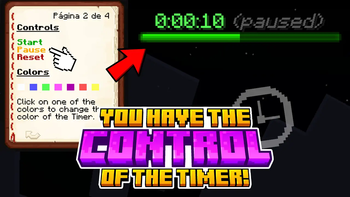
/function vct:bookto receive the configuration book. - From the book you will be able to:
- ⏰ Set time
- 🎛️ Timer controls
- 🌈 Customize style of colors
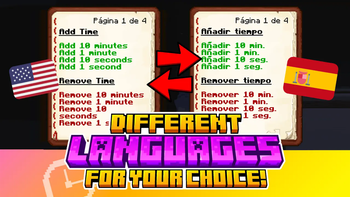
- 🗣️ Change language
- ❌ Uninstall
🔌 Plugin
- Configuration using commands and configuration files (
config.yml) - To see all available commands, use
/vct help. - In
config.yml, you can customize various timer options; all of them are detailed in the official documentation.
📚 Plugin Documentation
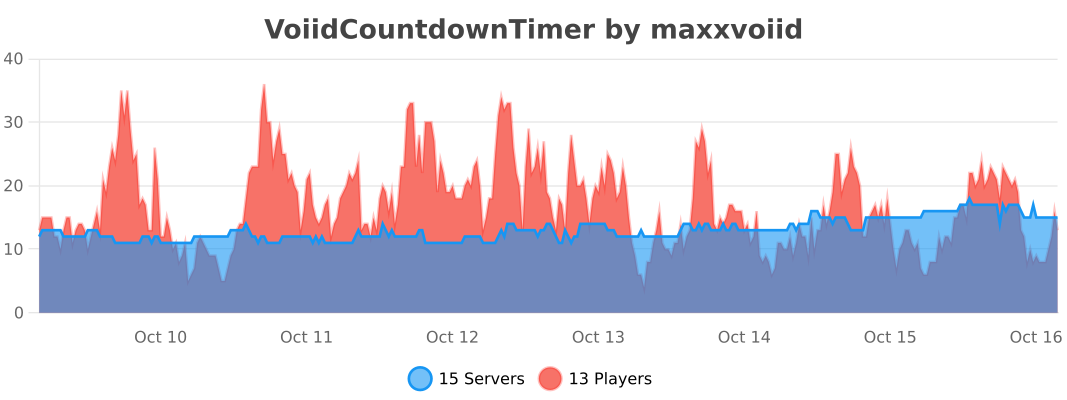
⚡ fastStats (FULL 2.1.1 and newer)
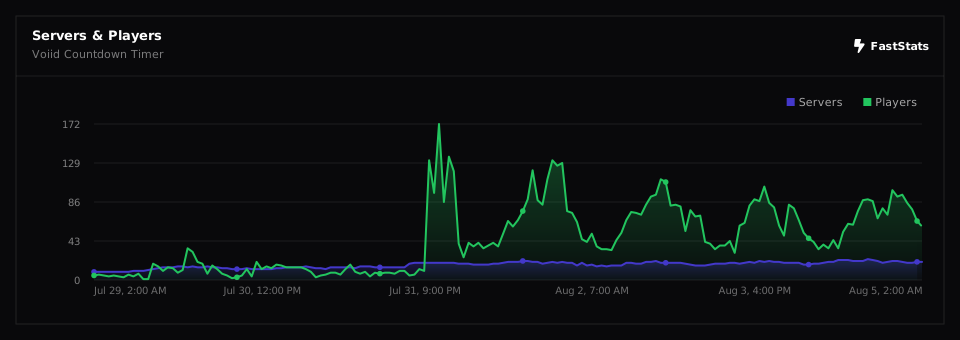
🔥 bStats (FULL 2.1.0 and older)
Quick facts
- Edition: Minecraft Java
- File type: .jar
- Minecraft versions listed: 1.13, 1.13.1, 1.13.2
- How to install: Install the matching mod loader (Forge, Fabric or NeoForge) for your Minecraft version. → Download the .jar. → Put it in the .minecraft/mods folder and launch that loader profile.
- Where to get it: Opens on Modrinth — not every file is mirrored on our own servers.
Install steps are the general flow for this file type — How to install Minecraft Java mods & modpacks walks through it step by step.
File checked by MCModsHub
- Ships as VoiidCountdownTimer.jar — drop this file into the mods folder
- Download size: 2.9 MB
- Download link checked 10 Oct 2026 — working
These come from our own check of the pack file, not from the source page.