
Better-X-BOP
I don't know my version or loader
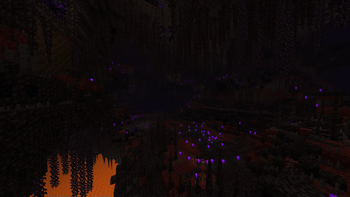
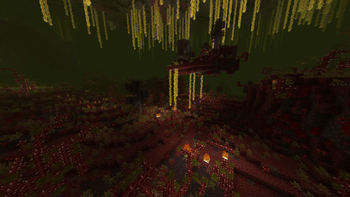
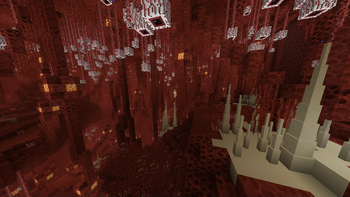
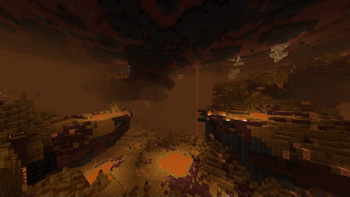
The Problem
The way that Biomes O' Plenty (and potentially other Terablender biome mods) generates it's Biome data is not compatible with the data-driven systems used by BCLib / WorldWeaver, and the Biomes O' Plenty biomes end up generating with incorrect surface generation. This also results in Biomes O' Plenty biome specific generation features not being placed correctly.
The Datapack Problem
If you are using something like the Global Datapacks or Global Packs mod to inject datapacks automatically - you NEED to read this! BetterNether does not seem load the datapack customizaitions properly on the very first world load if you are using these mods to inject datapacks into your worlds automatically on world creation. More recently these style of mods are also offering "optional" global datapacks, that are injected into a world automatically but are 'disabled' by default. Trying to enable the datapack after world creation seems to always fail. I suspect this happens because BetterNether tries to look for datapack customizations before datapacks are injected from these "Global Datapack" type mods. This does not affect adding the datapack normally (Create world save > stop world > add datapack to world save > load world). If you are using a "global datapack" style mod, add the datapack to the "required" datapacks folder (so that the datapack is injected as 'enabled' and NOT 'disabled') and just be sure to stop and reload the world after it's initial creation!
The Solution
This datapack attempts to re-create these biomes using data files that BCLib / WorldWeaver can understand. But that's not all - to make these biomes feel more in line with BetterNether biomes I've sprinkled in some of my own customizations / additions. BetterNether biomes are dense, and very feature rich, so some of the BOP biomes get a complete face-lift while the rest get a sprinkling of BetterNether biome features to make them feel like they belong next to their BetterNether neighbors
- Edition: Minecraft Java
- File type: .jar
- Minecraft versions listed: 1.21, 1.21.1
- How to install: Install the matching mod loader (Forge, Fabric or NeoForge) for your Minecraft version. → Download the .jar. → Put it in the .minecraft/mods folder and launch that loader profile.
- Where to get it: Opens on Modrinth — not every file is mirrored on our own servers.
Install steps are the general flow for this file type — see the MC Java Mods guides for the full walkthrough.
- Downloads as Better-X-BOP_1.1_1.21.1.zip
- Download size: 59 KB
- Download link checked 29 Aug 2026 — working
These come from our own check of the pack file, not from the source page.