
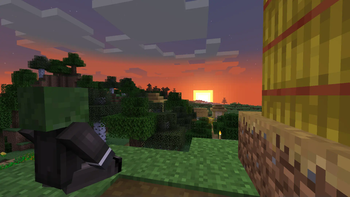
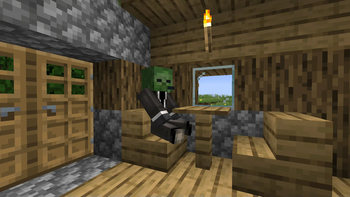
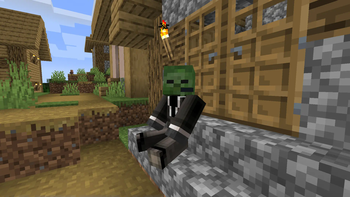
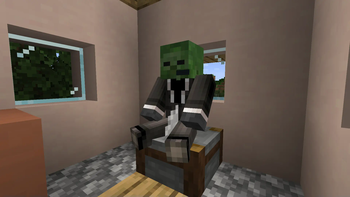
Sit on any block


A data pack for 1.14.x-1.19.x

The tech used in this data pack became redundant with the release of Minecraft 1.19.4 with the addition of the /ride command in 23w03a. Since there are now better methods for letting players sit on blocks, I will archive this project for now.
Features
This pack gives you the ability to sit on stairs and blocks.
To sit on a block, stand on it, put any items in your main hand away, look down and right-click. Stairs work the same way, the only difference is that you don't have to specifically look down to sit on them. These "chairs" will stay longer, but will despawn if no players are around. To get rid of a chair immediately, hold any type of axe in your main hand or break the stair block.
Installation
Download the latest release and put the data pack .zip file into the datapacks folder of your Minecraft world.
Manage
To open the ingame menu, execute /trigger menu. There is a Reset and an Uninstall button.
Compatibility
For Minecraft 1.14x - 1.18x, use a legacy edition.
Current version might work in 1.20x (untested), will not work in 1.21x or above.
External Links


- Edition: Minecraft Java
- File type: .jar
- Minecraft versions listed: 1.19, 1.19.1, 1.19.2
- How to install: Install the matching mod loader (Forge, Fabric or NeoForge) for your Minecraft version. → Download the .jar. → Put it in the .minecraft/mods folder and launch that loader profile.
- Where to get it: Opens on Modrinth — not every file is mirrored on our own servers.
Install steps are the general flow for this file type — see the MC Java Mods guides for the full walkthrough.
- Downloads as sit_on_any_block-v1.2.2-mc1.19-datapack.zip
- Download size: 15 KB
- Download link checked 29 Aug 2026 — working
These come from our own check of the pack file, not from the source page.