
DatapacksJava
Trashapack
I don't know my version or loader
Open the Minecraft launcher and look at the profile you play on — it names both, like fabric-loader-1.21.4. The version also shows in the bottom-right corner of the game's main menu.
No loader in the profile name? Then it's plain Minecraft, and these mods won't run — you need Fabric or NeoForge installed first.

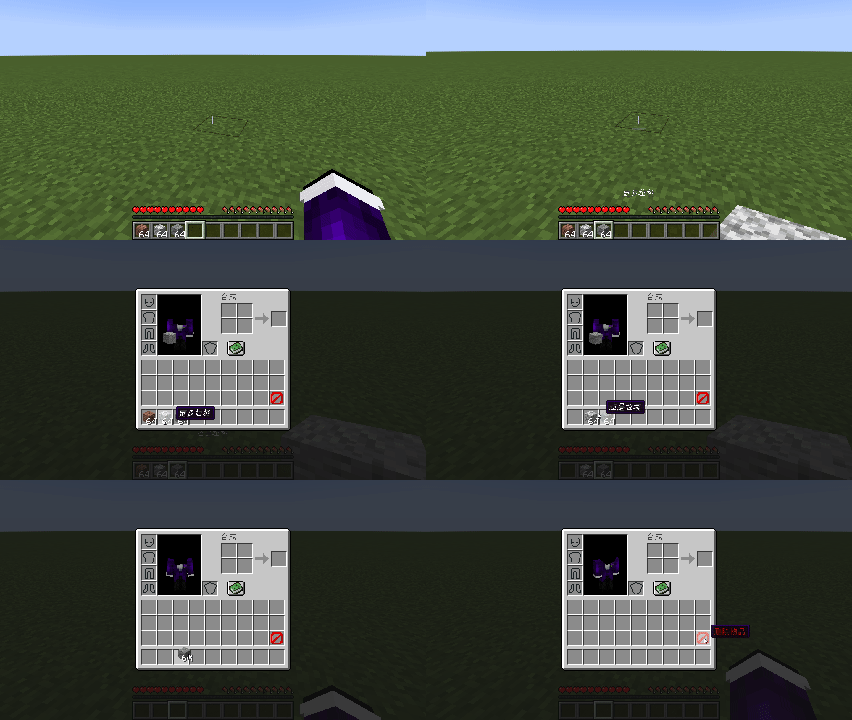
This data pack adds a barrier sign in the last slot of the inventory.
How to delete items in Survival and Adventure mode:
- Click on the item you want to delete;
- Place the item on the position where the barrier sign is located;
- The item will be successfully deleted.
This data pack supports both Chinese and English.
This data pack has been successfully ported to a Mod.
Warning: Please no longer use version 1.0.2 of this packet! There will be some unexpected bugs!
这个数据包在背包的最后一格添加了一个屏障标志。
如何在生存、冒险模式下删除物品:
- 点击要删除的物品;
- 将物品放在屏障标志所在的位置;
- 成功删除。
此数据包支持中文和英文。
已移植此数据包为模组。
警告:此数据包的1.0.2版本请不再使用!会出现一些意想不到的bug!
Quick facts
- Edition: Minecraft Java
- File type: .jar
- Minecraft versions listed: 1.21, 1.21.1
- How to install: Install the matching mod loader (Forge, Fabric or NeoForge) for your Minecraft version. → Download the .jar. → Put it in the .minecraft/mods folder and launch that loader profile.
- Where to get it: Opens on Modrinth — not every file is mirrored on our own servers.
Install steps are the general flow for this file type — see the MC Java Mods guides for the full walkthrough.
Verified by MCModsHub
- Downloads as Trashapack 1.0.3 MC1.21.x English.zip
- Download size: 8 KB
- Download link checked 29 Aug 2026 — working
These come from our own check of the pack file, not from the source page.