
Title Writer
Java data pack listed for Minecraft 1.21–26.x. Downloads from the MC Java Mods app on Android.
I don't know my version or loader
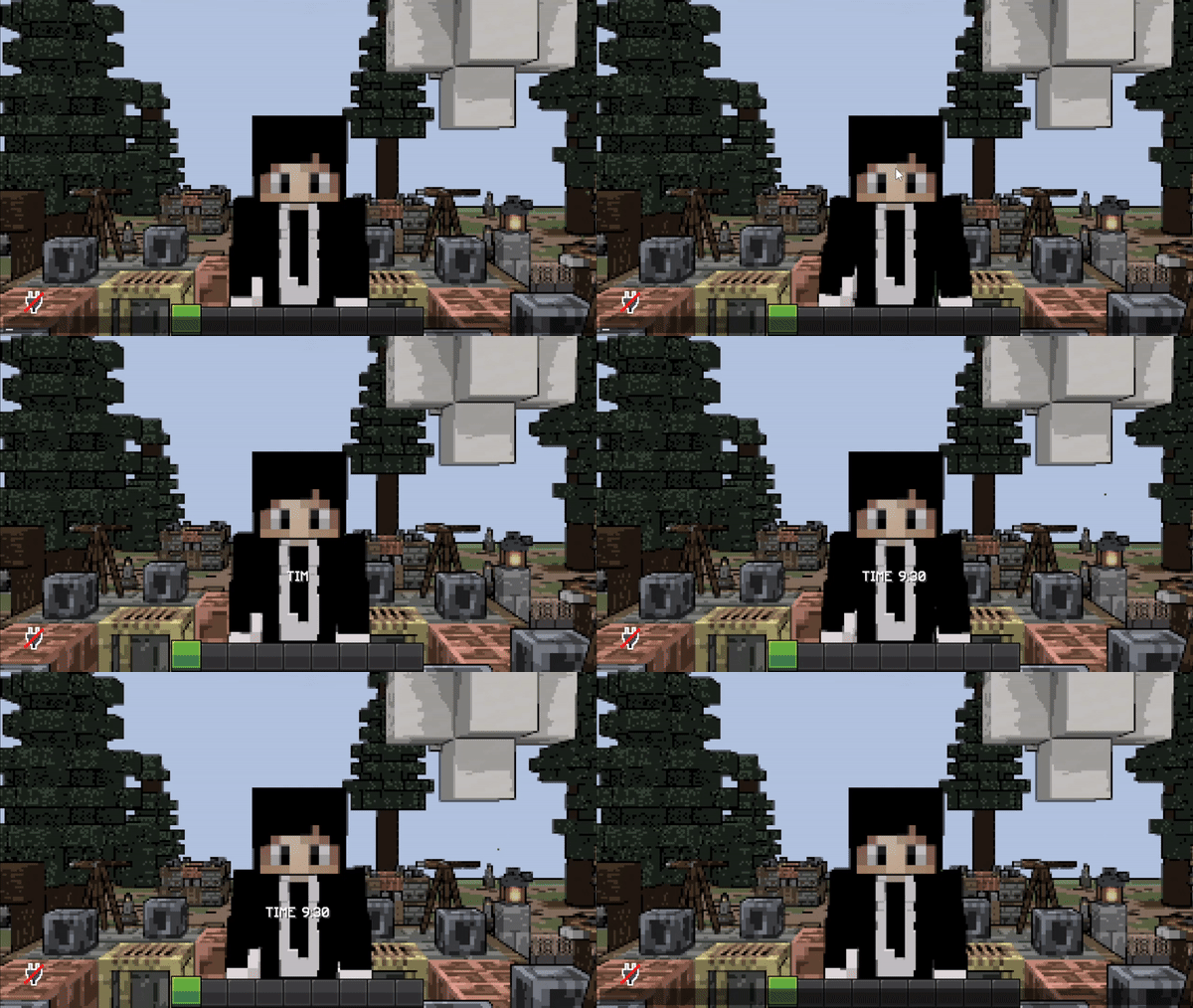
About Me
"TitleWriter" is a small datapack/mapmaking/gamemaking tool that allows players to show animated titles to players where the animation style is "typewriter". Players can set tick-delay and sound that is played per character, to imitate a typewriter animation style!
How to use
/function tl:title {"text":"abcd","tick":10,"location":"actionbar/title","sound":"block.note_block.bit master @s ~ ~ ~ 1 2 1", args:{font:"minecraft:default",is_bold:FALSE,is_italic:FALSE}}
To use this datapack, you'll have to run a function file "tl:title" with a set of parameters inside `{..}`. These are the following:
- text : Self-explanatory, it's the text.
    |_______ can be either pure string, or literal SNBT (lists supported!)
                                              |____ if literal SNBT is used, set args to {is_literal:TRUE}.
- tick : this is the animation delay between every letter in ticks.
- location : this field defines whether title is shown.
    |_______ can be either title or actionbar.
- sound : this is the sound that is played.
    |_______ example: "minecraft.sound master @s ~ ~ ~ 1 1 1"
- args : Optional Arguments for different behavior
    |_______ is_bold: TRUE/FALSE; Turns all text to Bold
    |_______ is_italic: TRUE/FALSE; Turns all text to italic.
    |_______ font: string; Change the font of the text.
    |_______ is_literal: TRUE/unset;
                |_____ This Flag disregards the flags above.
                |_____ If mentioned/set to true, text interprets SNBT similar to /tellraw or default /title.
                |_____ Can be used to animate Words, Complex SNBT or Text with Gradient.
Note:
If you're text has a semi-colon or an "=" sign, make sure that your text value in the command looks like this:
"text":'"TIME 9:30"'
which is TEXT inside DOUBLE_QUOTATION_MARKS inside SINGLE_QUOTATION_MARKS
Limitations:
You cannot color/italicize/bold text currently
This has been fixed by introducing literal SNBT support.
- Edition: Minecraft Java
- File type: .jar
- Minecraft versions listed: 1.21.5, 1.21.6, 1.21.7
- How to install: Install the matching mod loader (Forge, Fabric or NeoForge) for your Minecraft version. → Download the .jar. → Put it in the .minecraft/mods folder and launch that loader profile.
- Where to get it: Opens on Modrinth — not every file is mirrored on our own servers.
Install steps are the general flow for this file type — see the MC Java Mods guides for the full walkthrough.
- Downloads as titlewriter-1.2.zip
- Download size: 7 KB
- Download link checked 10 Oct 2026 — working
These come from our own check of the pack file, not from the source page.