
EasyСraft+
Java data pack listed for Minecraft 1.21–26.x. Downloads from the MC Java Mods app on Android.
I don't know my version or loader
EasyСraft+



📖 Description / Описание
[en] Do you really lack variety in crafting? This datapack will help you add more variety to your crafting while maintaining balance and logic. A little relief of crafting and their variety will make the game much more interesting
[ru] Вам сильно не хватает разнообразия в крафтах? Данный датапак поможет вам добавить больше разнообразия в крафты при этом соблюдая баланс и логику. Небольшое облегчение крафтов и их разнообразие, сделает игру в разы интереснее
✨ Features / Возможности
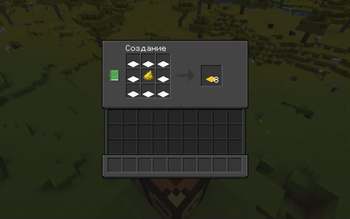
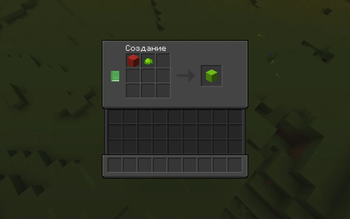
[en] 238 new recipes: recolor beds, wool and carpets with dye • bulk crafting (sticks, ladders, chests and more) • uncraft blocks and slabs back to resources • smelt raw ore blocks into metal blocks • craft cobweb, sculk, grass block, name tag and other uncraftable items
[ru] 238 новых рецептов: перекраска кроватей, шерсти и ковров красителем • массовый крафт (палки, лестницы, сундуки и др.) • разбор блоков и плит обратно в ресурсы • переплавка блоков рудного сырья в блоки металла • крафт паутины, скалка, блока травы, бирки и других некрафтящихся предметов
📥 Installation / Установка
[en] To install the datapack, place the datapack zip file in the datapacks folder of your world. If you are installing a mod, then place the jar file of the mod in the .minecraft/mods folder
[ru] Чтобы установить датапак, поместите zip-файл датапака в папку datapacks вашего мира.
Если вы устанавливаете мод, поместите jar-файл мода в папку .minecraft/mods

- Edition: Minecraft Java
- File type: .jar
- Minecraft versions listed: 1.21, 1.21.1, 1.21.2
- How to install: Install the matching mod loader (Forge, Fabric or NeoForge) for your Minecraft version. → Download the .jar. → Put it in the .minecraft/mods folder and launch that loader profile.
- Where to get it: Opens on Modrinth — not every file is mirrored on our own servers.
Install steps are the general flow for this file type — see the MC Java Mods guides for the full walkthrough.
- Downloads as EasyCraft.zip
- Download size: 251 KB
- Download link checked 10 Oct 2026 — working
These come from our own check of the pack file, not from the source page.