
DatapacksJava
No griefing, creepers!
I don't know my version or loader
Open the Minecraft launcher and look at the profile you play on — it names both, like fabric-loader-1.21.4. The version also shows in the bottom-right corner of the game's main menu.
No loader in the profile name? Then it's plain Minecraft, and these mods won't run — you need Fabric or NeoForge installed first.
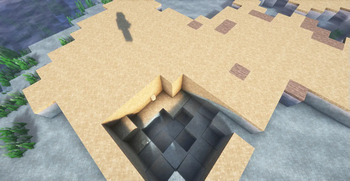
This datapack disables creeper griefing without needing to disable mobGriefing.
Why not disable mobGriefing?
Disabling mobGriefing comes with several disadvantages, such as:
- Blaze fireballs creating fire
- Rabbits eating crops
- Sheep eating grass blocks
- Silverfish calling for help out of nearby blocks destroying said blocks
- Silverfish hiding in stone (Silverfish will not reinhabit stone blocks after roaming)
- Snowmen leaving snow traces
- Villagers harvesting/replanting farmland
- Villagers not being able to pick up bread
- etc.
This datapack only disables creeper griefing without disabling any of those other things.
Setting up this datapack
- Download the release for your Minecraft version.
- Select your world, click "Edit", then "Open world folder".
- Put the
.zipfile in the/datapacksfolder. - Join your world.
Setting up this datapack for servers
- Open your
/worldfolder. (or whatever your world is called) - Put the
.zipfile in the/datapacksfolder. - Restart your server. (Why shouldn't I reload?)
Realms is an unsupported platform. Your mileage may vary.
Uninstallation
Simply removing the datapack from your /datapacks folder is not recommended. Please follow the following steps carefully.
* Make sure you are OP, or you get an OP to do it.
- Run
/function no_griefing_creepers:uninstall - Go into your world's folder, and remove the datapack.
- Rejoin your singleplayer world, or restart your server. (Why shouldn't I reload?)
Acknowledgement
The background of the icon: Minecraft - Creeper creature profile - DC Heroes RPG - Writeups.org
Quick facts
- Edition: Minecraft Java
- File type: .jar
- Minecraft versions listed: 1.18, 1.18.1, 1.18.2
- How to install: Install the matching mod loader (Forge, Fabric or NeoForge) for your Minecraft version. → Download the .jar. → Put it in the .minecraft/mods folder and launch that loader profile.
- Where to get it: Opens on Modrinth — not every file is mirrored on our own servers.
Install steps are the general flow for this file type — see the MC Java Mods guides for the full walkthrough.
Verified by MCModsHub
- Downloads as No griefing, creepers! r1.1-MC1.18.zip
- Download size: 246 KB
- Download link checked 29 Aug 2026 — working
These come from our own check of the pack file, not from the source page.