
Microbuilder
I don't know my version or loader
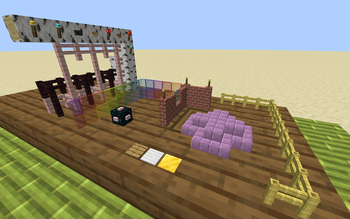
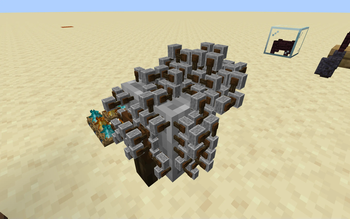
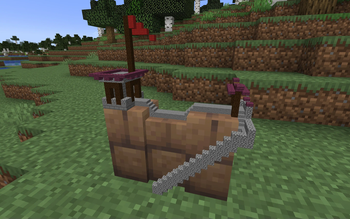
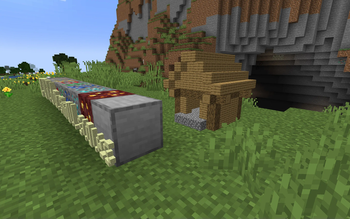
Are regular Minecraft blocks too big for you? Have you always wished for more options to decorate your world? Then Microbuilder is the datapack for you! With this pack, you can build moderately small to tiny scenes in the word.
How to use
You can place and break micro blocks in Micro Building Mode, which you can toggle using /trigger microbuilder. In Micro Building Mode, you can simply right click to place and left click to break micro blocks. You can also use a Glass Bottle on the micro scene to pick it up and move it around.
If 4 micro blocks per block space is too big, or too small for your liking, you can change the building scale using /trigger microbuilder.scale set [value]. The default scale is 4 micro blocks per block, but you can change it to anywhere from 2 to 16.
Supported blocks
Microbuilder currently supports 641 Minecraft blocks! You can build with all full blocks, pillars, slabs, stairs, fences, walls, pressure plates, buttons, and much more. Fences and similar blocks will connect to each other, and most blocks behave generally as you would expect them to. Some blocks that are not yet implemented include doors, trapdoors, and fence gates.
- Edition: Minecraft Java
- File type: .jar
- Minecraft versions listed: 1.20.2, 1.20.3, 1.20.4
- How to install: Install the matching mod loader (Forge, Fabric or NeoForge) for your Minecraft version. → Download the .jar. → Put it in the .minecraft/mods folder and launch that loader profile.
- Where to get it: Opens on Modrinth — not every file is mirrored on our own servers.
Install steps are the general flow for this file type — see the MC Java Mods guides for the full walkthrough.
- Downloads as microbuilder-v1.1.0-datapack.zip
- Download size: 568 KB
- Download link checked 29 Aug 2026 — working
These come from our own check of the pack file, not from the source page.