
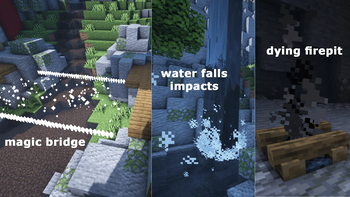
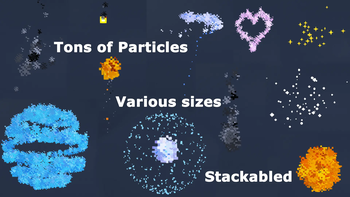


Sparkles adds visual effects to decorate your builds. It's for solo and multiplayer (require admin role). Almost easy to use, tons of particles!
Creation Process
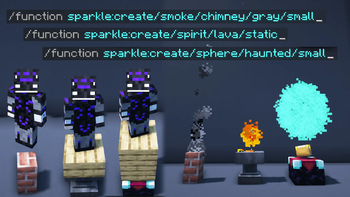
/function sparkle:create/[...]
- Go to the place where you want to add a spotlight.
- Point your character in the direction you want to install the spotlight (some spots are using orientation).
- Open the chat and type:
/function sparkle:create/ - Choose your spot, then press “enter".
An ingame demo is available, use: /function fksk:options/demo
Remove Process
/function sparkle:remove/[...]
When removing a spot, stay as close as possible of the center of the spot. Chose the deletion distance at the end of the command, from 1 to 5 (complete with TAB).
How to
Use commands & functions
- Open your chat and start with
/function sparkle: - Chose to "create", "edit" or "remove"
- You can write the command, or use the ARROW-KEYS to naviguate up and down
- Press TAB on the command line to auto-complete
- Press ENTER to send the command
Global Render distance (Patreon)
/scoreboard players set global.render_distance fksk.options 3
This option act as a global default render distance. Affects every players. Make sure to upgrade the render distance only if your computer/server can handle it. (default is 3. Range [1-5]. 99 for unlimited.)
Specific Render distance for a player (Patreon)
/scoreboard players set PLAYER_NAME fksk.render 2
This option act as an individual overwriting render distance. You can define the render distance for each player individualy, depending of their computer limitations.
Force a single spot to render from far away (Patreon)
/function sparkle:edit/force_render/[nearest|block|chunk]/[1-5]
- [nearest|block|chunk] : chose your targets
- [1-5] or 99 : chose the render distance to apply to targets
You can force secific spot(s) to render from a custom distance, by applying a score on it. Stay as close as possible to the center of the spot(s) when entering the command.
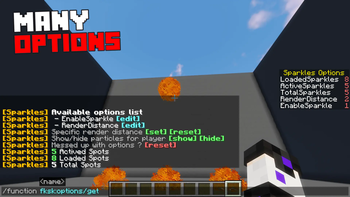
Datapack's Options
In game, use /function fksk:options/get
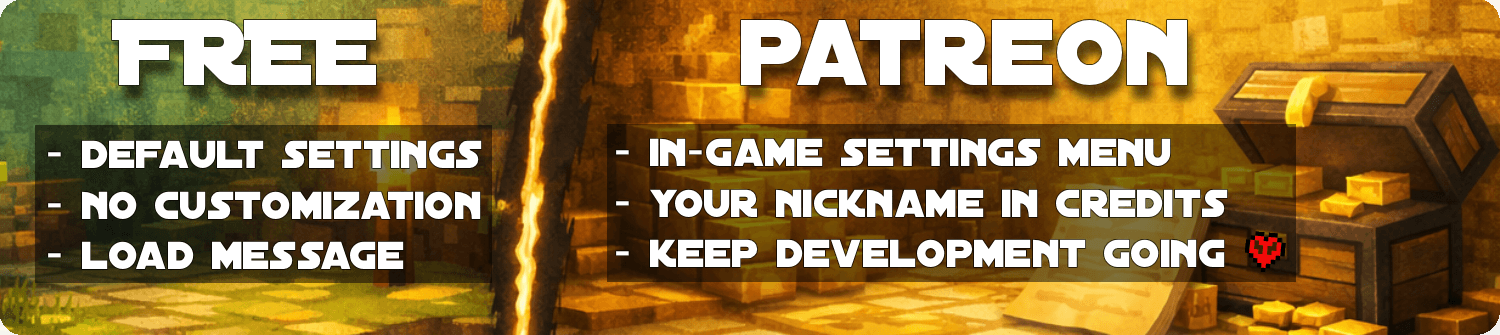
- 1.21.11 (30/01/2026): Azerxim, Setsu-P, varinyc, nfnpgllxhn
- 1.21.9 (05/10/2025): CYKLOPPS, Azerxim, varinyc, Setsu-P, Wani P, Lionel Felke
- 1.21.5 (09/09/2025): CYKLOPPS, Azerxim, varinyc, Setsu-P, Wani P, Lionel Felke
- 1.20 (2022-07-18): Delivator, Jonathan Fanelli, Angelo Russo, Phantom-Glitch-Wolf, John Stampe, 깔수, Screaming Man, Dorian Dejean, ooF, ZMH, Yokie
- Render Distance Tweaks (2022-06-23): Screaming Man, Dorian Dejean, Peter Schubert, ooF, Tân Huỳnh
- 1.19 (2022-06-22): Screaming Man, Dorian Dejean, Peter Schubert, ooF, Tân Huỳnh
- Chrismas Pack (2021-12-24): Screaming Man, Dorian Dejean, Peter Schubert
Becoming a Gold Patreon also means:
- Getting access to every Patreon versions of every projects.
- Getting your name listed in each project and on this page (see above).
- Supporting long-term development, updates, and new features 💛
- Edition: Minecraft Java
- File type: .jar
- Minecraft version listed: 1.21.11
- How to install: Install the matching mod loader (Forge, Fabric or NeoForge) for your Minecraft version. → Download the .jar. → Put it in the .minecraft/mods folder and launch that loader profile.
- Where to get it: Opens on Modrinth — not every file is mirrored on our own servers.
Install steps are the general flow for this file type — see the MC Java Mods guides for the full walkthrough.
- Downloads as Sparkles_FREE_1.21.11.zip
- Download size: 530 KB
- Download link checked 30 Aug 2026 — working
These come from our own check of the pack file, not from the source page.