
Block Display Helper
This datapack helps with the block display entity with special items, such as a move stick, a scale stick and a rotate stick.
I don't know my version or loader
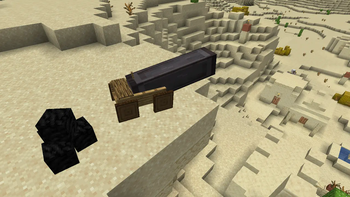
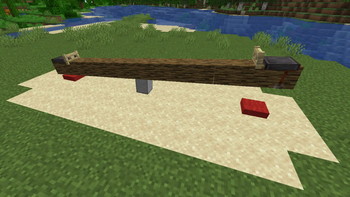
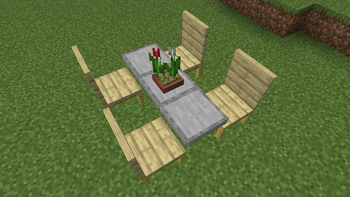
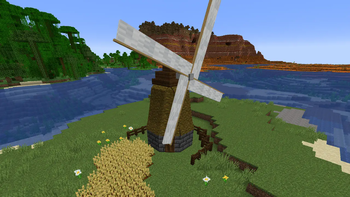
About
This datapack is meant to help people with the block display entity. The commands/syntax can be quite difficult to work with, so this datapack adds in-game tools that can modify the block display.
Basics
Here are some basic things you need to know:
- Use /function bdhelper:help for a simple in-game help page.
- Use /function bdhelper:config to access the config menu. To change a value click on the number
- The hitbox (Which you right/left click to modify the block display entity) will always be 1x1x1. Press F3+B to show hitboxes in-game.
- To change the block of a block display, right-click the hitbox with any block.
- To use a tool on a block display, left-click the hitbox and the block display will be modified.
- When removing the datapack from a world simply delete the .zip file. Some scoreboards will stay behind so that the datapack still works when you reinstall it.
Tools
Use /function bdhelper:_give:_all to get all tools.
Block Display (Item frame)
Place the item frame on the ground to spawn the block display. By default it will be a 1x1x1 white concrete block. Right-click with any block to change it to that block. Some blocks such as signs render differently than most blocks, and can therefore not be shown in a block display
Delete Block Display (Barrier)
Left-click the block display to delete the entire thing.
Lock Toggle (Iron nugget)
Left-click the block display to lock/unlock it. When a block display is locked, you can't change the block, it can't be deleted and it can't be modified by other tools. It will also get a red outline if a nearby player is holding the lock toggle item.
Hitbox Toggle (Structure void)
Left-click the block display to toggle if it has a solid hitbox. This solid hitbox is created by summoning an invisible shulker, therefore it can only be 1x1x1 in size and can't rotate. However, it is able to move with the block display.
Move Stick
Left-click the block display to move it in the direction you're facing, shift left-click to move towards you. The amount it moves can be configured in the config menu (/function bdhelper:config) in the 'Block move amount' section.
Scale Stick
Left-click the block display to scale it in the direction you're facing, shift left-click to reverse the scaling. The amount it scales can be configured in the config menu (/function bdhelper:config) in the 'Block scale amount' section.
Rotate Stick
Left-click the block display to rotate it in the direction you're facing, shift left-click to reverse the rotating. The amount it rotates can be configured in the config menu (/function bdhelper:config) in the 'Block rotate amount' section. When rotating along the x-axis or z-axis it is limited to -90° and 90°
Copy Data (Book)
Shift left-click to copy the data of the block display. This includes block type, block states, scale and rotation. Once data is copied, the book turns into a written book named 'Copied Data', that can be opened to view whatever values you copied. To apply this data to another block display left-click it. If you hold the book in your offhand and then place down a new block display, it will immediately apply the data. If you open the copied data book in your offhand it won't show the copied data values
Block - to - Block display (Carrot on a stick)
Right-click to turn the block you are facing at into a block display. The block display will carry over the block type and block states of the block. This allows the block display to be powered if it were to be a redstone item or keep the direction a block was facing. The block display has the same properties as a block display placed with the block display item, which means it can be moved, scaled, rotated, etc.
⚠️ Bugs
If you notice any bugs report them in the [bugs] text channel in my discord server
Download
To download the datapack, you have two options to add it to your world:
Creating a new world:
- Download the .zip file
- Click Create new world in minecraft
- Click Data Packs
- Drag the .zip file into there, and make sure you put it on the 'selected' side (right side)
Add to existing world:
- Download the .zip file
- Select your world in the single player menu
- Click Edit at the bottom of the screen
- Click Open World Folder
- Click on the datapacks folder
- Drag the .zip file into there
It is always recommended to type /reload in chat once you enter the world
- Downloads as bdhelper_v1.1.zip
- Download size: 51 KB
- Download link checked 30 Aug 2026 — working
These come from our own check of the pack file, not from the source page.