
Redstone Additions
⚠️THIS DATAPACK HAS BEEN REWRITTEN AT DO NOT USE THIS VERSION. REWRITE IS MUCH BETTER. ⚡ Redstone Additions - Automate Minecraft! ⚡ Welcome to the…
I don't know my version or loader
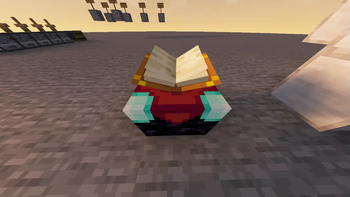
⚠️THIS DATAPACK HAS BEEN REWRITTEN AT https://modrinth.com/datapack/redstone-additions
DO NOT USE THIS VERSION. REWRITE IS MUCH BETTER.
⚡ Redstone Additions - Automate Minecraft! ⚡
Welcome to the ultimate redstone enhancement datapack for Minecraft 1.21.4! Get ready to revolutionize your redstone builds with powerful new components and mechanics.
Transform your redstone contraptions from simple circuits into incredible automated machinery. Whether you're a technical player or just getting started with redstone, this datapack opens up exciting new possibilities!
✨ Quick Preview
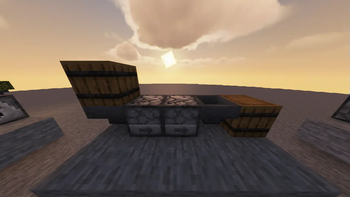
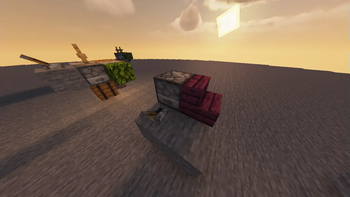
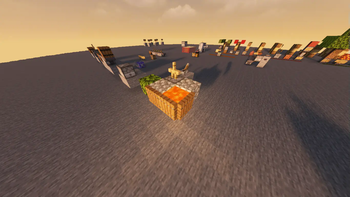
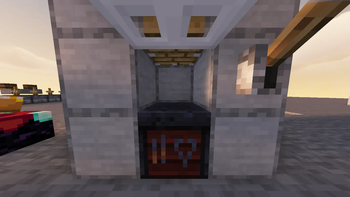
Take a look at what awaits you:

🔧 Amazing New Components
🏗️ Block Placer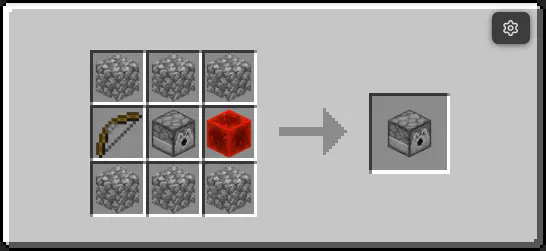

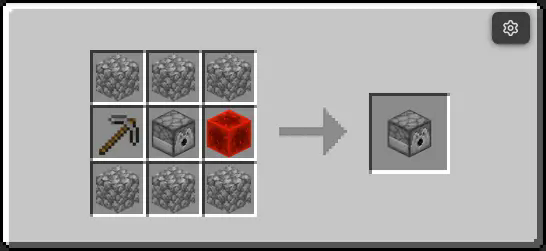

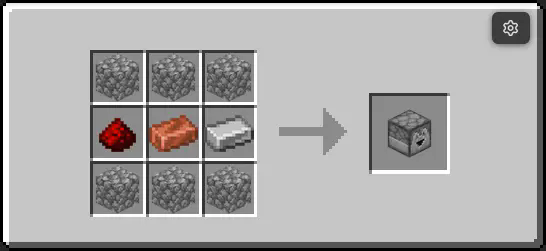


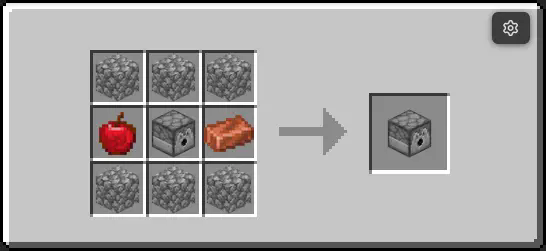

Recipes 📙
To craft the items there are three branches :
Vanilla
Using the crafting table (Recipes are up above)
Enchantment 📖
Using an enchanting table
Throw certain items over an enchantment table (You find them)
Spoiler Lava or Smooth Stone, they have small chances of transforming into coresPressing 🗜️
Using a press AKA extended piston+smithing table
Throw certain combinations of items onto the press and run it
Spoiler Material Core + Reactor Core ==> Material ReactorTest the blocks quickly in creative by running :
/function redstone_additions:items/give_all
Details
I am looking for youtubers / editors to present this datapack, if you are one, consider making a video, i WILL pin it here PS: The armor stands you see are invisible with devmode=False, when I made the datapack I made sure to disable it, so don't worry, they will be invisible
A Minecraft datapack that enhances redstone functionality for version 1.21.4.



Read the docs !
Features
- Enhanced redstone mechanics
- New redstone components
- Performance optimizations
Downoalds
Installation
- Download the latest release
- Place the datapack in your world's
datapacksfolder - Reload your world
- Edition: Minecraft Java
- File type: .jar
- Minecraft versions listed: 1.21.6, 1.21.7, 1.21.8
- How to install: Install the matching mod loader (Forge, Fabric or NeoForge) for your Minecraft version. → Download the .jar. → Put it in the .minecraft/mods folder and launch that loader profile.
- Where to get it: Opens on Modrinth — not every file is mirrored on our own servers.
Install steps are the general flow for this file type — see the MC Java Mods guides for the full walkthrough.
- Downloads as RedstoneAdditionsRELEASE_1.3.0(1.21.6+).zip
- Download size: 64 KB
- Download link checked 30 Aug 2026 — working
These come from our own check of the pack file, not from the source page.