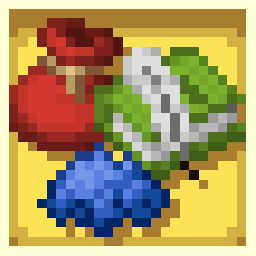
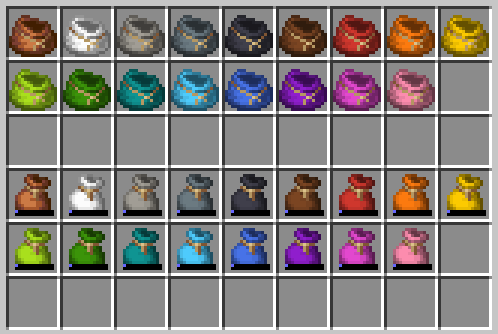
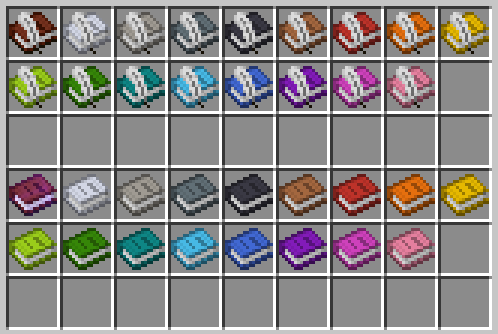
This pack allows you to dye Book and Quills and Bundles!
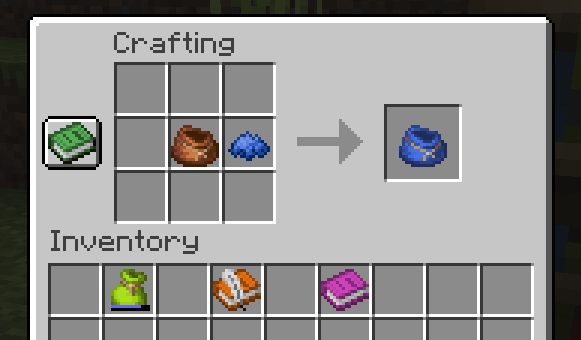
Do you want to organize items in different color-coded bundles? Or change the cover of a book to better fit the message you're writing? Simply place your desired item in the Crafting Table alongside your desired dye, and there you go! A newly-colored item for you to enjoy! And don't worry about signing your colored book, it will still keep its color afterwards!
IMPORTANT:
Coloring an item will COMPLETELY RESET ITS DATA. This means not only will you lose anything you've previously written in a book, but you'll also LOSE ANYTHING YOU'VE PUT INSIDE THE BUNDLE, so please make sure to empty it out completely before dyeing it.
Dyeable Items takes no responsibility over items lost inside bundles during the coloring process.
- Edition: Minecraft Java
- File type: .jar
- Minecraft version listed: 1.21
- How to install: Install the matching mod loader (Forge, Fabric or NeoForge) for your Minecraft version. → Download the .jar. → Put it in the .minecraft/mods folder and launch that loader profile.
- Where to get it: Opens on Modrinth — not every file is mirrored on our own servers.
Install steps are the general flow for this file type — see the MC Java Mods guides for the full walkthrough.
- Downloads as dyeable items v1.1.zip
- Download size: 13 KB
- Download link checked 1 Sept 2026 — working
These come from our own check of the pack file, not from the source page.