
Music Collection - Just Shapes & Beats
Java data pack listed for Minecraft 1.21. Downloads from the MC Java Mods app on Android.
Adds a new musical experience, New Fragment + New Record Mold + New Structure "Music Shack" + 15 New Records! + New Crafting + New Achievements +…
⬇ Download on Modrinth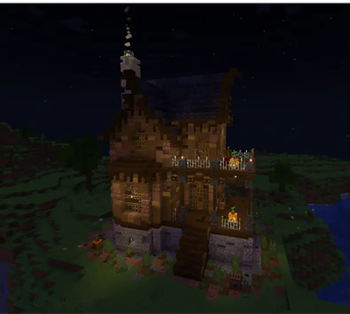
Music Collection - Just Shapes & Beats
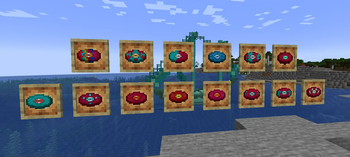
The Data Pack + Resource Pack combination that adds... +15 custom discs to the game, along with a News Structures , New Craftables and more...🥏
LuisterCorp © - 2025
Notas📝 (Notes)
- Download the Resource Pack for our disc textures.
- Music Collection modifies textures already existing in the game.🎨
- Music Collection is compatible with any generation Datapack in the world.
- No add this to an existing world: First reset your own or use a new world.🗂️
- Music Collection has recipes for your discs, mold and musical fragment.
- Use Headphones for a better experience.🎧
Descripción 🎼 (Description)
¡Immerse yourself in a completely new musical experience in Minecraft!✨
- This Datapack introduces a set of music related features, enriching your adventure in the Overworld and soon beyond....
Características🗒️ (Features)
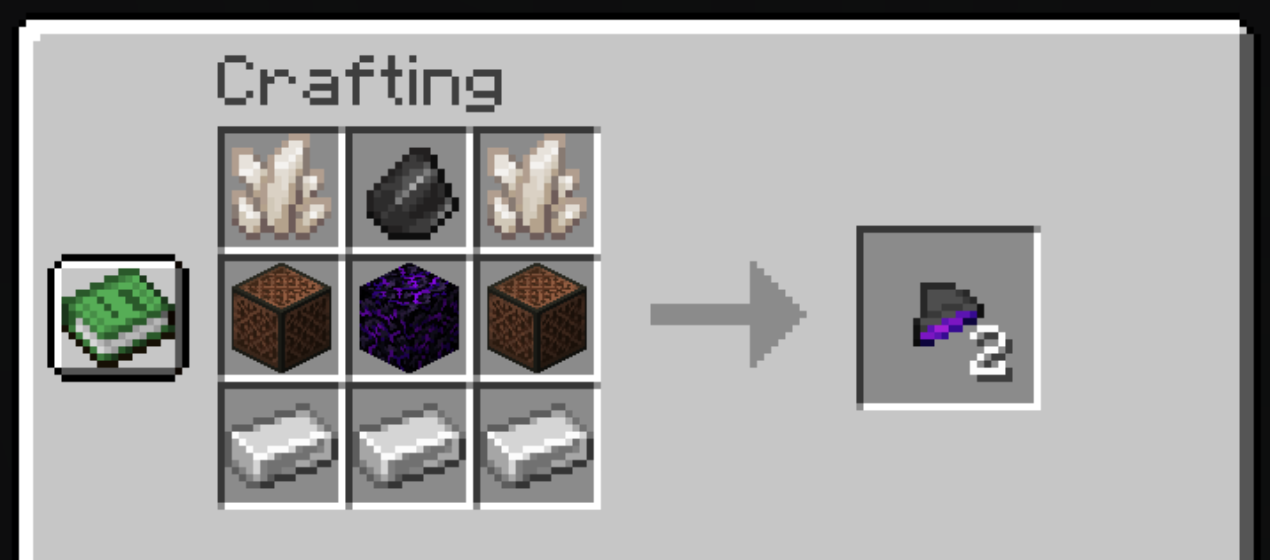
1. Fragmento Musical (Musical Fragment) 🎵🎶
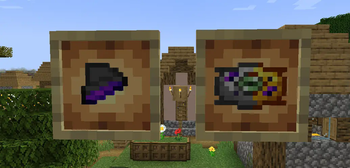
To be able to craft our new records, you must first obtain a new type of music fragments, which can be found in structures or manufactured on a crafting table..
◾Crafting:
2. Molde de Discos💽 (Disk Mold)
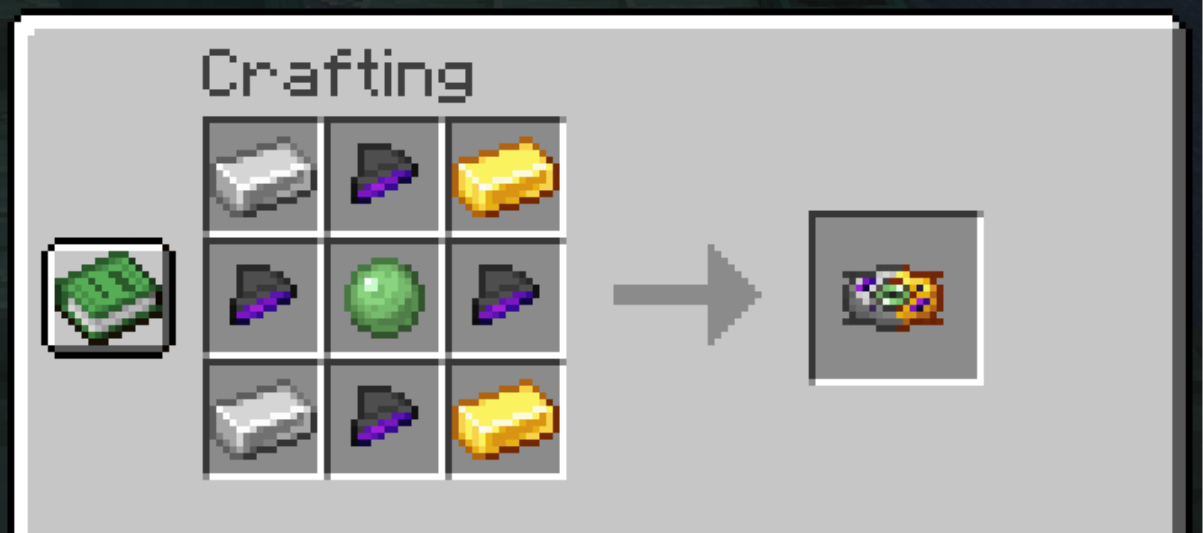
In order to make it you will need the previous musical fragments, together with other materials that will help you to get the disc mold, with which you will be able to make all the new discs of this Datapack.
◾Crafting:
3. Nuevos Discos Personalizados💿 (New Personalized Discs)
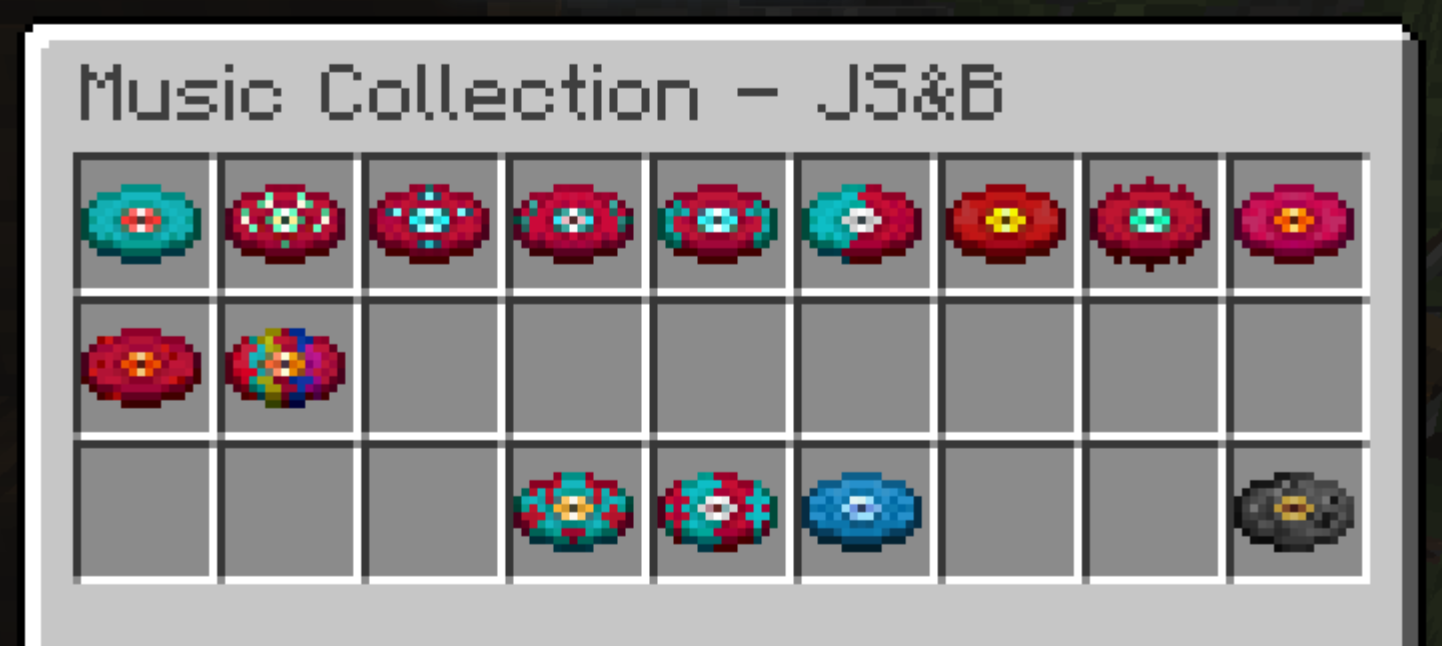
Using the Disc Mold, you will be able to craft our entire first Custom Music Collection for Minecraft, with songs from.... Just Shapes & Beats!
◾Music Collection - Version 1.1:
3.1 ¡Just Shapes & Beats!🎚️
From the rhythm game Just Shapes & Beats, music from the Monstercat catalog comes to Minecraft in this Datapack.
+10 🔥 of the most popular songs many from the Monstercat repertoire have been compiled, with a custom disc design..
📌Crafteable Discs and Discography:
Danimal Cannon - Long Live The New Fresh◾Crafteo (Crafting):
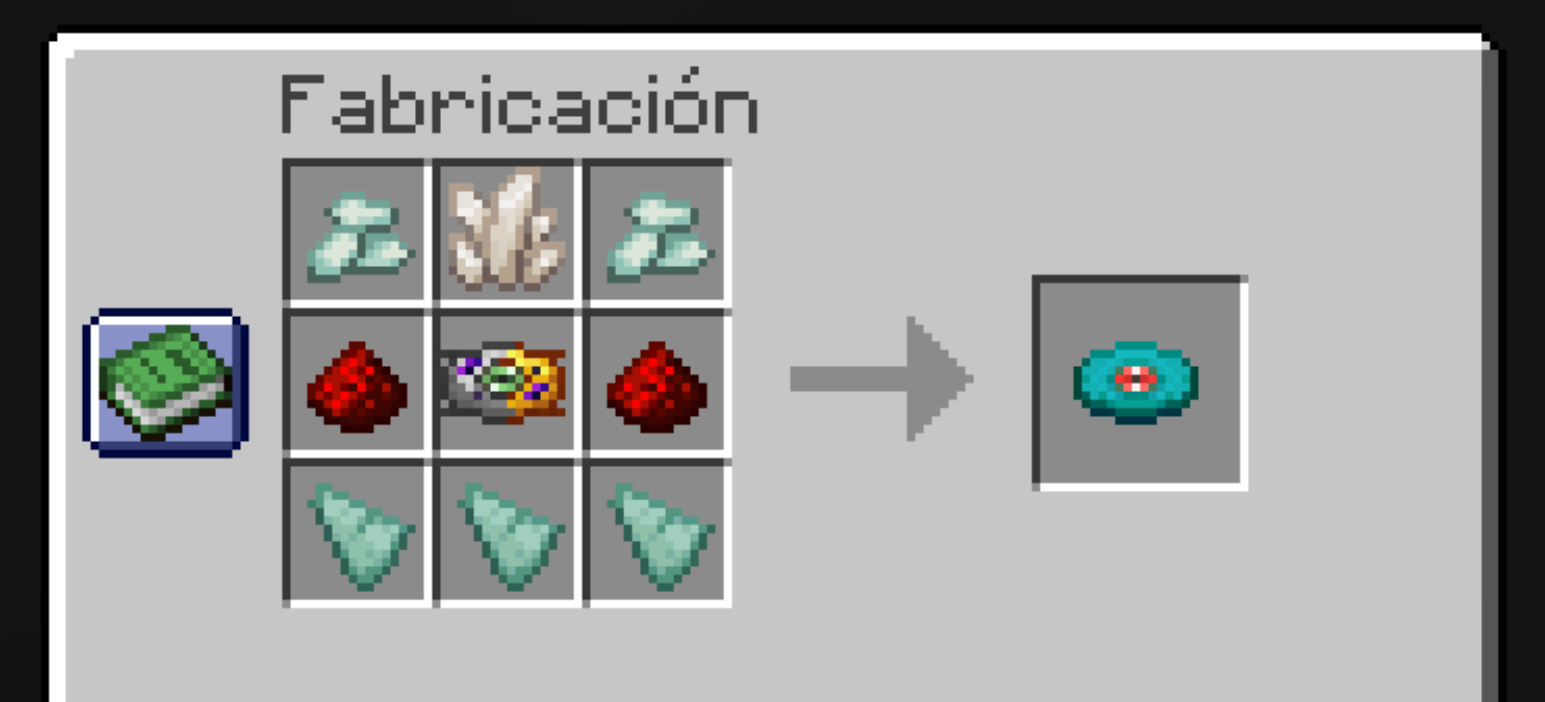
◽Ingredientes (Ingredients):
- Fragmentos de prismarina x3
- Cristales de prismarina x2
- Molde de discos x1
- Polvo de redstone x2
- Cuarzo del Nether x1
💠Música y Artista (Music and Artist):
By: Danimal Cannon
Nitro Fun - New Game [Monstercat Release]
◾Crafteo (Crafting):
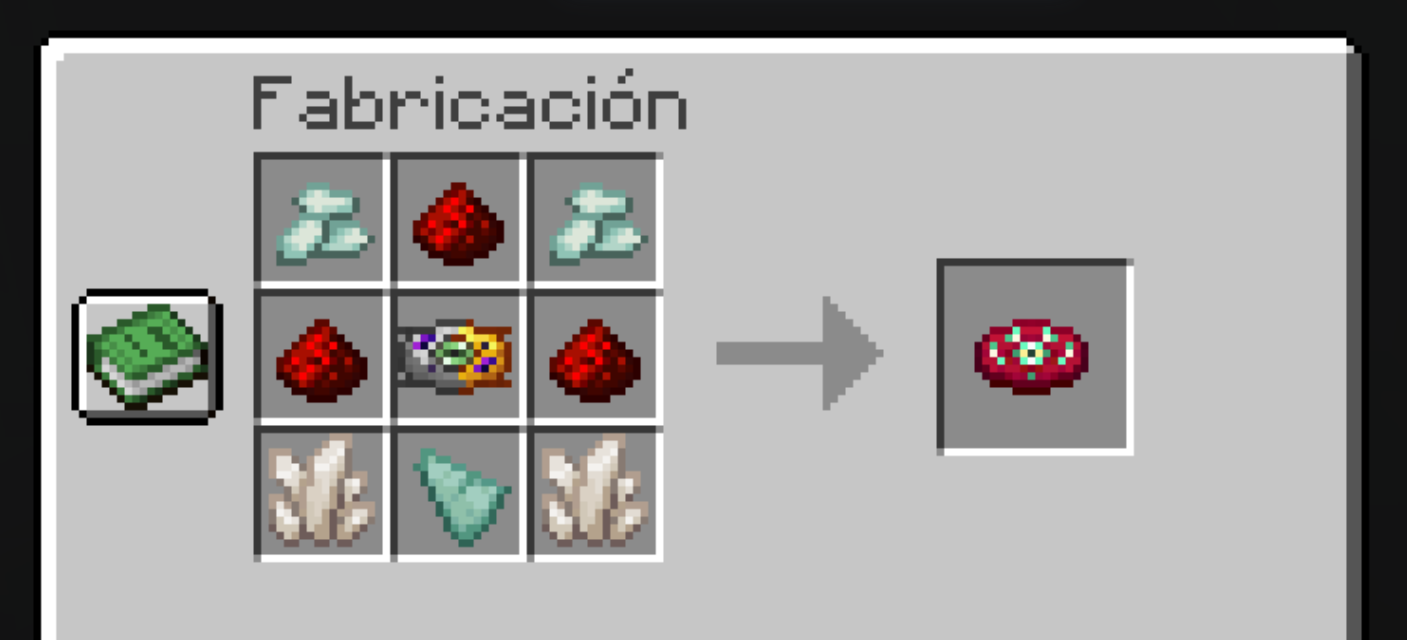
◽Ingredientes (Ingredients):
- Cristales de prismarina x2
- Polvo de redstone x3
- Molde de discos x1
- Fragmentos de prismarina x1
- Cuarzo del Nether x2
💠Música y Artista (Music and Artist):
By: Nitro Fun
Noisestorm - Barracuda [Monstercat Release]More : YouTube - SoundCloud - Twitter - Instagram - Facebook
◾Crafteo (Crafting):
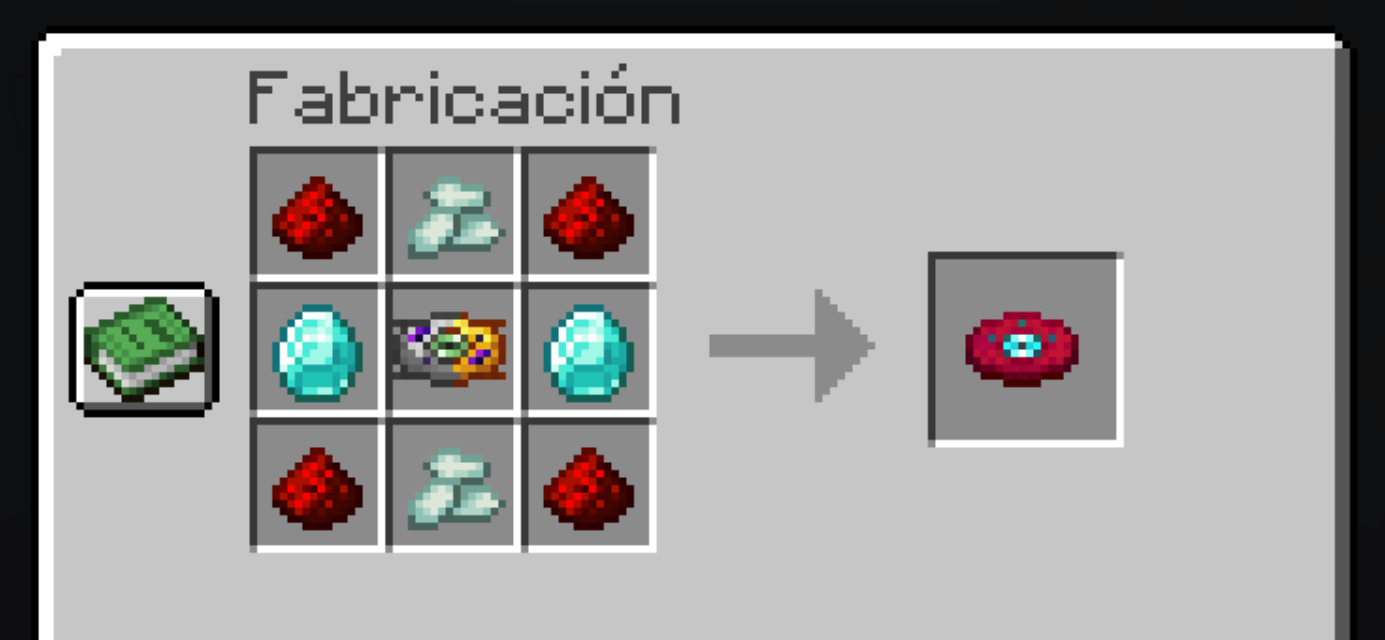
◽Ingredientes (Ingredients):
- Polvo de redstone x4
- Cristales de prismarina x2
- Molde de discos x1
- Diamante x2
💠Música y Artista (Music and Artist):
By: Noisestorm
Nitro Fun - Cheat Codes [Monstercat Release]More: YouTube - SoundCloud - Twitter - iTunes - Facebook
◾Crafteo (Crafting):
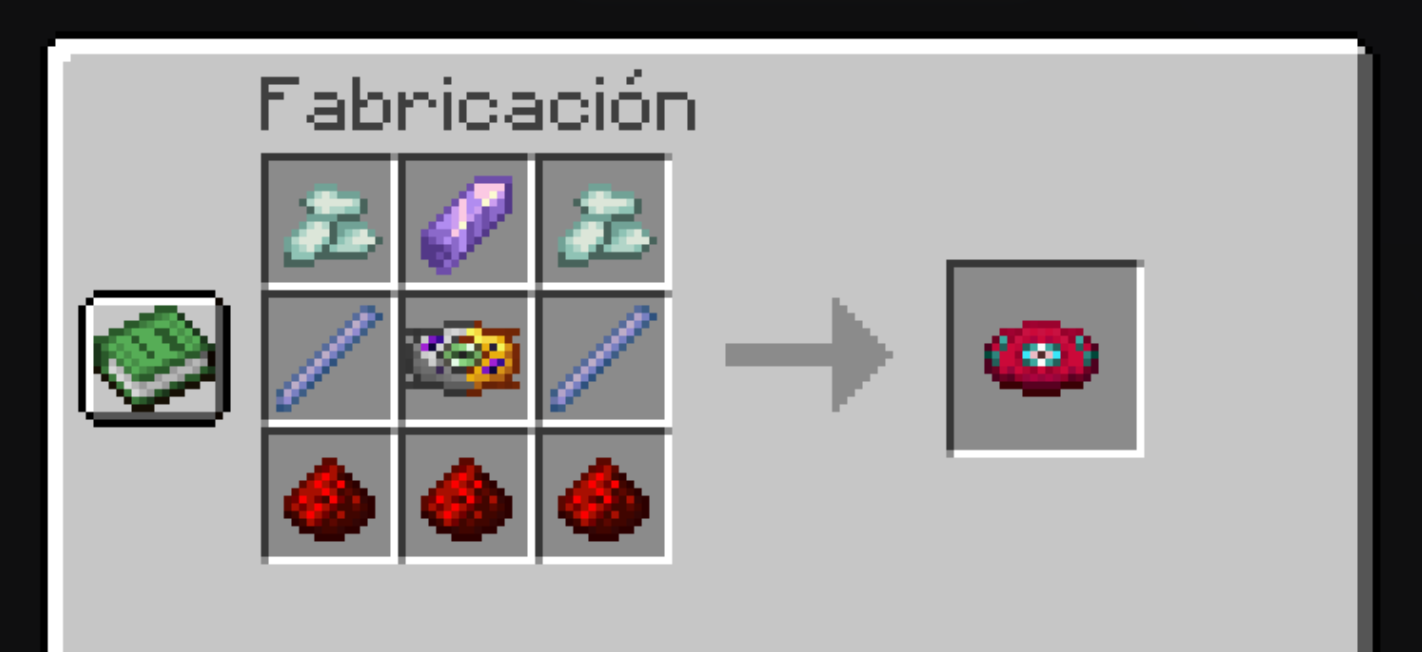
◽Ingredientes (Ingredients):
- Cristales de prismarina x2
- Fragmento de amatista x1
- Molde de discos x1
- Vara de breeze x2
- Polvo de redstone x3
💠Música y Artista (Music and Artist):
By: Nitro Fun
Cardi - LycanthropyMore: YouTube - SoundCloud - Twitter - Instagram - Facebook
◾Crafteo (Crafting):
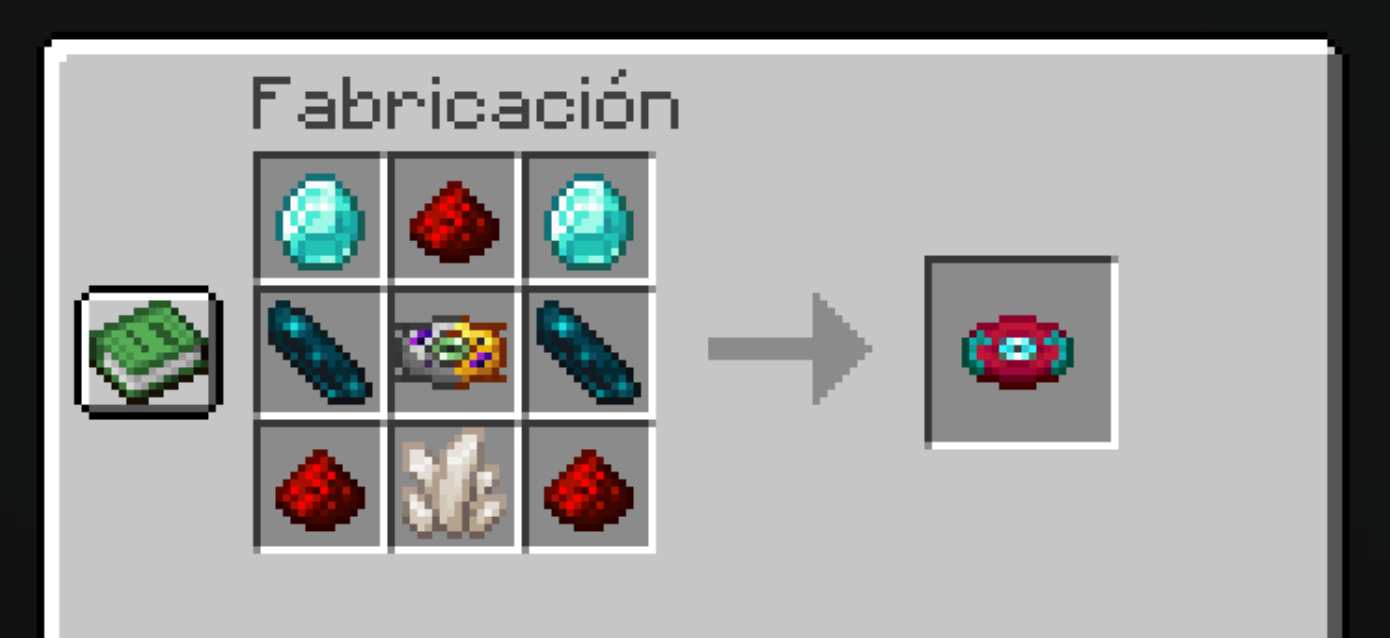
◽Ingredientes (Ingredients):
- Diamante x2
- Polvo de redstone x3
- Fragmento resonante x2
- Molde de discos x1
- Cuarzo del Nether x1
💠Música y Artista (Music and Artist):
By: Cardi
Sabrepulse - Close To Me
◾Crafteo (Crafting):
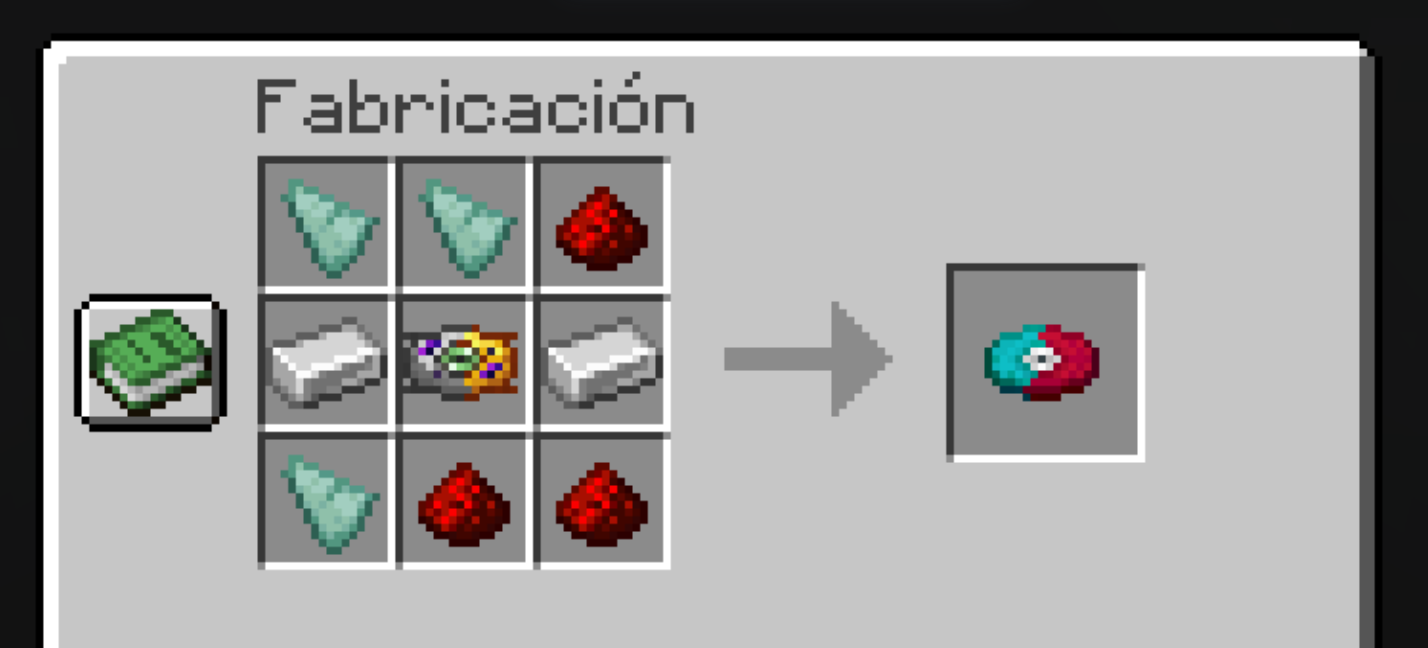
◽Ingredientes (Ingredients):
- Fragmentos de prismarina x3
- Molde de discos x1
- Lingote de hierro x2
- Polvo de redstone x3
💠Música y Artista (Music and Artist):
By: Sabrepulse
Nitro Fun - Final Boss [Monstercat Release]More: YouTube - SoundCloud - BandCamp - Twitter - Facebook
◾Crafteo (Crafting):
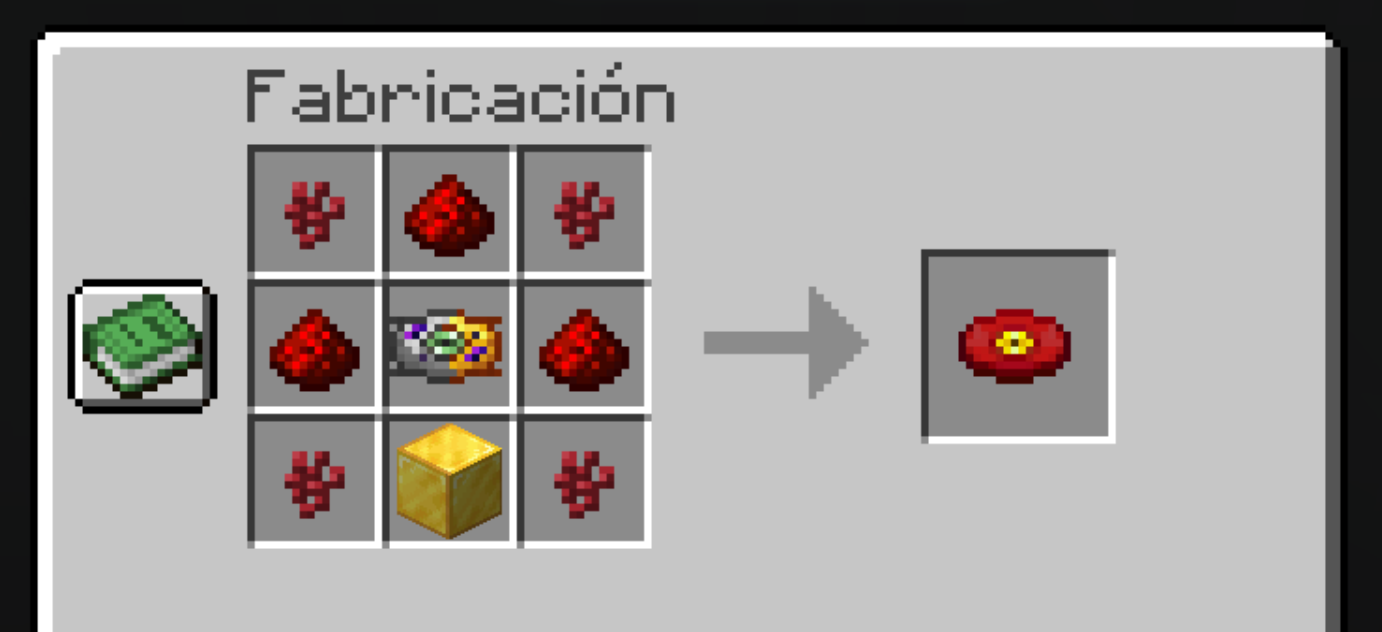
◽Ingredientes (Ingredients):
- Verruga del Nether x4
- Polvo de redstone x3
- Molde de discos x1
- Bloque de oro x1
💠Música y Artista (Music and Artist):
By: Nitro Fun
Excision & Far Too Loud - Destroid 8. AnnihilateMore: YouTube - SoundCloud - Twitter - Instagram - Facebook
◾Crafteo (Crafting):
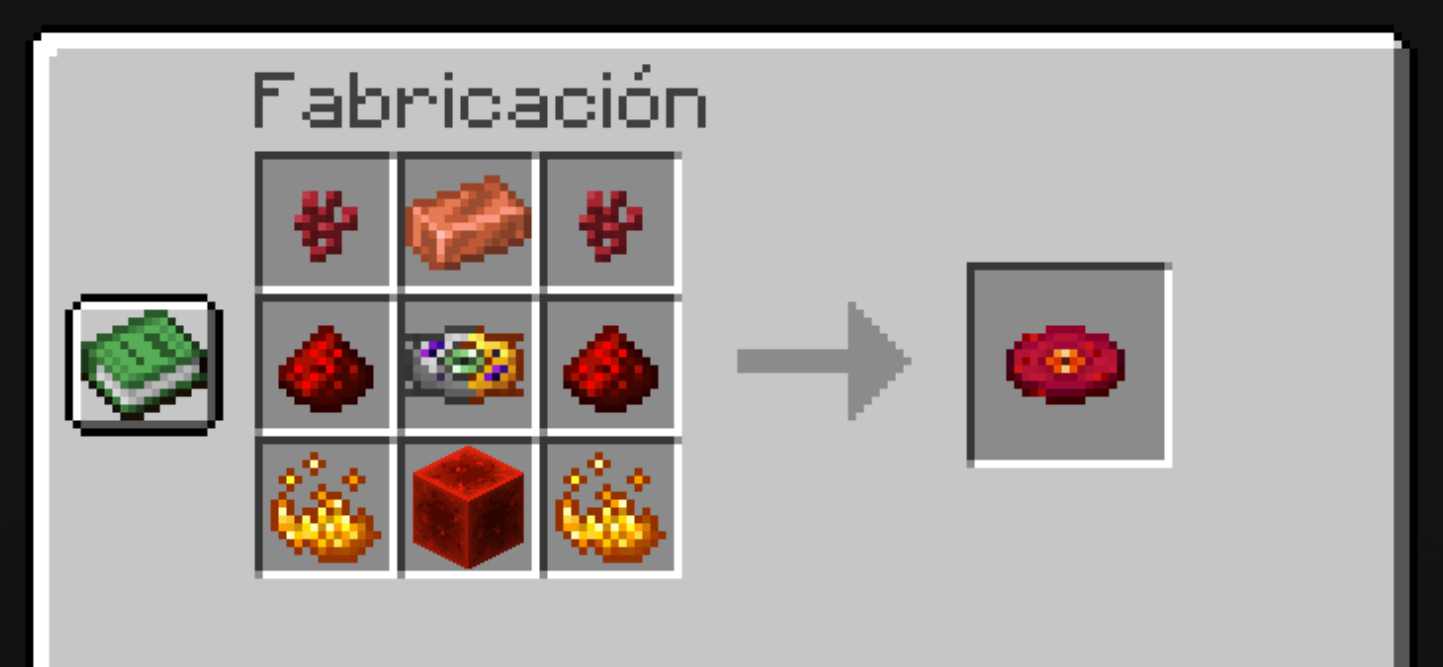
◽Ingredientes (Ingredients):
- Verruga del Nether x2
- Lingote de cobre x1
- Polvo de redstone x2
- Molde de discos x1
- Polvo de blaze x2
- Bloque de redstone x1
💠Música y Artista (Music and Artist):
By: Excision & Far Too Loud
Excision More: YouTube - iTunes - Twitter - Website - Instagram - Facebook
Undertale - Spider Dance (Shirobon Remix)Far Too Loud More: YouTube - SoundCloud - iTunes - Twitter - Facebook
◾Crafteo (Crafting):
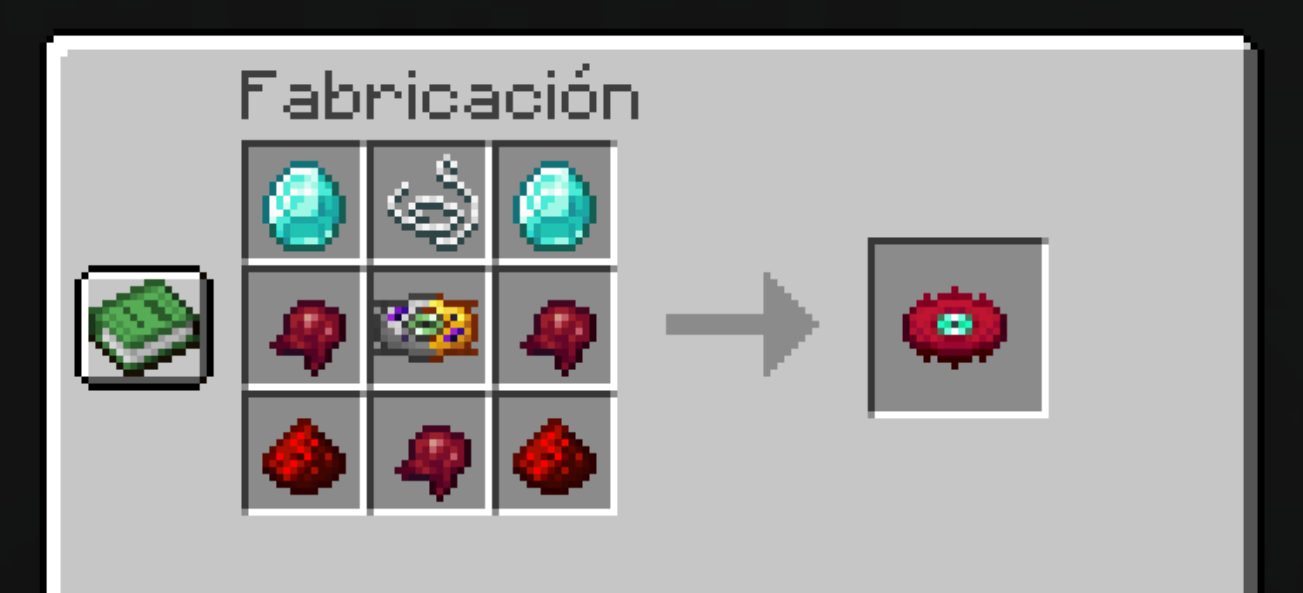
◽Ingredientes (Ingredients):
- Diamante x2
- Hilo x1
- Molde de discos x1
- Polvo de redstone x2
- Ojo de araña fermentado x3
💠Música y Artista (Music and Artist):
By: (Shirobon Remix)
Just Shovels & Knights - 'La Danse Macabre' (Shirobon Remix)More: YouTube - SoundCloud - BandCamp - iTunes - Twitter - Instagram - TikTok - Merch
◾Crafteo (Crafting):
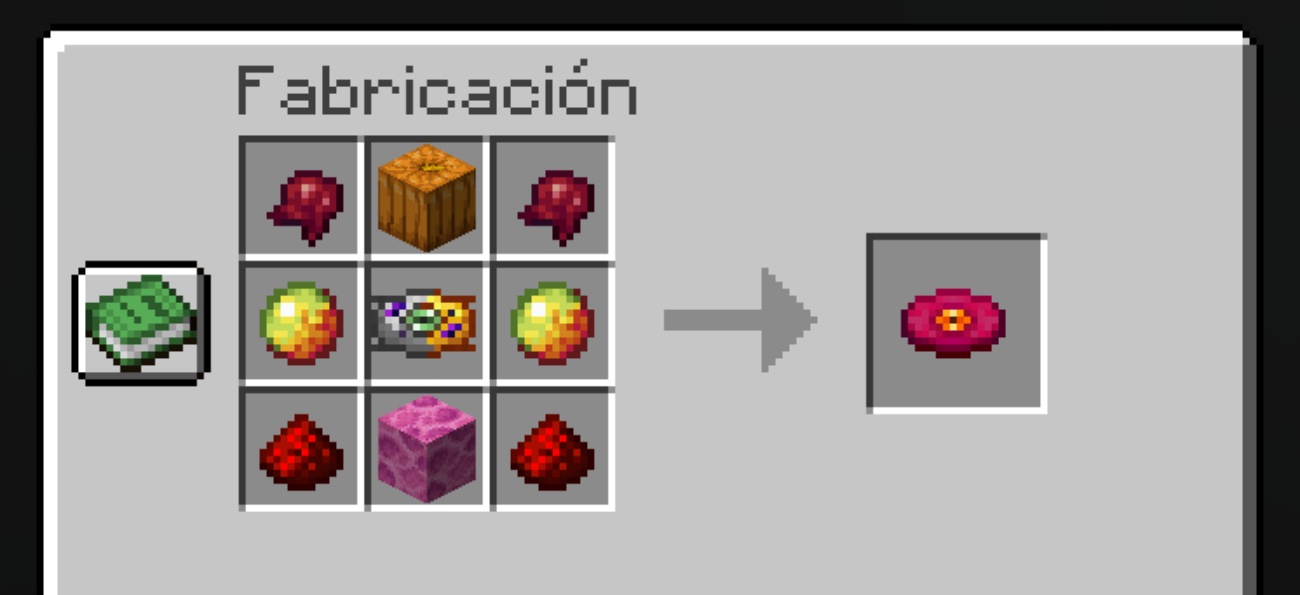
◽Ingredientes (Ingredients):
- Ojo de araña fermentado x2
- Calabaza x1
- Crema de magma
- Molde de discos x1
- Polvo de redstone x2
- Bloque de coral de cerebro x1
💠Música y Artista (Music and Artist):
By: (Shirobon Remix)
Tristam - Till It's Over [Monstercat Release]More: YouTube - SoundCloud - BandCamp - iTunes - Twitter - Instagram - TikTok - Merch
◾Crafteo (Crafting):
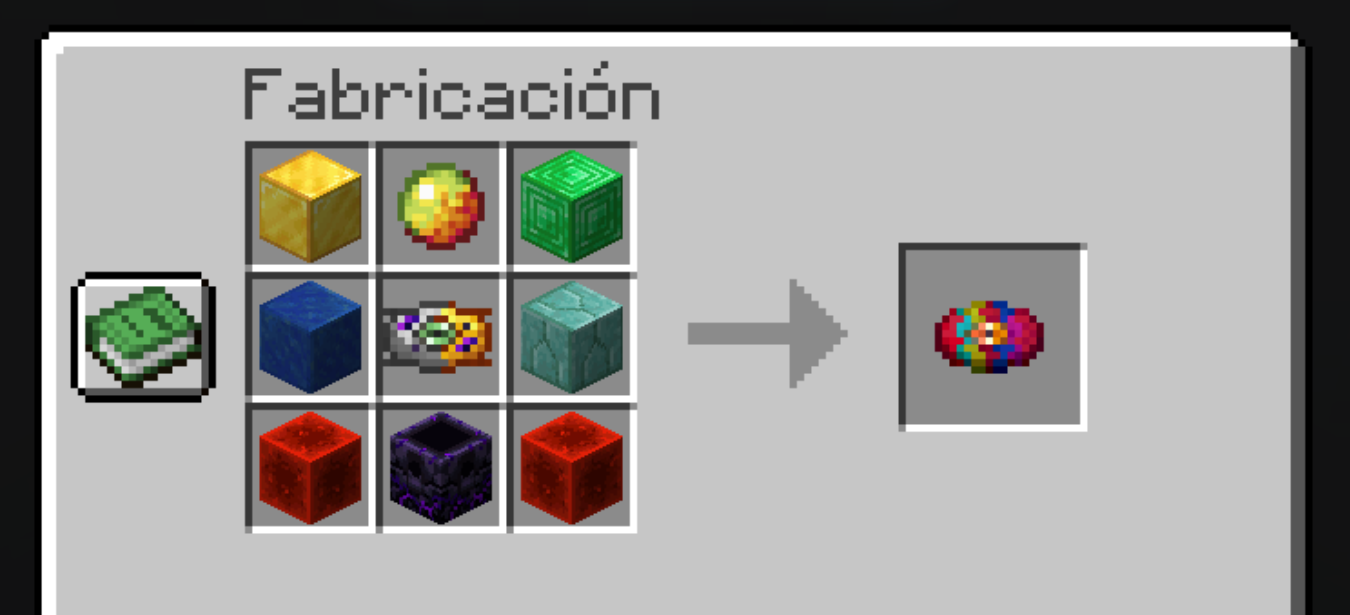
◽Ingredientes (Ingredients):
- Bloque de oro x1
- Crema de magma x1
- Bloque de esmeralda x1
- Bloque de lapislázuli x1
- Molde de discos x1
- Ladrillos de prismarina x1
- Bloque de redstone x2
- Nexo de reaparición x1
💠Música y Artista (Music and Artist):
By: Tristam
More: YouTube - SoundCloud - Website - Twitter - Instagram - Facebook
New Crafteable Discs!
Silva Hound - Cool Friends (Murtagh & Veschell Remix) ◾Crafteo (Crafting):
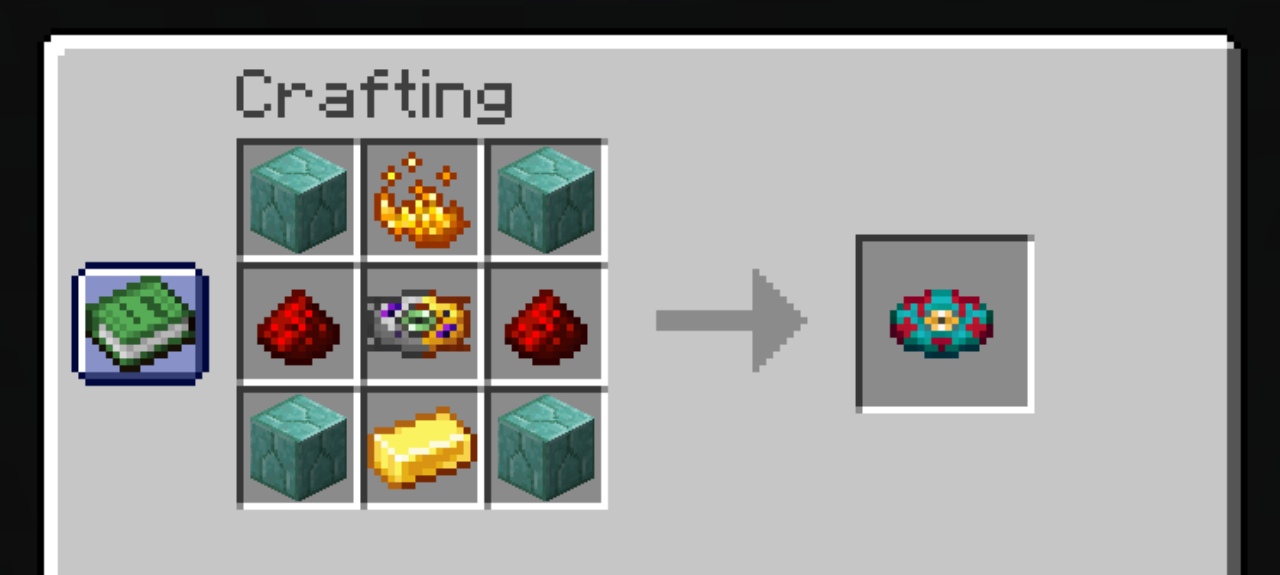
◽Ingredientes (Ingredients):
- Prismarine Bricks x4
- Blaze Powder x1
- Redstone Dust x2
- Disk Mold x1
- Gold Ingot x1
💠Música y Artista (Music and Artist):
By: Silva Hound
Murtagh More: SoundCloud - Instagram - Spotify
Shirobon - GraniteVeschell More: Spotify
◾Crafteo (Crafting):
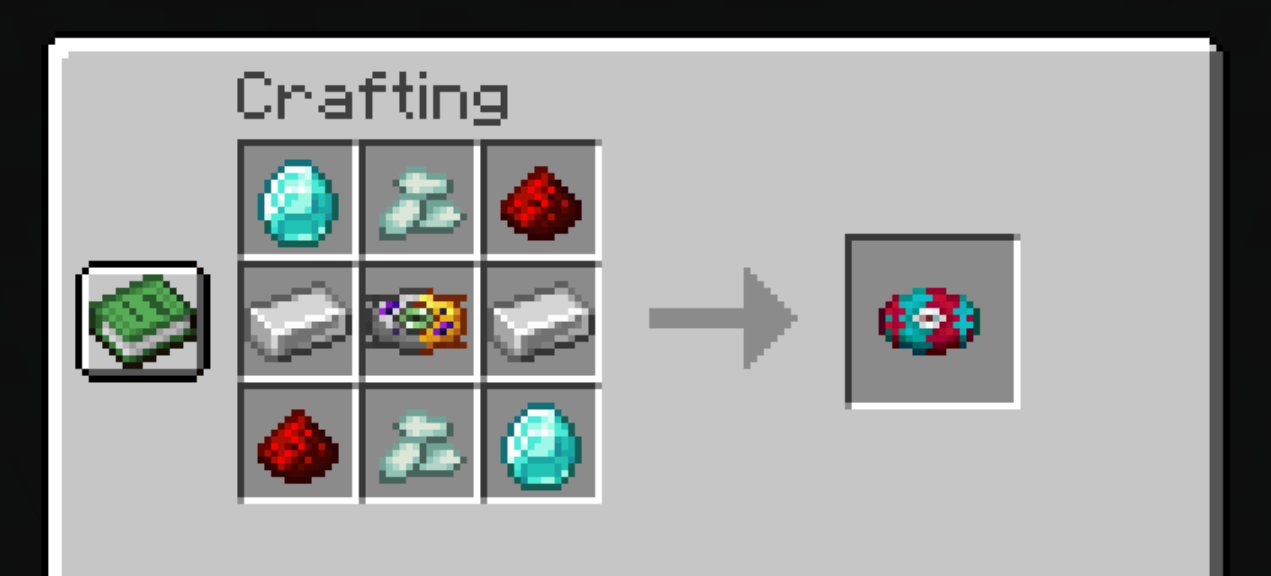
◽Ingredientes (Ingredients):
- Diamont x2
- Prismarine Crystals x2
- Redstone Dust x2
- Disk Mold x1
- Iron Ingot x2
💠Música y Artista (Music and Artist):
By: Shirobon
More: YouTube - SoundCloud - BandCamp - iTunes - Twitter - Instagram - TikTok - Merch
Mostercat Disclamer🏳️
The music used in this datapack IS NOT for commercial purposes, only for entertainment🥢 and non-profit at the expense of the Artists and their discography labels, if content is uploaded with this datapack in places like my Youtube channel, it will jump copyright 🗿
Monstercat Uncaged ©
Monstercat Uncaged⚙️Links:
🔗More Links:
YouTube - SoundCloud - Spotify - iTunes - Twitter - Reddit - Twitch - Instagram - Facebook
3.2 ¡Future Music and Musical Suggestions! 🕰️
News coming soon...🛠️
 Puedes proponer futuras nuevas canciones en el siguiente formulario📑:
You can propose future new songs in the following formulario:.
Puedes proponer futuras nuevas canciones en el siguiente formulario📑:
You can propose future new songs in the following formulario:.
- Propuestas Musicales aquí - Musical Proposals here📨
- (The most requested ones will be selected) 🗺️
Estructures ✨
1. "Cabaña del Músico"🧭 (Musician's Hut Structure)
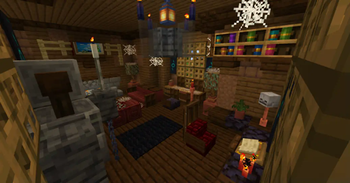
The datapack adds this new structure the "Musician's Hut 🛖”, a cabin abandoned many years ago, made of spruce wood, dark oak, adobe and varieties of rock 🪨.
◾Image:
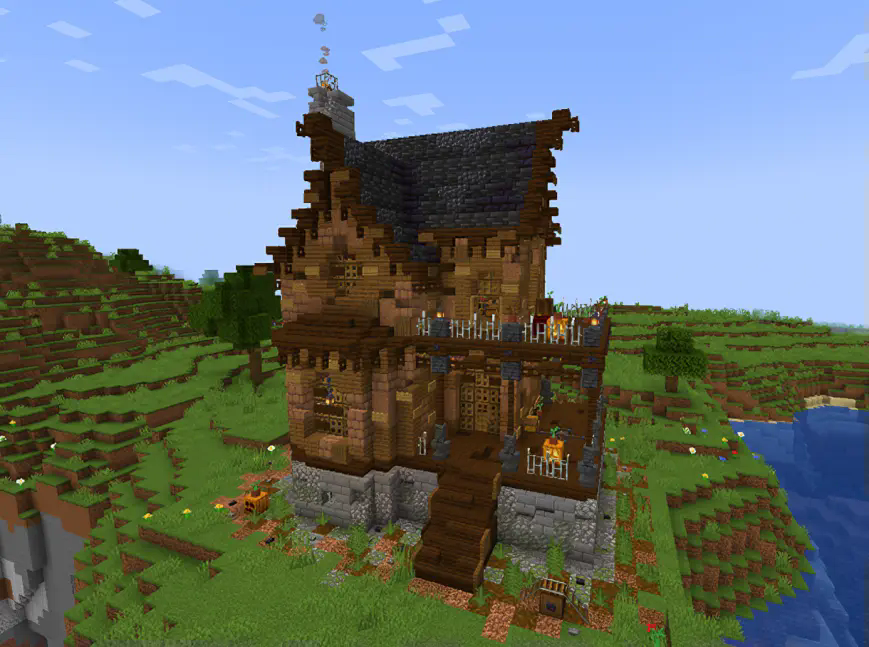
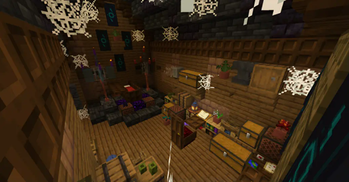
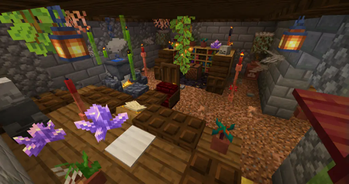
Inside you can find various booties 🕯️ and pieces of history from the past in hidden books 📕....
◾Images:
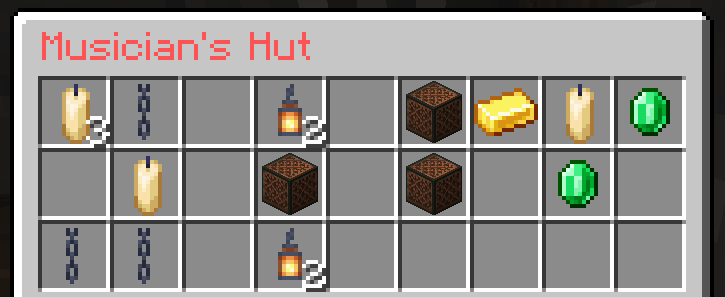
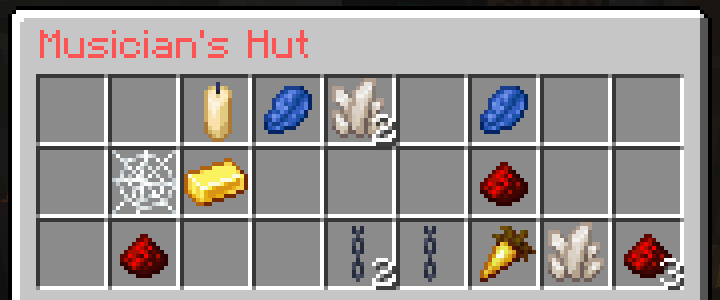
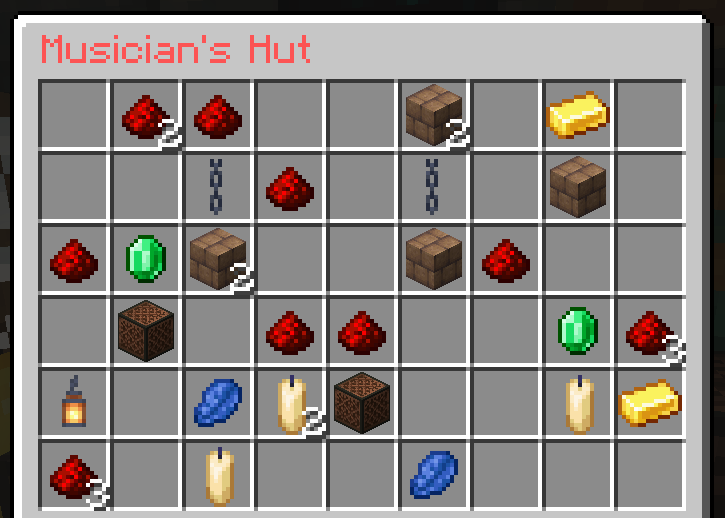
We recommend you to explore all the corners of this old cabin, its generation takes place in plains, forests of all kinds 🪵 and they are at least +750 blocks from each other.🌍
2. "Barco de Prismarina"🧭 (Prismarine Ship Structure)
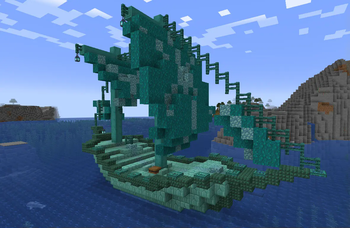
The datapack update adds this new marine structure the "Prismarine Ship⛵”, a shipwreck many years ago, made of prismarine, and its variations, will be generated in all the oceans of the Overworld🌊.
◾Image:
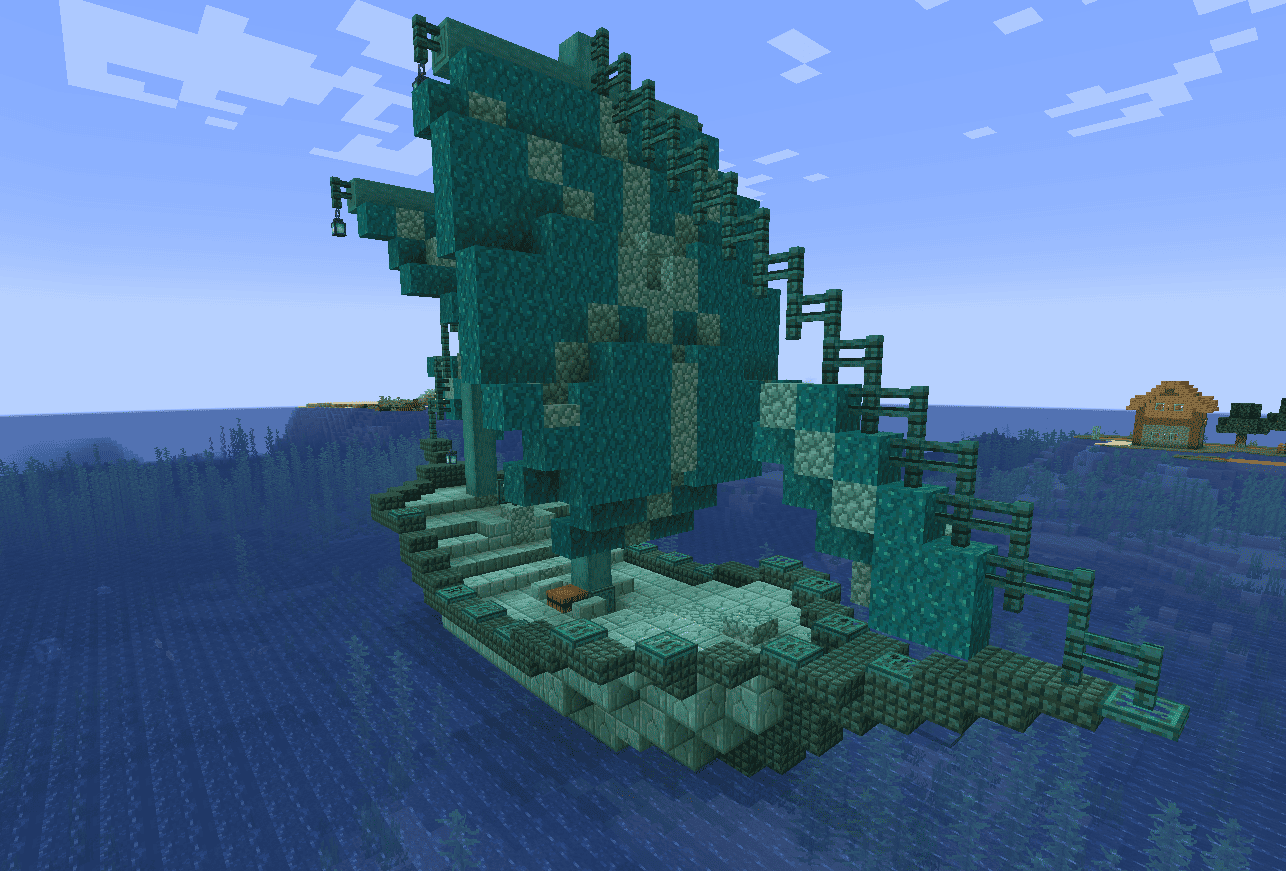
Inside youcan find several barrels 🎣 and a special crofre, along with a new music disc added 🥏, waiting for you to find it....
◾Images:
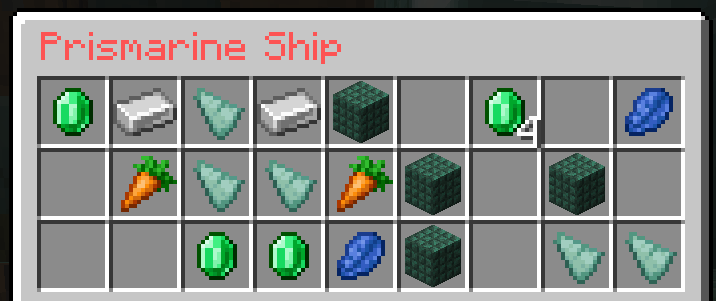
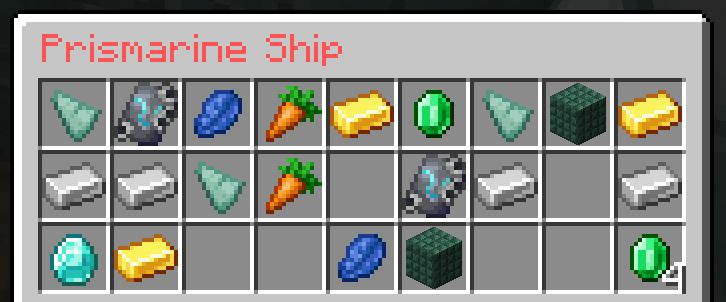
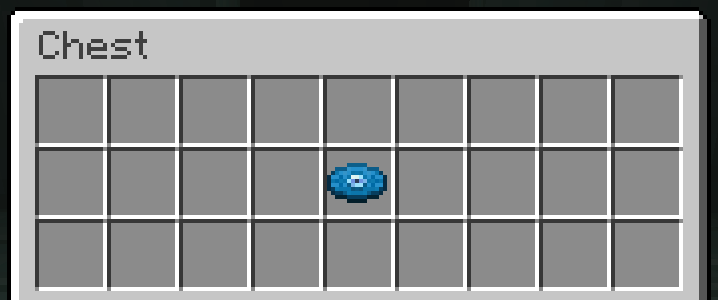
Visit the Gallery to get a better look at the structure and its interiors✨.
3 ¡Futuras Nuevas Estructuras! 🏗️ (Future New Structures)
- News coming soon...🛠️
- Structures will be added as time goes by and new music collections will be added...
Nuevos Logros 🏆 (New Achievements)
When you get any of the +15 new discs of this Datapack, you will get a new section of perzoned achievements with references to different movies🎬, series📺 and video games🕹️..
◾Image:
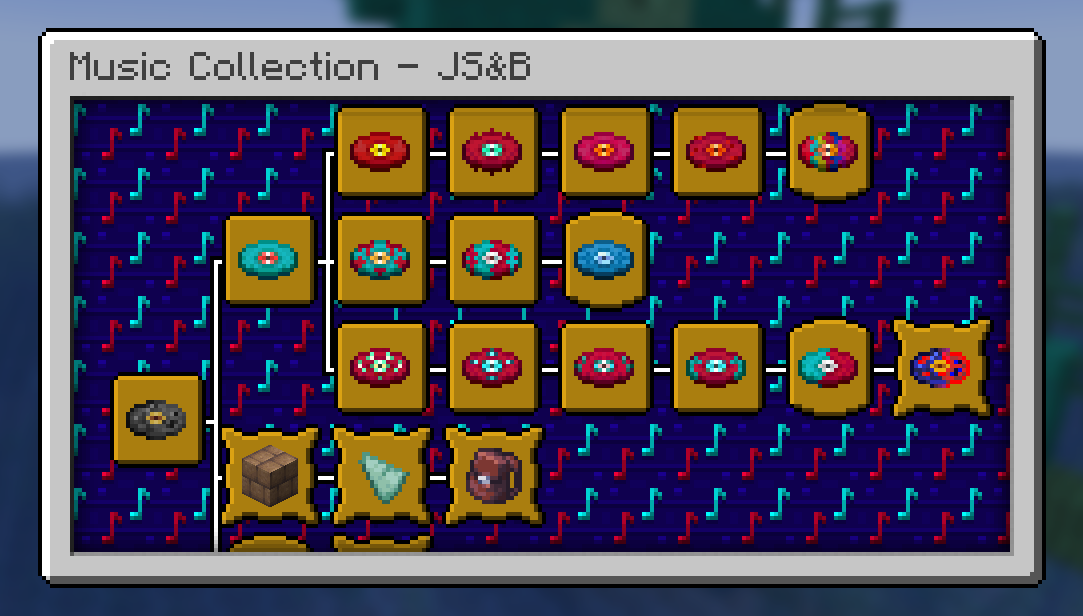
These 21 Achievements, are obtained from getting your first musical fragment 🎼, finding the Musician's Cabin 🛖, "Prismarine Ship⛵” and crafting all the added records 💿.
Procesos de Instalación 💾 (Installation Processes)
Below we invite you to review the correct installation process of our Data Package in the following categories 💥
Singleplayer - Un JugadorPasos Para Instalar DataPack (Steps to Install DataPack):
Abrir Minecraft (Open Minecraft)
Inicia el juego (start the game).Crea un Nuevo Mundo (Create a New World)
Vaya a "Más" y haga clic en "Paquetes de Datos". (go to “More” and click on "Datapacks”).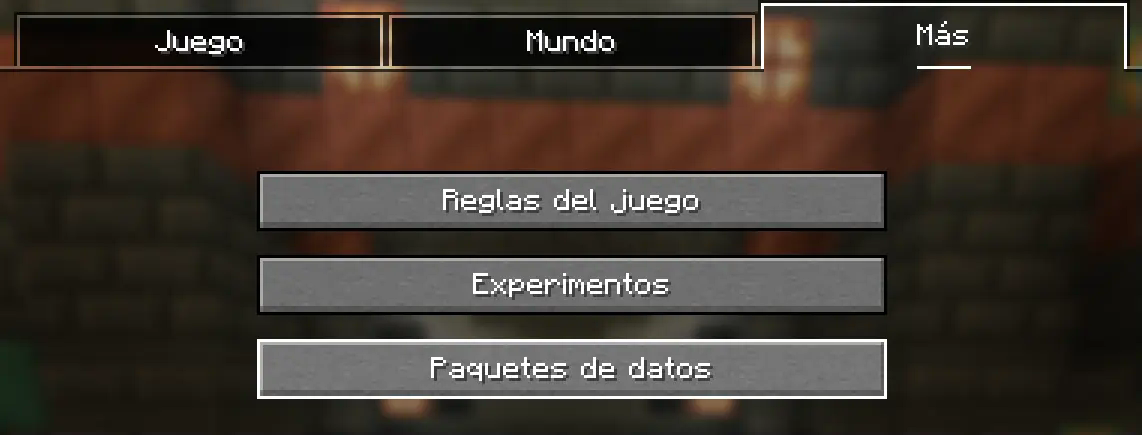
Añadir el Datapack (Add Datapack)
Arrastre el Paquete de Datos (un archivo.zipo directorio) a la ventana de Minecraft.📟 (Drag the Data Package (a
.zipor directory) to the Minecraft window).
Aparecerá una pantalla de confirmación. Haga clic en "Confirmar".
📟 (A confirmation screen will appear. Click on "Confirm ”).
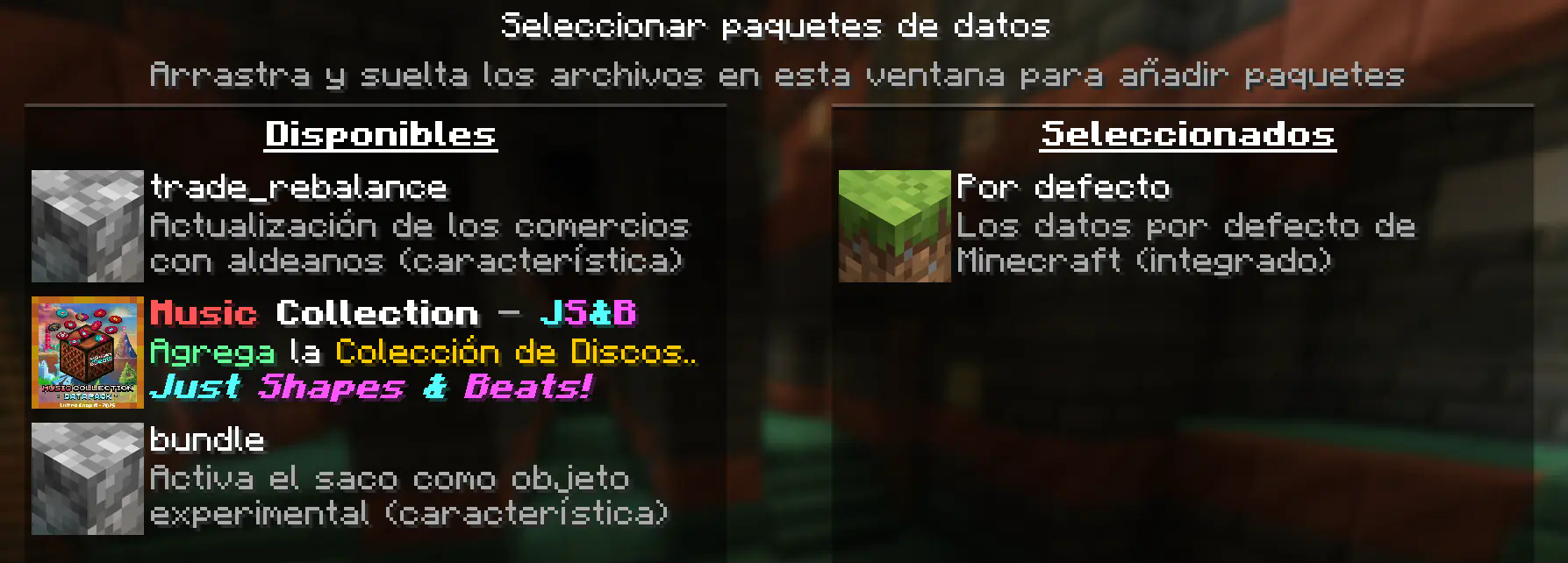
Activar el DataPack (Activate the DataPack)
Mueva el Paquete de Datos al lado derecho de la pantalla haciendo clic en el triángulo de su ícono (visible al pasar el cursor sobre él).📟 Move the Datapack to the right side of the screen by clicking on its triangle icon (visible when hovering over it).
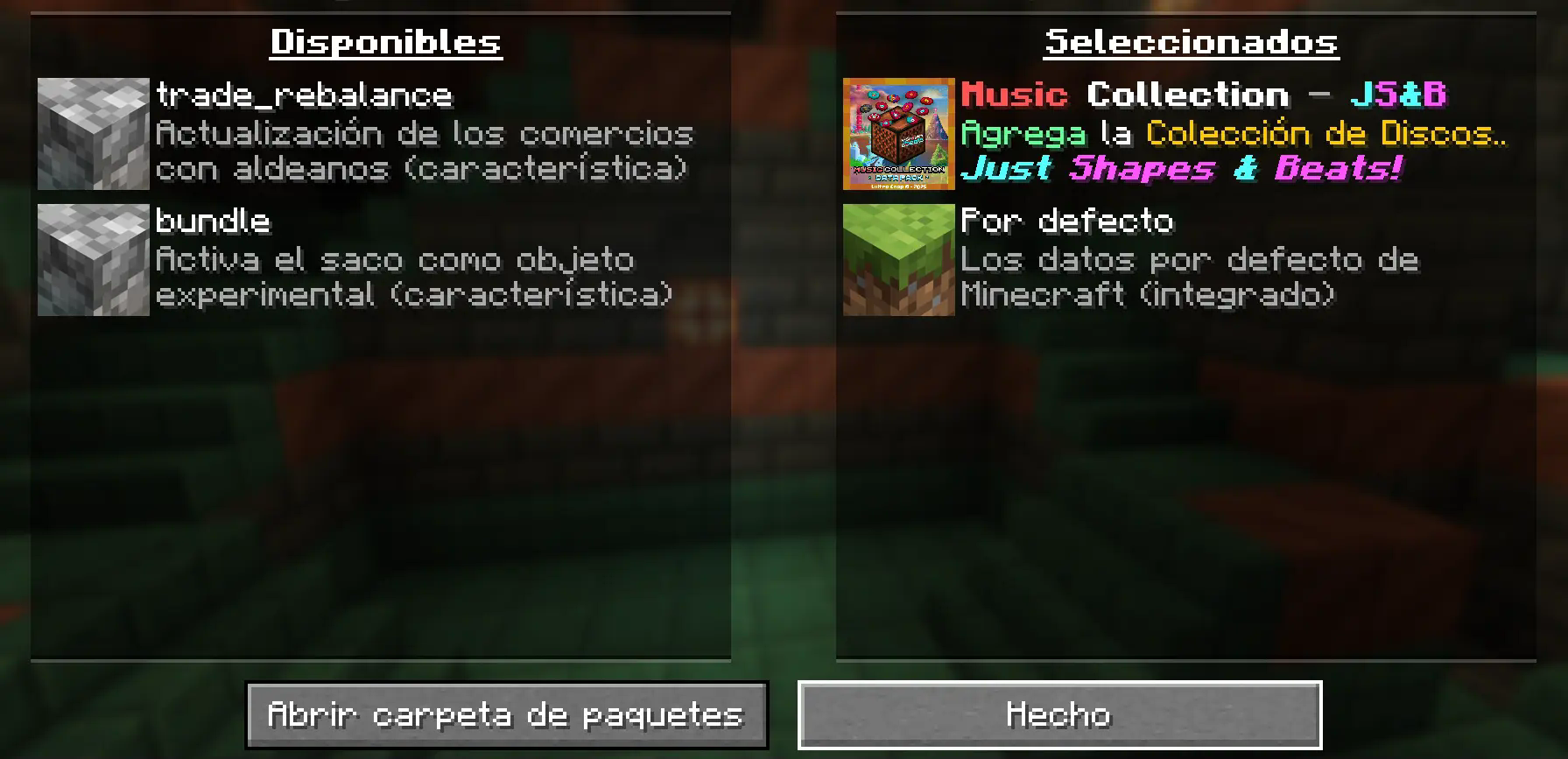
Creación del Mundo Nuevo (Creation of the New World)
Haz clic en "Hecho" en la parte inferior de la pantalla.📟 (Click "Done ” at the bottom of the screen).
 Continúa creando tu mundo y haz clic en "Crear nuevo mundo".
📟 (Continue creating your world and click on "Create new world ”).
⚠️ IMPORTANTE - IMPORTANT⚠️
Se generará un aviso al momento de crear un mundo nuevo, ya que son características experimentales, cualquier tipo de error puede ser comunicado a nuestro Discord Oficial
📟 A warning will be generated when creating a new world, since these are experimental features, any kind of error can be communicated to our Discord Oficial
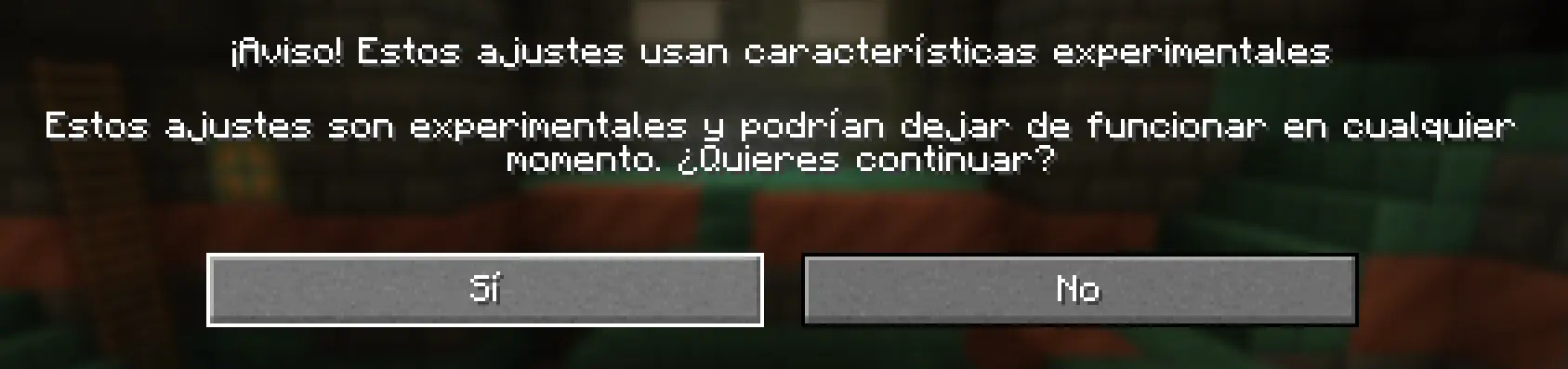
Continue dandole al boton Sí y disfrute de su Aventura :)
📟 Continue clicking the Yes button and enjoy your adventure :)
Multiplayer - MultijugadorPasos Para Instalar DataPack (Steps to Install DataPack):
Abrir la carpeta de tu servidor (Open the folder on your server)
Navega hasta la carpeta de tu servidor y luego abre la carpeta del mundo en el que deseas instalar el Paquete de Datos (predeterminado:world).Navigate to your server folder and then open the world folder in which you want to install the Datapacks (default:
world).Agrega el DataPack (Add the DataPack)
El Paquete de Datos debe ser un archivo.zip.file.
Coloca el Paquete de Datos en una carpeta llamadadatapacksdentro de la carpeta world.The DataPack must be a
.zipfile.
Place the DataPack in a folder nameddatapacksinside the world folder.Vuelve a cargar el servidor (reload the server)
Escribe/reloaddesde la consola o como operador de nivel 3, si el servidor estaba ejecutándose durante la instalación.Type
/reloadfrom the console or as a level 3 operator, if the server was running during installation.
⚠️ IMPORTANTE - IMPORTANT⚠️
Se generará un aviso al momento de crear un mundo nuevo, ya que son características experimentales, cualquier tipo de error puede ser comunicado a nuestro Discord Oficial
📟 A warning will be generated when creating a new world, since these are experimental features, any kind of error can be communicated to our Discord Oficial
Apoyanos - Support us! 🪄
Puedes Apoyar nuestro trabajo y proceso creativo para desarrollar futuros Datapacks directamente (You can Support our work and creative process to develop future Datapacks directly in our) Patreon

Únete a nuestro - Join our Discord Server
Suscribete a nuestro Canal de YouTube - Subscribe to our YouTube Channel
Síguenos en Twitter - Follow us on Twitter
- Edition: Minecraft Java
- File type: .jar
- Minecraft version listed: 1.21.4
- How to install: Install the matching mod loader (Forge, Fabric or NeoForge) for your Minecraft version. → Download the .jar. → Put it in the .minecraft/mods folder and launch that loader profile.
- Where to get it: Opens on Modrinth — not every file is mirrored on our own servers.
Install steps are the general flow for this file type — see the MC Java Mods guides for the full walkthrough.
- Downloads as Music Collection 1.21.4 - JS&B.zip
- Download size: 1.5 MB
- Download link checked 15 Oct 2026 — working
These come from our own check of the pack file, not from the source page.