
MC Paxels
I don't know my version or loader
Summary
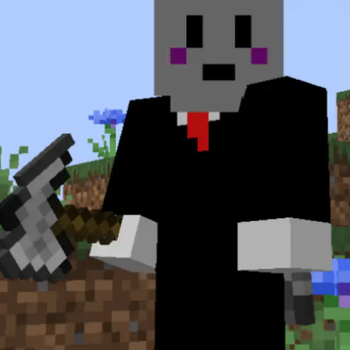
This datapack adds Paxels to Minecraft using the 1.20.5 update. Yeah, that's about it.
Gameplay
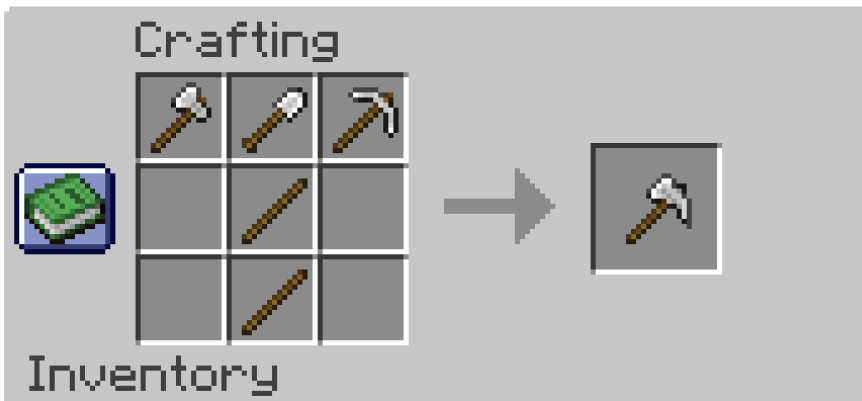
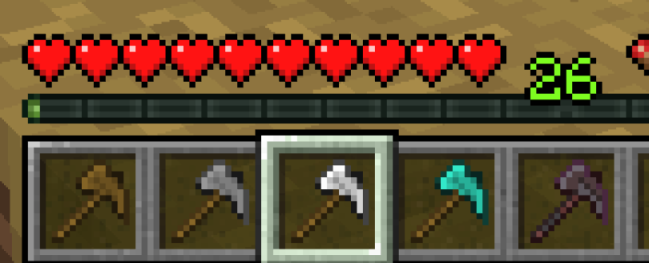
You can craft one with an Axe, Shovel, and Pickaxe of the tooltype you want. There are 6 types of Paxels:
- Wooden Paxels
- Stone Paxels
- Iron Paxels
- Golden Paxels
- Diamond Paxels
- and Netherite Paxels.
An important note is that Paxels do not transfer over the enchantments of the tools used to craft them, and you craft the Netherite Paxel with 3 Netherite tools--NOT by upgrading a Diamond Paxel.
They can also only be used on trees to strip them, so you can't path grass with them. I'm considering making a change for this in the future, but I'm debating it.
There are 2 advancements you can get from this pack. One for crafting any type of Paxel, and one for crafting a Netherite Paxel.
Config
This is a Config menu you can access with /function mcpaxels:config. That being said, there aren't any settings you can edit. But you can access a list of commands using the book, and also uninstall the pack with it.
Commands
You can give yourself a paxel manually by giving yourself a Knowledge Book with a [custom_data] component.
The component would have the data {item_id:(paxel_name)}.
This would look like: /give regfunkid knowledge_book[custom_data={item_id:wooden_paxel}] 3 to give regfunkid 3 Wooden Paxels.
- Edition: Minecraft Java
- File type: .jar
- Minecraft versions listed: 1.20.5, 1.20.6
- How to install: Install the matching mod loader (Forge, Fabric or NeoForge) for your Minecraft version. → Download the .jar. → Put it in the .minecraft/mods folder and launch that loader profile.
- Where to get it: Opens on Modrinth — not every file is mirrored on our own servers.
Install steps are the general flow for this file type — see the MC Java Mods guides for the full walkthrough.
- Downloads as MC Paxels Pack (UNZIP ME).zip
- Download size: 14 KB
- Download link checked 5 Sept 2026 — working
These come from our own check of the pack file, not from the source page.