
MAKE YOUR BUILDING LIMIT UP
Think Minecraft doesn't have enough building space? Want to build taller buildings? Try our data pack and you can increase the building limit up to 4064…
I don't know my version or loader


MAKE YOUR BUILDING LIMIT UP
Think Minecraft doesn't have enough building space? Want to build taller buildings? Try our data pack and you can increase the building limit up to 4064 blocks!!
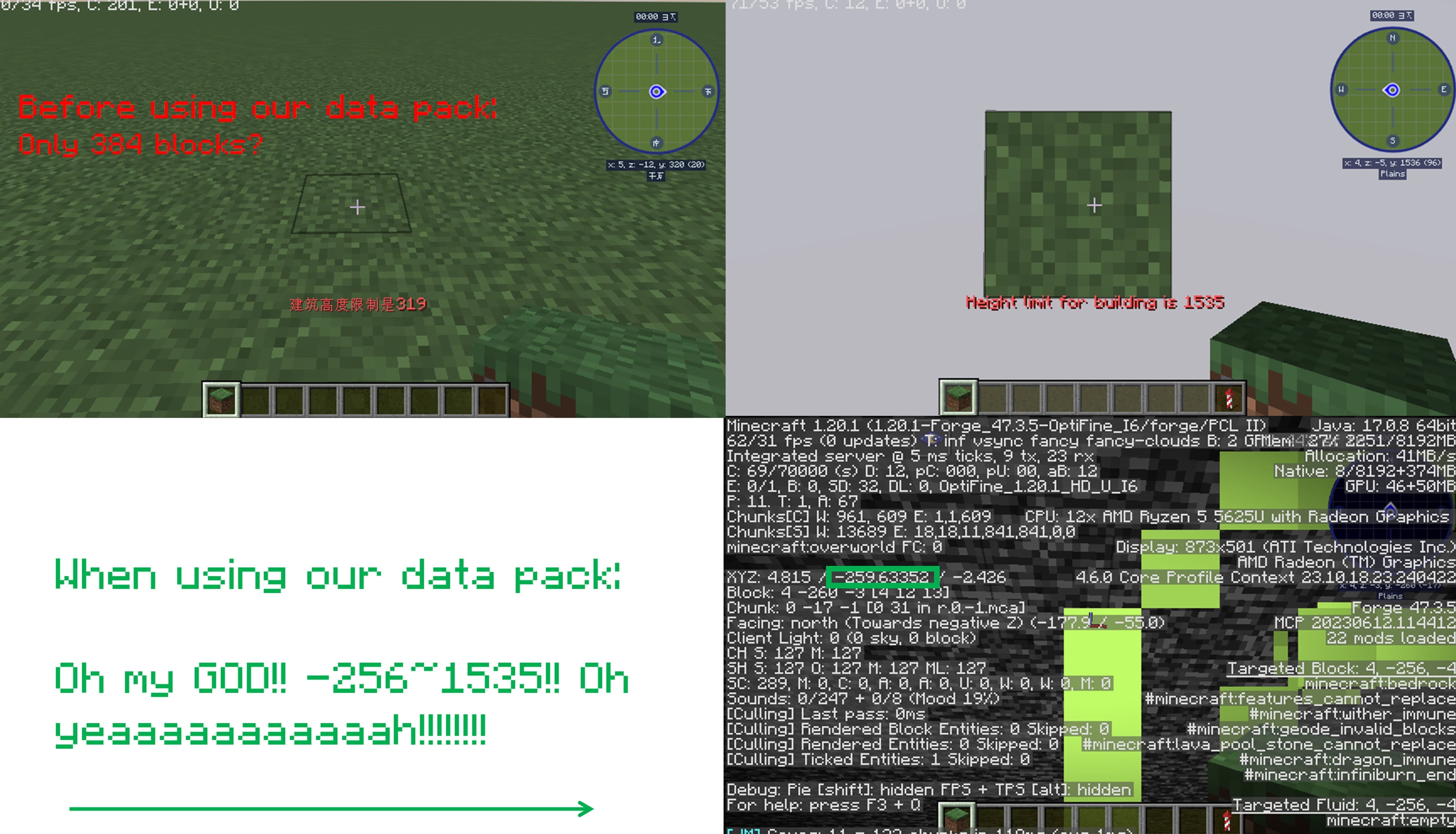
How to install it?
You may need to create your game world before install the data pack
1.Open your game folder(".minecraft")
If you use version isolation:
2.Open your "versions" folder
3.Choose your version
4.Open your "saves" folder
5.Choose your save
6.Open your "datapacks" folder
7.Put our data pack in the folder
If you Don't use version isolation
2.Open your "saves" folder
3.Choose your save
4.Open your "datapacks" folder
5.Put our data pack in the folder
PLEASE PAY ATTENTION!! This datapack may affect the normal operation of other mods

This is a DATAPACK! Please put it in the "datapacks" folder in your saves folder
NOT THE "recoursepacks" FOLDER
- Edition: Minecraft Java
- File type: .jar
- Minecraft versions listed: 1.18, 1.18.1-pre1, 1.18.1-rc1
- How to install: Install the matching mod loader (Forge, Fabric or NeoForge) for your Minecraft version. → Download the .jar. → Put it in the .minecraft/mods folder and launch that loader profile.
- Where to get it: Opens on Modrinth — not every file is mirrored on our own servers.
Install steps are the general flow for this file type — see the MC Java Mods guides for the full walkthrough.
- Downloads as limitup(-2031~2031)_for1.17+.zip
- Download size: 1 KB
- Download link checked 6 Sept 2026 — working
These come from our own check of the pack file, not from the source page.