HomeJavaDatapacksTransporters
Transporters
Transporters — screenshot 1Transporters — screenshot 2Transporters — screenshot 3Transporters — screenshot 4

About "Transporters"

Transporters is a data pack that adds a few features to minecarts, activated by placing specific colors of wool underneath the tracks, as well as other cart-related features.

Lime / Red wool

Placing lime wool under the track will give minecarts an "engine" that continually makes them move at maximum speed.

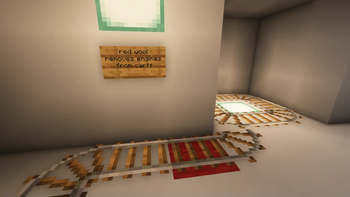
The engine can be removed by placing red wool under a section of track. The engine is also removed when a cart leaves the track.

Purple wool / "endpoint" armor stands

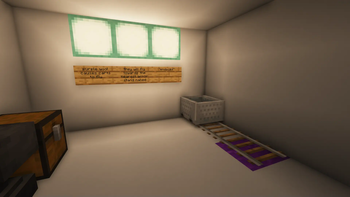
To make carts fly through the air (and even through solid walls) towards a destination, name an armor stand "endpoint" and place it where you want the carts to fly to, then place purple wool under the tracks at the end of a railway, and carts passing over the wool will begin to fly towards the armor stand.

Keep in mind that if you have multiple armor stands named "endpoint," carts will only fly to whichever one is closest to them.

Orange wool

Placing orange wool underneath the tracks will destroy carts that pass over it.

Pink / Magenta wool

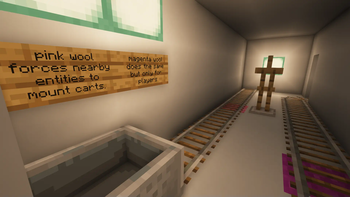
Pink wool will force nearby entities, including players, to ride carts as they pass over it.

Magenta wool behaves the same way, except it only works for players.

Use vanilla activator rails to force entities or players to dismount a cart.

"pointer" armor stands

Naming an armor stand "pointer" will turn it into a front-facing arrow attached to nearby carts.

This can behave weirdly if multiple carts are nearby, so using F3+B to show the hitboxes is recommended as an alternative.

Ladders / Shelves

Carts can climb ladders and wooden shelves, and will do so whenever they are in the same block space. The carts will also dismount at the top, in the direction they are facing.

Magenta Glazed Terracotta / Tripwire

Carts will change direction and move in the direction specified by the arrow on Magenta Glazed Terracotta placed under a tripwire beneath the cart. Perfect for turning carts around in a tight space!

This behavior does not work with rails due to Minecraft forcing carts to snap to rails, so you will potentially need to recover speed by placing lime wool under the next track section after a direction change.

Routing with lecterns

Lecterns placed next to normal rails will invisibly assign passing carts to a specific route based on the current page number the lectern is turned to, up to 32.

Lecterns placed next to detector rails will test passing carts to see if they match the current page number- and if they do, redstone wires connected to the lectern will be replaced with redstone blocks. If the passing cart does not match, the redstone blocks will revert to redstone wires again. This can be used to create switch track systems to route carts wherever you please!

Detector item frames

Item frames containing detector rail items, and placed adjacent to detector rails, will detect passing carts based on their type or passenger, and replace redstone wires with redstone blocks in a similar manner to the lecterns. The main difference being that the redstone blocks will revert to wires automatically after one second.

Select the desired detection type by rotating the item frame.

Tutorial/Trailer (severely outdated):

https://youtu.be/NAcXhlJShS4

Quick facts

Install steps are the general flow for this file type — see the MC Java Mods guides for the full walkthrough.

Verified by MCModsHub

These come from our own check of the pack file, not from the source page.

Explore more