
Float Blocks
Java data pack listed for Minecraft 1.19. Downloads from the MC Java Mods app on Android.
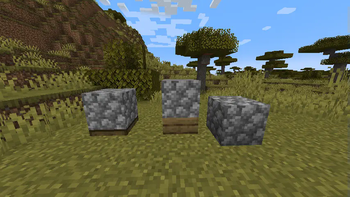
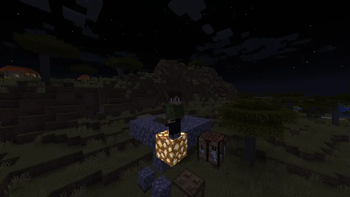
Float Blocks adds command controlled blocks that can be placed off of the grid and have collision (you can't walk through them).
I don't know my version or loader
Float-Blocks
Float Blocks adds functions that allow you to place blocks off of the grid. The blocks have hitboxes made from shulkers, so there is a command that allows you to apply the glowing effect to all shulkers that are part of an off-grid block (a float-block). You can also use a chat UI to kill a certain amount of float-blocks. You can also use it to give you spawn eggs that summon blocks, although the blocks are not off-grid because mobs automatically spawn in the middle of the block you place them on. You can place them on slabs to make them a half block higher or lower than normal though.
- Edition: Minecraft Java
- File type: .jar
- Minecraft versions listed: 1.19, 1.19.1, 1.19.2
- How to install: Install the matching mod loader (Forge, Fabric or NeoForge) for your Minecraft version. → Download the .jar. → Put it in the .minecraft/mods folder and launch that loader profile.
- Where to get it: Opens on Modrinth — not every file is mirrored on our own servers.
Install steps are the general flow for this file type — see the MC Java Mods guides for the full walkthrough.
- Downloads as float-blocks-1.19.x-1.0.1.zip
- Download size: 36 KB
- Download link checked 27 Sept 2026 — working
These come from our own check of the pack file, not from the source page.