
Features
Fundamental Features
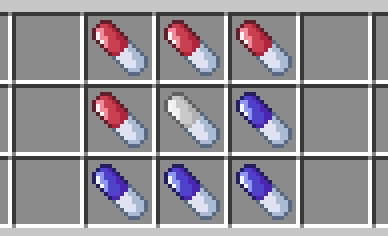
- Adds 4 Shrinking Pills (2x-16x)
- Adds 4 Growing Pills (0.5x-0.0625x)
- Adds a neutral Pill that resets your size
- Huge Customization
- Custom Crafting
Supported Versions
| Version | Status |
|---|---|
| 1.21.1 | ✅ Supported |
| 1.21 | ✅ Supported |
| 1.20.5 | ✅ Supported |
| 1.20.4 or lower | ❌ Broken due to Minecraft limitations |
Secondary Features
- Does not only change the Scale of Feature, but depending on the Settings also the Speed, Gravity, Jump Strength and so on.
- Resets your size back to normal on death.
- Programmed to be as Performance friendly as possible.
Features coming soon
- Ability to scale other Entities
- Changing range
Crafting
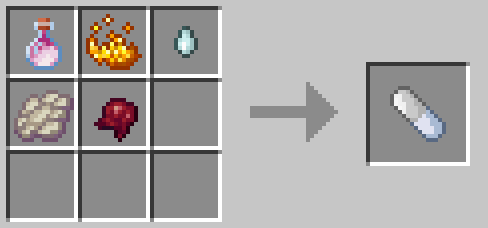
Neutral Pill
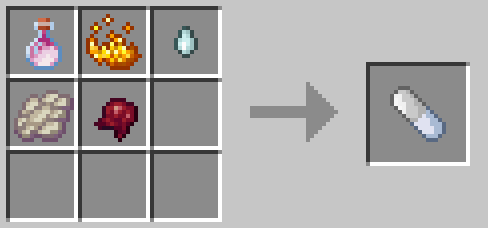
This is the Crafting Recipe for the neutral Pill, wich resets you back to the normal size.
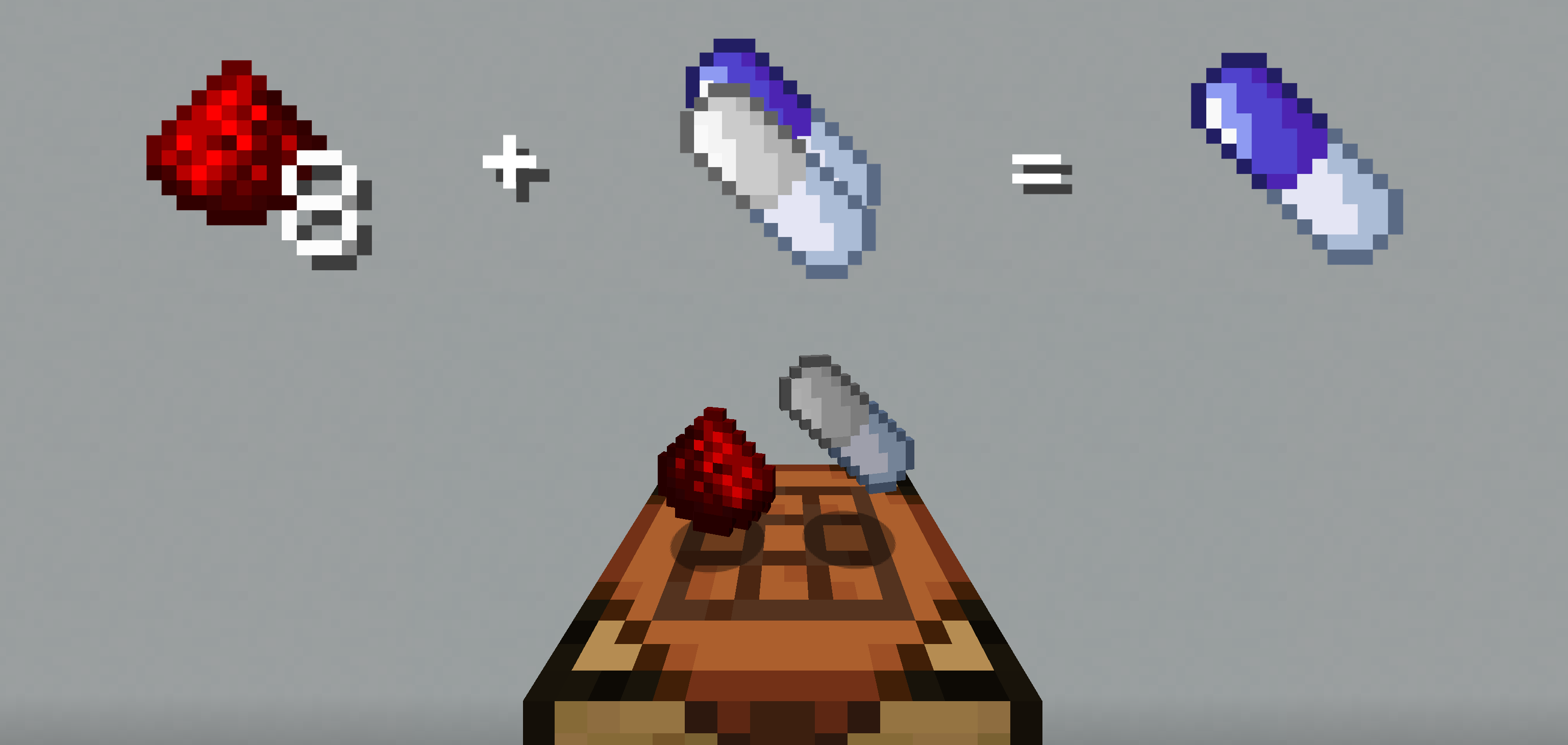
Shrink Pill
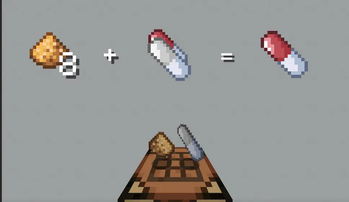
To Craft a Shrinking Pill, drop either the neutral Pill or a Shrinking Pill with 8 redstone onto a crafting table. This will give you the next bigger Pill.
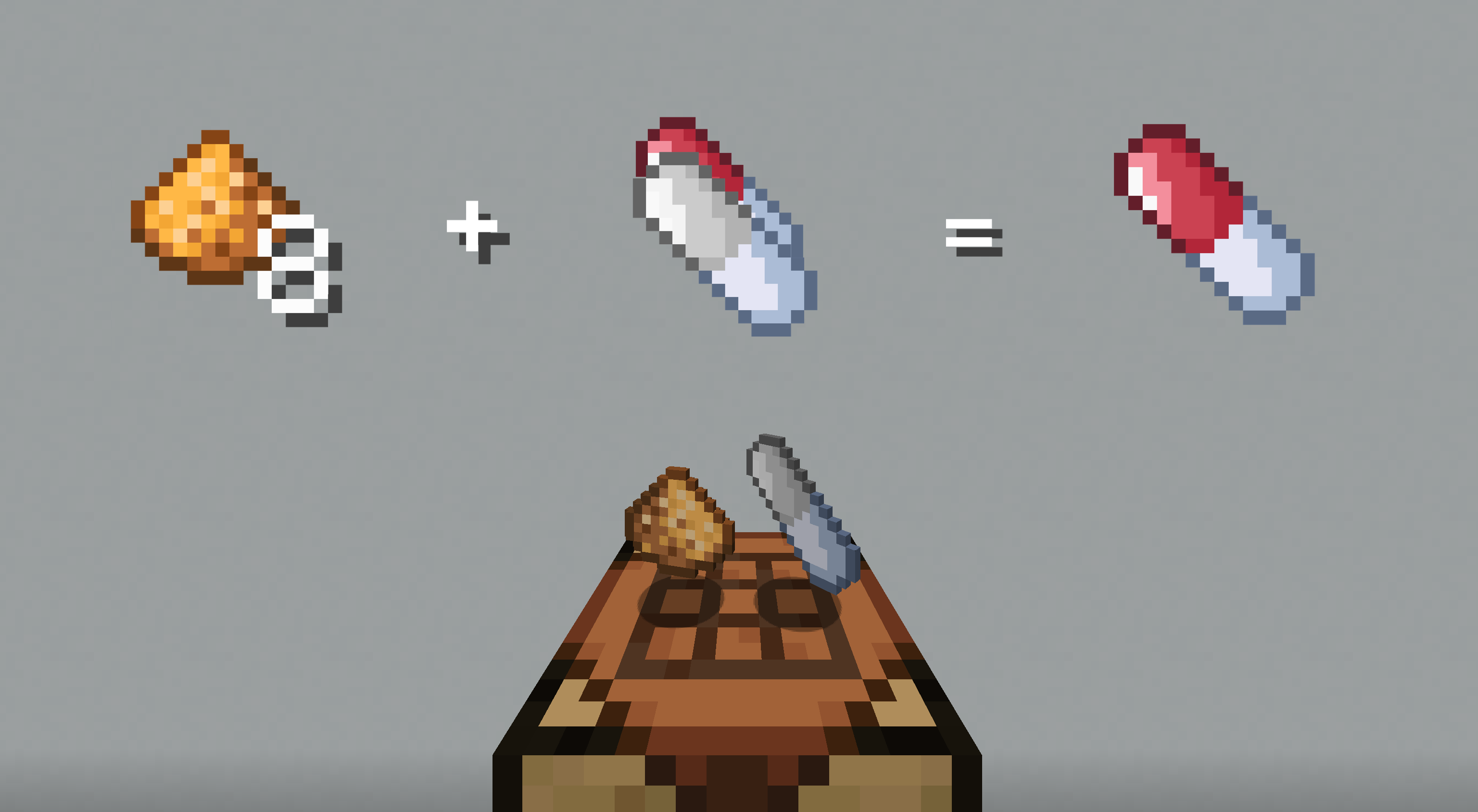
Grow Pill
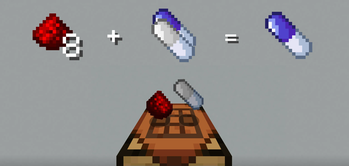
To Craft a Growing Pill, drop either the neutral Pill or a Growing Pill with 8 glowstone onto a crafting table.
Customization
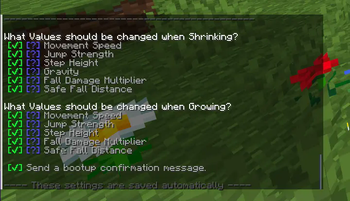
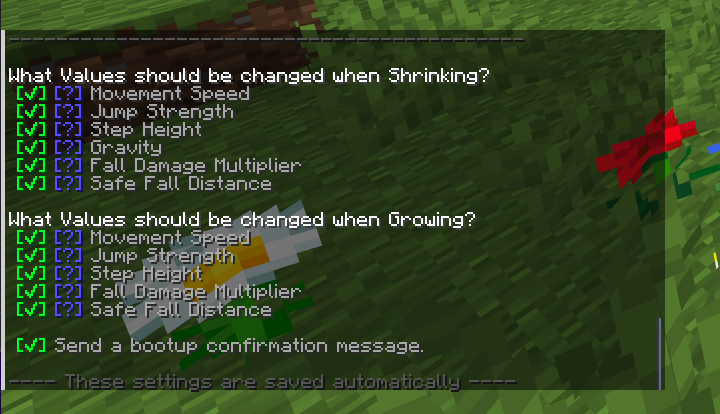
The Pack allows you to toggle what values should be changed, when shrinking or growing. To acces the Options Page just enter /function sap:options in chat. This will give you the next smaller Pill.
Installation of Datapack
Singleplayer - New World
- Create a new world and click on "Data Packs".
- Drag the data pack into the Minecraft window.
- Click "Yes" on the confirmation screen.
- Move the data pack to the right hand side of the screen by clicking the triangle on its icon.
- Click "Done" and continue creating your world.
Singleplayer - Existing World
- Open Minecraft.
- Select the world you want to install the data pack for, click on "Edit", then "Open world folder".
- Open the folder named datapacks, and put the data pack into it. It should be a .zip file or directory.
- Rejoin your world.
Multiplayer
- Download the data pack.
- Open your server folder, then open the folder of the world you wish to install the data pack in (default: world).
- Put the data pack into a folder named datapacks.
- Type /reload from the console if the server was running during the installation.
Made with ❤️
- Edition: Minecraft Java
- File type: .jar
- Minecraft versions listed: 1.20.5, 1.20.6, 1.21
- How to install: Install the matching mod loader (Forge, Fabric or NeoForge) for your Minecraft version. → Download the .jar. → Put it in the .minecraft/mods folder and launch that loader profile.
- Where to get it: Opens on Modrinth — not every file is mirrored on our own servers.
Install steps are the general flow for this file type — see the MC Java Mods guides for the full walkthrough.
- Downloads as ScalingPills.zip
- Download size: 9 KB
- Download link checked 7 Sept 2026 — working
These come from our own check of the pack file, not from the source page.