
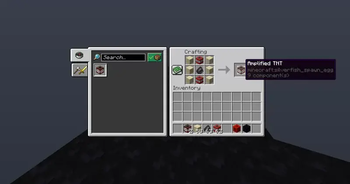
Instructions:
How to turn it on?
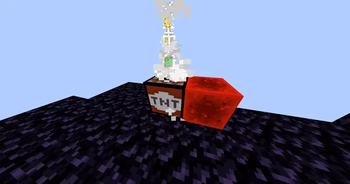
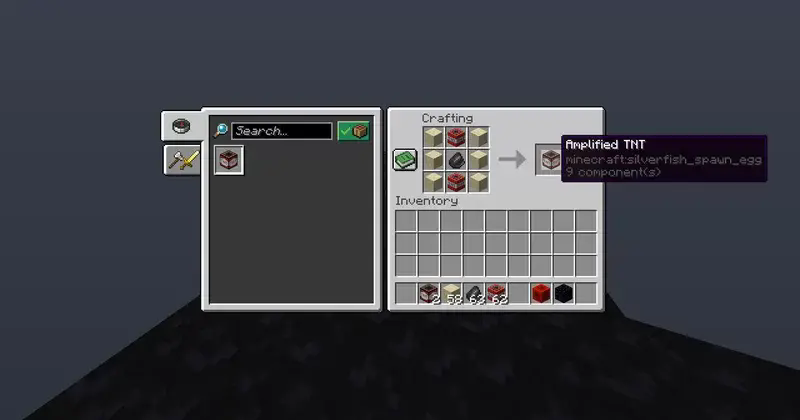
To turn on the Amplified TNT, you need to place a redstone block next to the TNT. Keep in mind that if you try to light it by clicking with a lighter or placing it near the fire, it will not activate
How can I increase the explosion level?
Just throw gunpowder on the block. Each time you do this, the number at the top will increase (with a limit of 12 units of powder per block). Also, keep in mind that the explosion radius will also increase with each powder.
ANY BUG SEND EVIDENCE TO THE DISCORD
FEEDBACK
Quick facts
- Edition: Minecraft Java
- File type: .jar
- Minecraft version listed: 1.21.11
- How to install: Install the matching mod loader (Forge, Fabric or NeoForge) for your Minecraft version. → Download the .jar. → Put it in the .minecraft/mods folder and launch that loader profile.
- Where to get it: Opens on Modrinth — not every file is mirrored on our own servers.
Install steps are the general flow for this file type — see the MC Java Mods guides for the full walkthrough.
Verified by MCModsHub
- Downloads as amplifiedtnt_datapack.zip
- Download size: 44 KB
- Download link checked 7 Sept 2026 — working
These come from our own check of the pack file, not from the source page.