
Dying Balanced
When you die, your items will be fire proof, you will be able to configure despawn time, the items will glow and you will receive a compass that points…
I don't know my version or loader
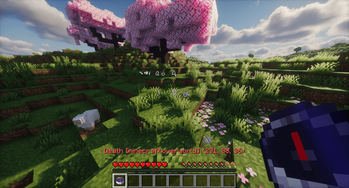
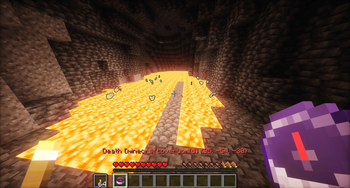
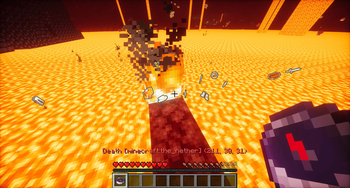
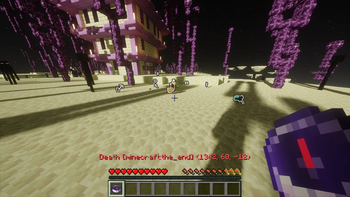
Dying Balanced re-engineers the recovery loop in Minecraft, keeping your items safe from hazards without removing the challenge of travel.
FEATURES:
- Death Compass: Automatically given upon respawn. Shows exact death coordinates and dimension on the item name (no chat spam).
- Safe Recovery: Death loot is glowing and fireproof.
- Long-lasting Loot: Death loot stays on the ground for as long as you set it to (default setting: 11 minutes).
- Anti-Exploit: Regular drops (pressing 'Q') remain 100% vanilla and burn.
INSTALLATION GUIDE:
- Download the "Dying_Balanced.zip" folder.
- Put the zipped folder inside your world's datapack folder: -> .minecraft/saves/YOUR_WORLD/datapacks/
- Open your world or server and type: /reload
HOW TO CHANGE CONFIGURATIONS: You can change settings anytime! Open this file inside the pack: -> data/dying_balanced/function/config.mcfunction
To turn settings on or off, swap the numbers between 1 (True) or 0 (False). Type /reload in-game to apply any changes.
- Edition: Minecraft Java
- File type: .jar
- Minecraft versions listed: 26.1, 26.1.1, 26.1.2
- How to install: Install the matching mod loader (Forge, Fabric or NeoForge) for your Minecraft version. → Download the .jar. → Put it in the .minecraft/mods folder and launch that loader profile.
- Where to get it: Opens on Modrinth — not every file is mirrored on our own servers.
Install steps are the general flow for this file type — see the MC Java Mods guides for the full walkthrough.
- Downloads as dying_balanced 26.1.1-26.1.2.zip
- Download size: 6 KB
- Download link checked 13 Sept 2026 — working
These come from our own check of the pack file, not from the source page.