
Day counter (in Russian)
Java data pack listed for Minecraft 26.x. Downloads from the MC Java Mods app on Android.
⬇ Download on Modrinth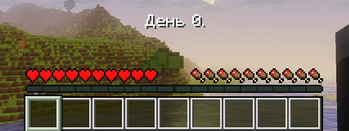
Privet! My name is Vitaly Wilde. I have created a counter for the number of days played in Minecraft in Russian language.
Description
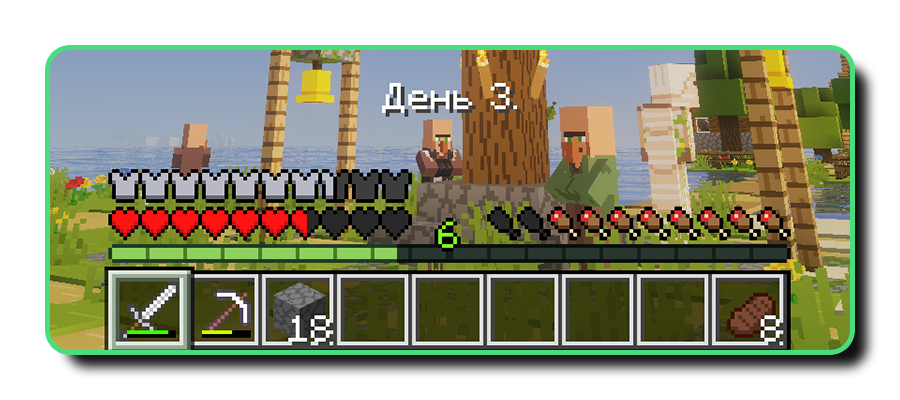
This datapack adds a bar to the top of the quick access panel that displays the number of days elapsed in real time. It consists of the word «Day» (in Russian «День») and the number of days that have passed.
Commands
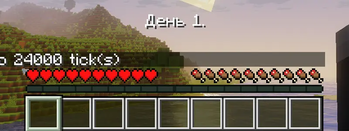
The datapack works perfectly with the commands used to change the in-game time of day. You can specify the exact number of ticks or use predefined keywords to switch quickly. As the date range only reflects whole numbers of days, you can change the number of days using the command below (replace «*» with the number of days):
/time set *d
Installation Guide
Installing in the new world- Download the .zip file, and do not extract it;
- When creating a world, go to section «More» and click on button «Data Packs»;
- Click on button «Open Pack Folder» and move the .zip file into the folder that has opened;
- Select this data pack from the available options and press the button «Done».
- Download the .zip file, and do not extract it;
- Find the folder containing the game world you want and open the «datapacks» folder within it;
- Drop the .zip file inside of that folder.
- Edition: Minecraft Java
- File type: .jar
- Minecraft versions listed: 26.1, 26.1.1, 26.1.2
- How to install: Install the matching mod loader (Forge, Fabric or NeoForge) for your Minecraft version. → Download the .jar. → Put it in the .minecraft/mods folder and launch that loader profile.
- Where to get it: Opens on Modrinth — not every file is mirrored on our own servers.
Install steps are the general flow for this file type — see the MC Java Mods guides for the full walkthrough.
- Downloads as Day counter (in Russian).zip
- Download size: 7 KB
- Download link checked 25 Oct 2026 — working
These come from our own check of the pack file, not from the source page.