
Size Shifter Expansion
Become a giant with heavy defense or shrink to fit into tiny gaps! Adds two unique, endgame size-changing armor sets to your world.
⬇ Download on Modrinth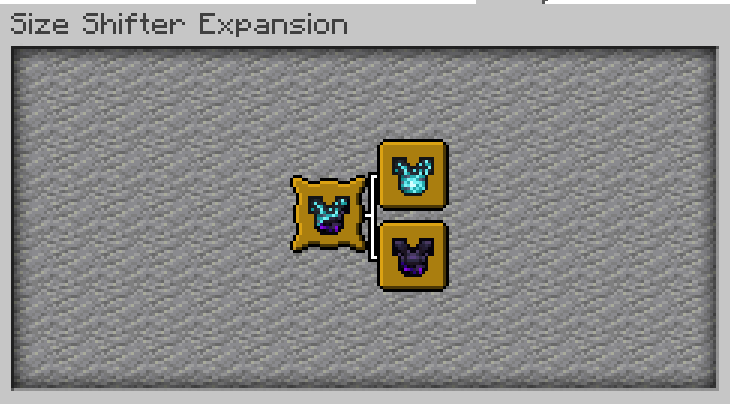
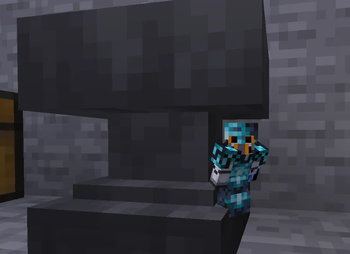
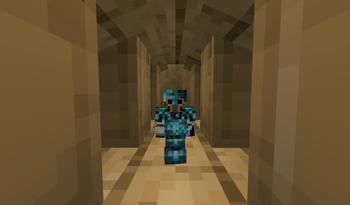
🛡️ The Size Shifter Expansion
Enhance your Minecraft journey with two incredible size-altering armors! The Size Shifter Expansion introduces the powerful Giant Armor and the stealthy Shrink Armor sets, utilizing Minecraft's native attribute systems to change your physical scale and capabilities.
With the Giant Armor, you gain overwhelming offensive power and extreme reach, but you must navigate the world with a significantly larger hitbox. With the Shrink Armor, your strength is reduced, but your minuscule size lets you slip into narrow gaps, secret passages, and 0.5-block spaces.
⚒️ How it Works
This datapack is built for the endgame. You will need elite nether-tech and deep-dark materials to forge these reality-bending sets.
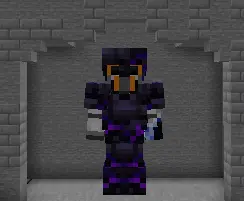
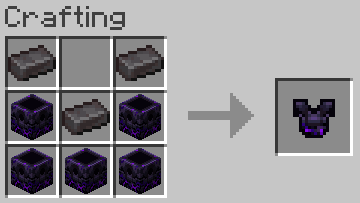
🔴 The Giant Armor: Combine Netherite Ingots with Respawn Anchors to forge pieces of immense scale.
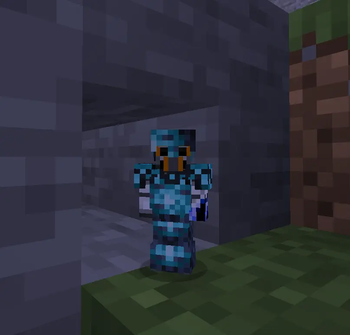
🔵 The Shrink Armor: Combine Netherite Ingots with Sculk Catalysts to compress your physical matter.
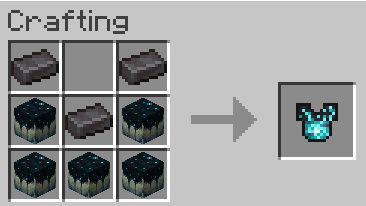
📖 Quality of Life: All recipes are visible directly in your vanilla crafting table book, and you can track your growth and shrinkage with unique in-game advancements!
💎 Featured Items
Here is a showcase of the physical armor pieces added by this expansion:
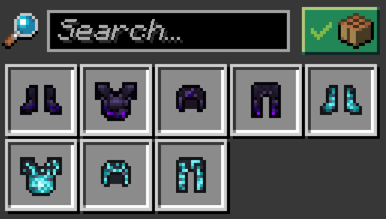
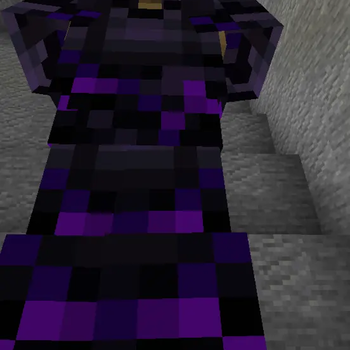
🔴 1. Giant Armor Set
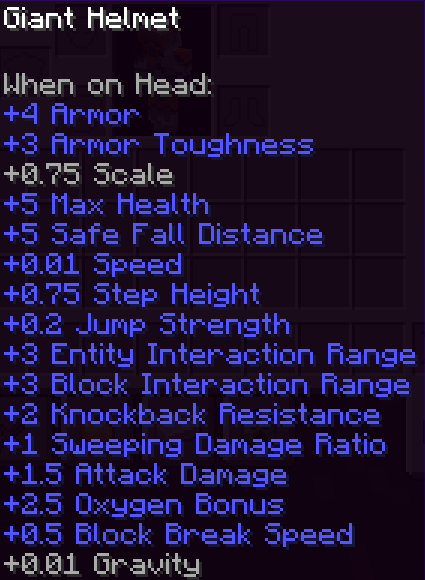
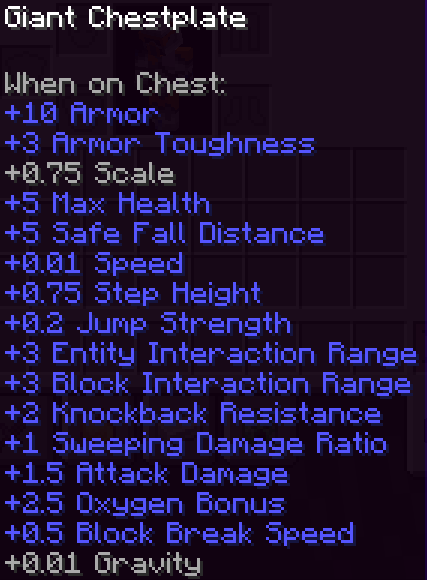
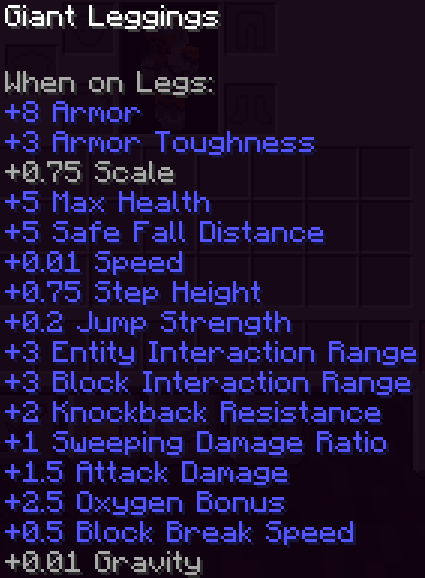
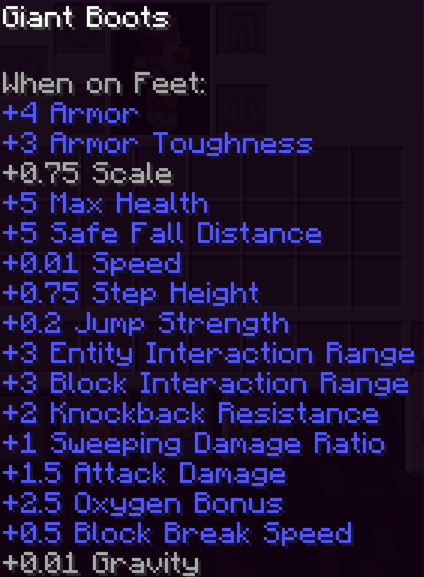
Bestows massive size and juggernaut strength. Each equipped piece adds up to your total scale.
- Base Armor Points: Helmet (+4) | Chestplate (+10) | Leggings (+8) | Boots (+4)
- Armor Toughness: +3 per piece
- 🎛️ Size Modifications (Per Piece):
- +0.75 Scale (Massively increases your visual size and physical hitbox)
- +5 Max Health (2.5 extra hearts per piece)
- +1.5 Attack Damage & +2 Knockback Resistance
- +3 Interaction Range & +0.75 Step Height (Step over blocks easily)
- +0.2 Jump Strength & +5 Safe Fall Distance
- +0.01 Base Speed
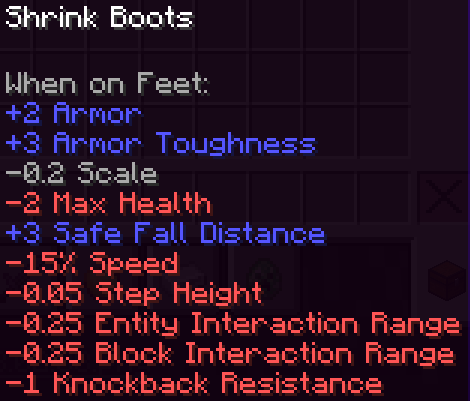
🔵 2. Shrink Armor Set
Shrinks you down to an ant-like scale for ultimate stealth and exploration.
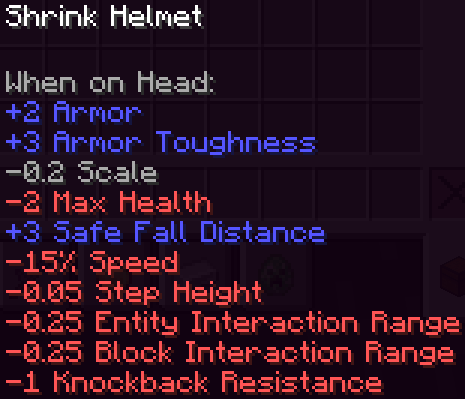
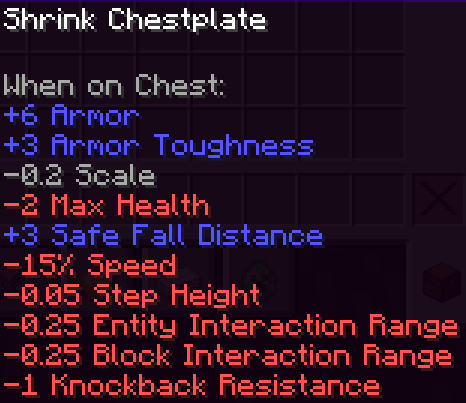
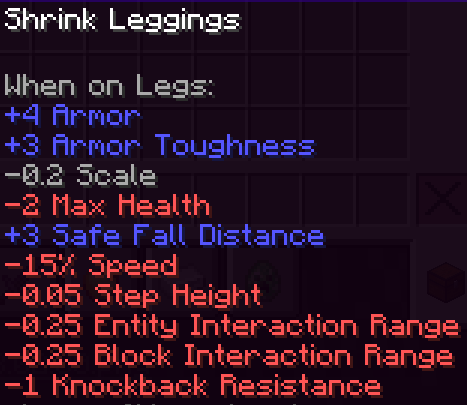
- Base Armor Points: Helmet (+2) | Chestplate (+6) | Leggings (+4) | Boots (+2)
- Armor Toughness: +3 per piece
- 🎛️ Size Modifications (Per Piece):
- -0.2 Scale (Shrinks your visual model and allows crawling into small holes)
- -2 Max Health (1 less heart per piece due to your fragile size)
- -0.25 Interaction Range & -0.05 Step Height
- -1 Knockback Resistance (You get knocked back further)
- +3 Safe Fall Distance (Lighter body means less fall damage)
- -15% Movement Speed
⚠️ IMPORTANT REQUIREMENTS
This datapack requires its corresponding Resource Pack to display textures correctly. Without it, items will appear as default vanilla objects or broken textures.
🛠️ Installation
- Datapack: Place the
.zipfile into yourworld/datapacksfolder. - Resource Pack: Place the
.zipfile into yourresourcepacksfolder and enable it in-game.
- 💡 Note: Ensure you download both files. You can find them under the Versions tab inside your preferred release.
⚙️ Compatibility
- Expansion Compatibility: Fully compatible with my Armor & Tools Expansion Datapack and most other Datapacks/Mods.
📝 Behind the Scenes
- This project is a modernized version of a custom mechanic originally developed for a private Minecraft server between late 2024 and 2025 (tested for versions 1.21.3–1.21.4).
- It was originally designed to debut as a modular feature inside the Armor & Tools Expansion Part 2, but has been completely overhauled and polished as a standalone release.
- Edition: Minecraft Java
- File type: .jar
- Minecraft versions listed: 26.1, 26.1.1, 26.1.2
- How to install: Install the matching mod loader (Forge, Fabric or NeoForge) for your Minecraft version. → Download the .jar. → Put it in the .minecraft/mods folder and launch that loader profile.
- Where to get it: Opens on Modrinth — not every file is mirrored on our own servers.
Install steps are the general flow for this file type — see the MC Java Mods guides for the full walkthrough.
- Downloads as Size_Shifter_Expansion-DP-v1.0.1.zip
- Download size: 14 KB
- Download link checked 21 Aug 2026 — working
These come from our own check of the pack file, not from the source page.