
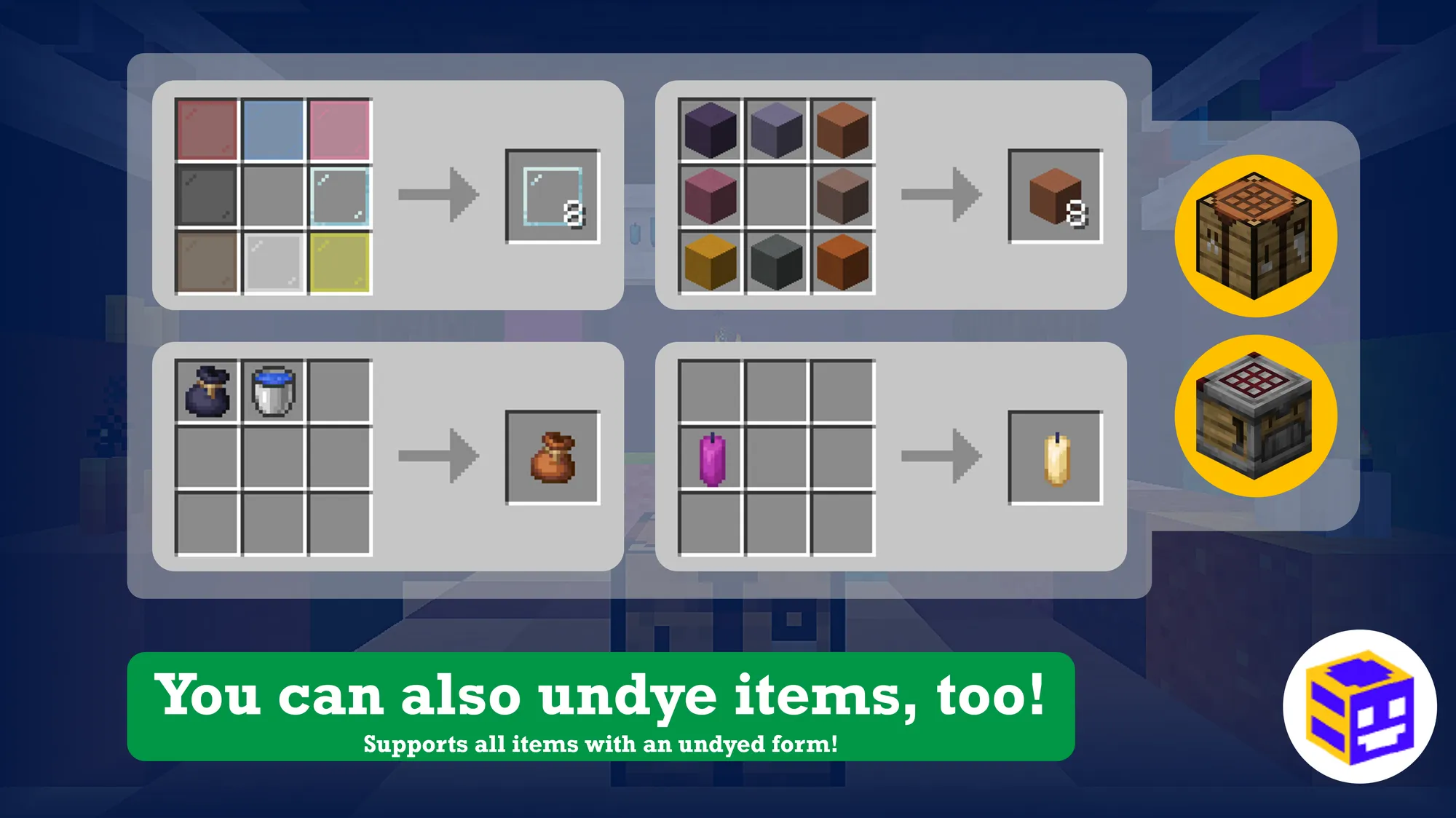
Existed since 1.13, Colored Dyeing is a datapack that simply lets you redye colored blocks!
Useful if you got a lot of blocks that share the same type, but not the same color.
📜 Features:
- Seamlessly redye colored blocks:
- You do this the same way you would dye them in Vanilla, so there's nothing new to learn!
- You can also mix more Concrete Powder by replacing it with equal parts Sand and Gravel!
- Seamlessly undye colored blocks:
- For items that support an uncolored variant: Remove the dye to uncolor the item!
- Bundles need to be washed off though, maintaining the consistency with leather items.
- Works well with my other datapacks!
- Works in Multiplayer!
- Made and maintained with lots of care. Hope you enjoyed it!

🤔 It's not working, help!
- If you can't access in-game settings or debug commands, open to LAN and enable Allow Commands!
- If you're in a Server, you'll need to
/opyourself first! - Before 1.20.5, this option was called Allow Cheats.
- If you're in a Server, you'll need to
- For any other problems, you can contact me personally here!
- I'll personally respond to all help requests that's been sent here.
Reply times may vary - there's just me working on all this, but I'll always help you out when I can.
- I'll personally respond to all help requests that's been sent here.
🎉 Special Thanks:
Special thanks to these awesome people for keeping the lights on:
If you like the effort that goes into making all this, help me keep the lights on so I get to do this more often!
📝 PS:
- Each version was designed and optimized for their respective Minecraft release, so you'll always get the best performance and features possible for the releases you're playing on.
- I could make builds that supports multiple versions at once, but it also means adding extra stuff only to support game releases that it won't be run on. It just doesn't make sense to me.
- Due to Modrinth's limitations, this version is not the best of what I've got.

Quick facts
- Edition: Minecraft Java
- File type: .jar
- Minecraft version listed: 1.21.4
- How to install: Install the matching mod loader (Forge, Fabric or NeoForge) for your Minecraft version. → Download the .jar. → Put it in the .minecraft/mods folder and launch that loader profile.
- Where to get it: Opens on Modrinth — not every file is mirrored on our own servers.
Install steps are the general flow for this file type — see the MC Java Mods guides for the full walkthrough.
Verified by MCModsHub
- Downloads as Colored Dyeing v21d1.zip
- Download size: 76 KB
- Download link checked 10 Sept 2026 — working
These come from our own check of the pack file, not from the source page.