
Placement Stick Datapack
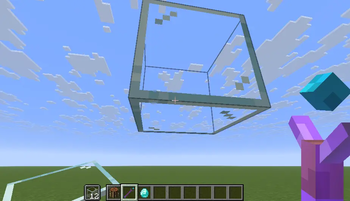
This datapack adds a special stick that allows players to place blocks in mid-air, even without support beneath them.
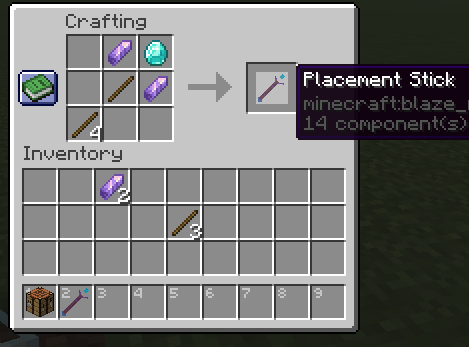
- Craftable via a custom recipe
- To activate its power, players must hold a glass block in their off-hand
- Works in both survival and creative modes
- Perfect for building sky bridge or floating structures
Installation Instructions
- Download the datapack ZIP file
- Open Minecraft and select the world you want to install it in
- Click “Edit” → “Open World Folder” → open the
datapacksfolder - Place the downloaded ZIP file inside the
datapacksfolder - Launch the world and type
/reload(if cheats are enabled) or pressF3 + Tto reload resources - Craft the Placement Stick using the custom recipe
Compatible with Minecraft 1.20+. No mods required.
Quick facts
- Edition: Minecraft Java
- File type: .jar
- Minecraft version listed: 1.21.11
- How to install: Install the matching mod loader (Forge, Fabric or NeoForge) for your Minecraft version. → Download the .jar. → Put it in the .minecraft/mods folder and launch that loader profile.
- Where to get it: Opens on Modrinth — not every file is mirrored on our own servers.
Install steps are the general flow for this file type — see the MC Java Mods guides for the full walkthrough.
Verified by MCModsHub
- Downloads as placment_stick_dp v1.1.zip
- Download size: 73 KB
- Download link checked 21 Aug 2026 — working
These come from our own check of the pack file, not from the source page.