

🏮 Decorative Lanterns
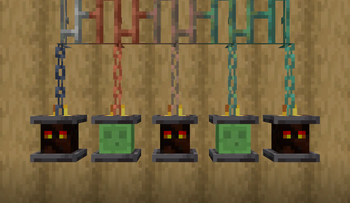
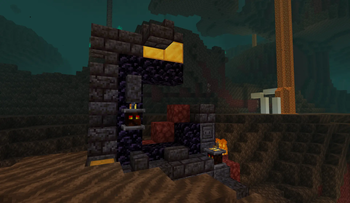
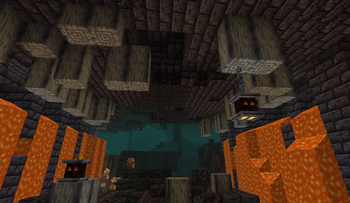
First and foremost, Headlamps adds Lanterns with Magma Cubes and Slimes, inspired by the Nether decorations in Minecraft Dungeons (as shown above). You can craft those lanterns by surrounding a Magma Block or Slime Block with 8 Iron Nuggets in a Crafting Table.
You can place the lanterns down anywhere, although be aware that they might break if updated while not supported by a block. If you place one underneath a block, it'll hang from the bottom of said block by an iron chain. If you're playing the Copper Age drop (1.21.9) or later and the block above the lantern happens to be made of copper, the chain of the lantern (although not the lantern itself) will turn to copper matching the oxidization level and waxed state of the block above it.
Bored with Slimes and Magma Cubes? Looking for some more decor options? This is where the fun begins.
💀 Heads in Lanterns
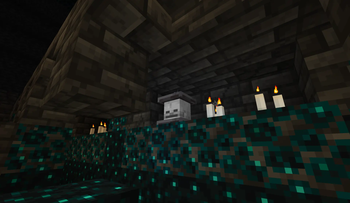
If you've got a mob head from Wither Skeleton farming, Charged Creeper shenanigans, or End busting, you can craft it together with 8 Iron Nuggets to make a lantern with that same head. Alternatively, you can place down your Lantern with Magma Cube or Slime and throw the mob head on top of it -- the new head will be placed in the lantern, and you'll get your Magma or Slime Block back. If you don't like the new look, just throw the block back onto the lantern and the Magma Cube or Slime will take the head's place.
🙂 Player Heads
While you can't craft Lanterns with Player Heads, you can create them by throwing a Player Head onto an already placed lantern. Just like with mob heads, the Player Head will replace the previous head in the lantern, which will get dropped as an item. (Note: This only works with Player Heads attached to a profile, not the default Steve head in the Creative inventory.)
To supplement this pack, I'd recommend any one of the multitudinous Player Head data packs available on Modrinth, or the Vanilla Tweaks option for Player Head Drops. Have fun decorating!
- Edition: Minecraft Java
- File type: .jar
- Minecraft versions listed: 1.21.5, 1.21.6, 1.21.7
- How to install: Install the matching mod loader (Forge, Fabric or NeoForge) for your Minecraft version. → Download the .jar. → Put it in the .minecraft/mods folder and launch that loader profile.
- Where to get it: Opens on Modrinth — not every file is mirrored on our own servers.
Install steps are the general flow for this file type — see the MC Java Mods guides for the full walkthrough.
- Downloads as headlamps_1.1.0.zip
- Download size: 99 KB
- Download link checked 21 Aug 2026 — working
These come from our own check of the pack file, not from the source page.