
DatapacksJava
Netherite's Recipe Tweaks
Adds and changes some recipes in the game in a vanilla-friendly way to make it more enjoyable. Includes trident, chain, trapdoors, buttons, pressure…
⬇ Download on Modrinth



OVERVIEW
Netherite's Recipe Tweaks is a simple and vanilla-friendly Datapack that tweaks some recipes, as well as adding some new ones. The pack also edits advancements so that you will unlock these recipes while playing the game just like other items.
FEATURES
Crafting Table
- Buttons and pressure plates craft into 6 instead of 1
- Trapdoors craft into 6 instead of 2
- Weighted pressure plates only craft into 3
- Chains craft into 3
- Chainmail armor can be crafted like other armor using chains
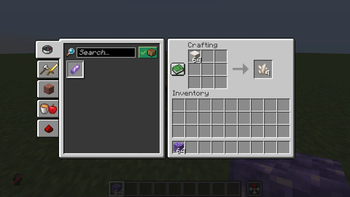
- Tridents can be crafted with 3 nether quartz, a diamond, and a prismarine shard. (See image in gallery)
- Saddles can be crafted from 5 leather, 2 string, a lead, and an iron ingot. (See image in gallery)
- Name tags can be crafted with 2 paper, an iron ingot, a slimeball, a string, and an item frame. (See image in gallery)
- Quartz blocks and amethyst blocks can be crafted back into 4 of their corresponding items
- Horse armor can be crafted using 7 of it's corresponding item
- Concrete can be crafted directly from concrete powder by surrounding a water bucket with concrete powder. (See image in gallery)
Stonecutter
- Stone and deepslate can be crafted into cobblestone and cobbled deepslate items through a stonecutter
HOW TO INSTALL
- Download the datapack for the version of Minecraft you're using. If it doesnt show your version, it probably doesn't have a pack version and you'll have to try another version but it might not work. If it says that the pack is outdated, ignore it. The pack might not work, but it will never ruin your world.
- When you create your world, go to the 'More' tab, and click 'Data Packs'. Drag the download into the folder, and make sure to click it into the right side of the screen. Now hit 'Done', and create your world!
- If you want to add the pack to an existing world, select your world, click 'Edit', and click 'Open World Folder'. Now drag the download into the 'datapacks' folder. If you don't have a datapacks folder, just create one.
- To add the pack to a server, you might need to look up a tutorial on how to add a datapack to your server hosting website. Try to navigate to the 'world' folder, and put the download in the 'datapacks' folder. Again, if you dont have one, create one.
- Enjoy!
Quick facts
- Edition: Minecraft Java
- File type: .jar
- Minecraft versions listed: 1.21.4, 1.21.5, 1.21.6
- How to install: Install the matching mod loader (Forge, Fabric or NeoForge) for your Minecraft version. → Download the .jar. → Put it in the .minecraft/mods folder and launch that loader profile.
- Where to get it: Opens on Modrinth — not every file is mirrored on our own servers.
Install steps are the general flow for this file type — see the MC Java Mods guides for the full walkthrough.
Verified by MCModsHub
- Downloads as §f§lNetherite's Recipe Tweaks.zip
- Download size: 49 KB
- Download link checked 20 Aug 2026 — working
These come from our own check of the pack file, not from the source page.