
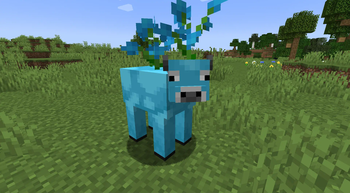
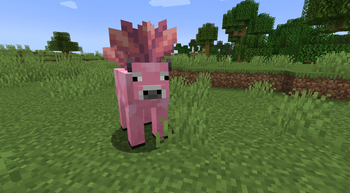
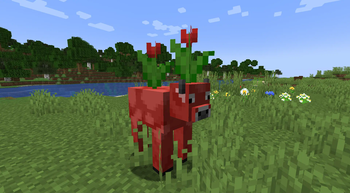
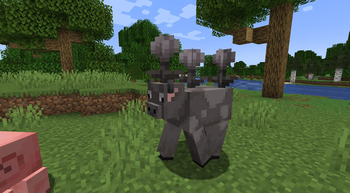
Now Updated for 1.21.5! This datapack is a example pack on how to add your own data-driven variants to Mooblooms within Belgies Forge/Neoforge mooblooms mod Mod Download
To add your own variants you can either watch the tutorial linked above or download the pack and change the json/tags to whatever variant you would like!
Note: adding new variants dont replace the variants already within the mod, to replace any variant you need to rename the json within the datapack to the moobloom variants flower type
If you find any issues feel free to let us know and enjoy adding your own variants to the moobloom
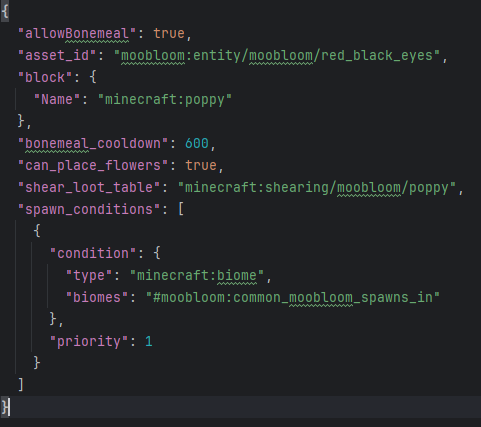
Here are all options you can currently change within the datapack:
- Edition: Minecraft Java
- File type: .jar
- Minecraft version listed: 1.21.5
- How to install: Install the matching mod loader (Forge, Fabric or NeoForge) for your Minecraft version. → Download the .jar. → Put it in the .minecraft/mods folder and launch that loader profile.
- Where to get it: Opens on Modrinth — not every file is mirrored on our own servers.
Install steps are the general flow for this file type — see the MC Java Mods guides for the full walkthrough.
- Downloads as custom-moobloom-variants-dp.zip
- Download size: 3 KB
- Download link checked 21 Aug 2026 — working
These come from our own check of the pack file, not from the source page.