Goat Horn Enchantments
Adds Enchantments for Goat Horns ✨ in vanilla Minecraft • Enjoy a brand new style of combat and make goat horns fun and useful
⬇ Download on Modrinth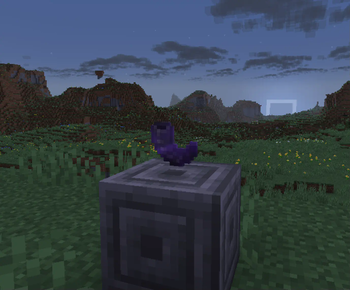
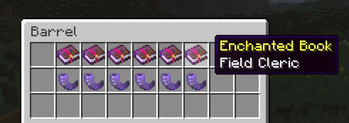
Have you ever wondered if you could use your Goat Horn for something useful?
Well, you can now use your beloved goat horn like a war horn.
This datapack adds 6 new enchantments for goat horns with varying effects. These are specifically made to be fun in a multiplayer setting. Though they are still very useful in singleplayer. They can allow you to take up a more summoner or supporter type role in combat.
Specifically designed to feel pretty vanilla
Feature overview
- Added 6 new Goat Horn enchantments
- A new advancement tab with Goat Horn related advancements
- Modified wandering trader trades
- Small chance they will sell a pair of identical goat horns
- Very small chance they'll sell 1 new enchantment as an enchanted book
- Reduced the distance within which you can hear goat horns
- You don't want to hear goat horns 24/7 on a multiplayer world
- New entity category "ally"
- Includes: players, wolves, iron golems, snow golems & villagers
Enchantment overview
✨ Would reccomend discovering these enchantments on your own.
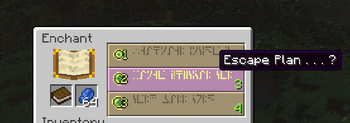
View EnchantmentsEscape plan 💨
Play the horn to call a charge
- Grant yourself and the allies closeby a brief speed boost
Iron Will 🛡️
Brace yourself, stand your ground
- Grant yourself significant damage resistance for a brief moment, at the cost of your speed
- Closeby allies gain a moderate boost to their defences too
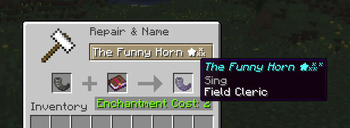
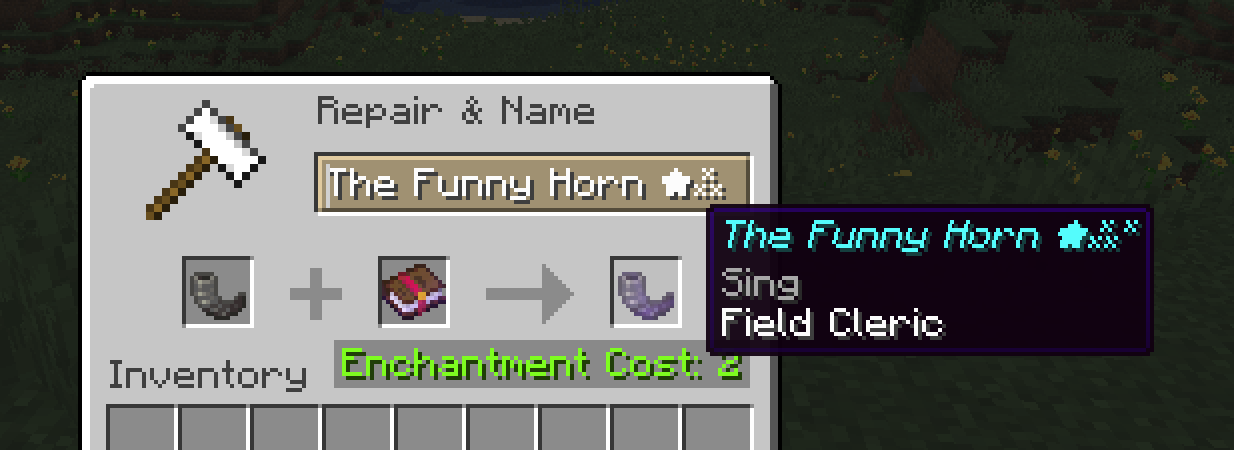
Field Cleric 💛✨
Your mission is to aid your allies in combat
- Grant your allies brief healing and extra resilience
- You do not gain the same boons
Dolphin Song 🐬
The magic song of the dolphin, grants you the gift of the sea
- Allows you and your nearby allies the abillity to navigate the sea with ease
Fairy Whistle 🍀✨
Your song resonates with the frequency of the forest
- Causes a nearby creeper to prematurely explode, with it's explosion dealing little to no damage.
- Be careful, it might send you flying
Black Blood 🩸
Sacrifice yourself, corrupt your blood to feed your strength to your allies
- Place a curse upon yourself to grant your allies significant increases to their strength and vitallity.
- Be careful so you don't kill yourself
Enchantments cannot be combined, one horn can only have one enchantment.
Due to the limitations of datapacks, you cannot directly enchant them in an enchantment table. The best way of acquiring one of these enchantments, is to enchant books and look for unusual enchantments.
Customization Guide
File structure📦data
┣ 📂minecraft
┃ ┣ 📂instrument
┃ ┃ ┣ 📜admire_goat_horn.json
┃ ┃ ┣ 📜call_goat_horn.json
┃ ┃ ┣ 📜dream_goat_horn.json
┃ ┃ ┣ 📜feel_goat_horn.json
┃ ┃ ┣ 📜ponder_goat_horn.json
┃ ┃ ┣ 📜seek_goat_horn.json
┃ ┃ ┣ 📜sing_goat_horn.json
┃ ┃ ┗ 📜yearn_goat_horn.json
┃ ┗ 📂tags
┃ ┃ ┣ 📂enchantment
┃ ┃ ┗ 📂function
┗ 📂swizz
┃ ┣ 📂advancement
┃ ┣ 📂enchantment
┃ ┃ ┣ 📜black_blood.json
┃ ┃ ┣ 📜dolphin_song.json
┃ ┃ ┣ 📜escape_plan.json
┃ ┃ ┣ 📜fairy_whistle.json
┃ ┃ ┣ 📜field_medic.json
┃ ┃ ┗ 📜iron_will.json
┃ ┣ 📂function
┃ ┃ ┣ 📂particles
┃ ┃ ┣ 📜goat_horn_effect.mcfunction
┃ ┃ ┣ 📜goat_horn_execution_handler.mcfunction
┃ ┃ ┣ 📜load.mcfunction
┃ ┃ ┣ 📜tick.mcfunction
┃ ┃ ┗ 📜wandering_trade.mcfunction
┃ ┗ 📂tags
┃ ┃ ┣ 📂enchantment
┃ ┃ ┃ ┣ 📂exclusive_set
┃ ┃ ┃ ┣ 📜enabled_enchantments.json
┃ ┃ ┃ ┗ 📜goat_horn_enchantments.json
┃ ┃ ┗ 📂entity_type
┃ ┃ ┃ ┗ 📜ally.json
If you dislike one enchantment you can make it unobtainable in survival
Step 1:
📦data
 ┣ 📂swizz
 ┃ ┣ 📂tags
 ┃ ┃ ┣ 📂enchantment
 ┃ ┃ ┃ ┗ 📜enabled_enchantments.json
Remove the line containing your specified enchantment from the list.
Make sure the last line has no , symbol at the end or it will cause an error
Step 2:
📦data
 ┣ 📂swizz
 ┃ ┣ 📂function
 ┃ ┃ ┗ 📜wandering_trade.mcfunction
Scroll to the bottom of the file and look for a line ending with the enchantment you desire.
Remove the line, or preferably place a # symbol at the very start of the line. This will "comment" out the line, meaning the enchantment can't be added to the wandering trader's trading table.
Make sure you put the # symbol at the very start of the line, or it can cause an error
Step 3:
Reload your world
/reload is not sufficient for enchantment related changes
Step 1:
📦data
 ┣ 📂minecraft
 ┃ ┣ 📂instrument
 ┃ ┃ ┣ 📜admire_goat_horn.json
 ┃ ┃ ┣ 📜call_goat_horn.json
 ┃ ┃ ┣ 📜dream_goat_horn.json
 ┃ ┃ ┣ 📜feel_goat_horn.json
 ┃ ┃ ┣ 📜ponder_goat_horn.json
 ┃ ┃ ┣ 📜seek_goat_horn.json
 ┃ ┃ ┣ 📜sing_goat_horn.json
 ┃ ┃ ┗ 📜yearn_goat_horn.json
For all the .json files listed above (all .json files in the instrument directory), edit the range variable to your choosen radius in blocks
"range": 128.0,
Make sure you only change the number, nothing else or you could experience and error.
Keep the .0 part and the , at the end.
Step 2:
Restart your world.
/reload will not update this
All enchantment logic is handled in
📦data
 ┣ 📂swizz
 ┃ ┣ 📂function
 ┃ ┃ ┣ 📜goat_horn_effect.mcfunction
Do not modify this unless you are somewhat experienced with the scripting language / minecraft commands
The enchantments do not carry any inherent effects.
Installation
- Download .zip
- Place it in the datapack folder within your saves
- Restart world if you are currently playing
📦.minecraft
 ┣ 📂saves
 ┃ ┣ 📂<world_name>
 ┃ ┃ ┣ 📂datapack
 ┃ ┃ ┃ ┗ [.zip here]
- Datapacks only apply to the worlds to which you add the datapack to
Other notes
- Do not modify the
horn_effectadvancement for a player, this would make it so the effects of your enchantments do not trigger.- This should not happen during normal gameplay
- If a player has it granted to them permanently, revoke the advancement for said player. Unless you want said player to not have access to the effects of their enchantments
- The domain name
swizzis a development artifact. The datapack was origionally developed for a small server among friends, and was part of a larger pack of miscellaneous changes. The name is in reference to the seeds likeness to switzerland. - If you want to contact me or provide feedback you can do so @ philipldev.bsky.social at bluesky (bsky.app)
- The licence is chosen such that anyone can re-use, modify or re-distribute the code as they please, as long as they provide credit. Though please avoid re-distributing the application as is, claiming to be an official source.
- Notify me if i have made spelling mistakes
- Edition: Minecraft Java
- File type: .jar
- Minecraft version listed: 1.21.4
- How to install: Install the matching mod loader (Forge, Fabric or NeoForge) for your Minecraft version. → Download the .jar. → Put it in the .minecraft/mods folder and launch that loader profile.
- Where to get it: Opens on Modrinth — not every file is mirrored on our own servers.
Install steps are the general flow for this file type — see the MC Java Mods guides for the full walkthrough.
- Downloads as Goat Horn Pack.zip
- Download size: 14 KB
- Download link checked 9 Sept 2026 — working
These come from our own check of the pack file, not from the source page.