
Better Death Drops
Quality of life datapack, increasing the despawn time and adding a glowing effect for items dropped on death.
To install, drag the zip into your world's data pack folder, or when prompted in the data pack selection screen when creating a new world.
Key Features
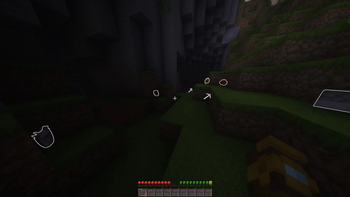
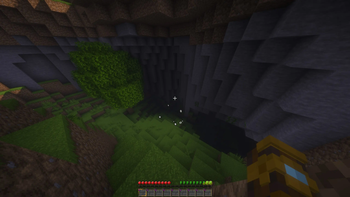
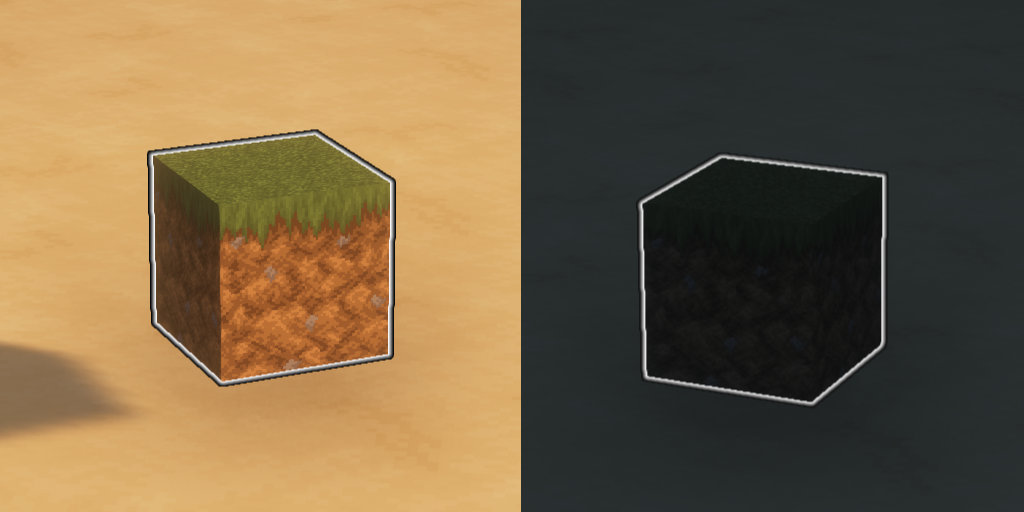
Glowing Items
Never lose your dropped items down a hole in the dark again.
Increased Despawn Time (or Disable Despawning Altogether)
Always five minutes late to the party? Adjust the time to despawn, or stop items from despawning altogether.
Easy To Reconfigure
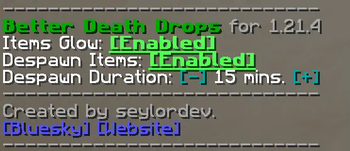
Entering the /function betterdeathdrops:options command yields the following interactive chat menu.
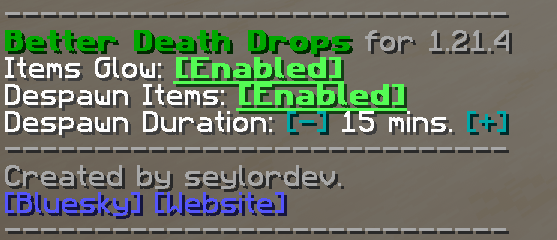
Options include:
- Toggling the glowing effect. This effect uses Minecraft's glowing NBT tag, and is the same applied to mobs using spectral arrows. (Default: Enabled)
- Toggling item despawn. Enables / disables items from despawning if they were in the player's inventory. (Default: Enabled)
- Changing despawn time. If items are marked as being able to despawn, this option allows for a custom despawn time from Minecraft's default of 5 minutes up to 30 minutes. (Default: 10 minutes)
All options only apply to items dropped on death. You cannot adjust the time or glow for items already on the ground after the death has occurred.
Why not use a gravestone datapack / mod?
I created quality of life addition for my forever world. This datapack is non-destructive and uses no entity trickery to save states. Minecraft is so much larger (and, notably, deeper) than it used to be; five minutes is nowhere near enough time to recover all lost items on an average mining trip early/mid-game if you're not near your home base. I have also lost items in the darkness and felt overbearingly punishing having to hunt for them despite being in the viscinity. One solution are gravestone mods. However, graves remove a lot of the tension built from risking death, so I feel this datapack creates a happy medium where the game is still functioning in a vanilla way 'as-intended' without discouraging (or bullying) the player for wanting to explore.
How does it work?
The datapack listens for whenever a player dies, and then searches in a 5m radius around the player. All items caught in the vicinity have their NBT tags modified to enable Glowing and altering the Age property (if set).
- Edition: Minecraft Java
- File type: .jar
- Minecraft version listed: 1.21.4
- How to install: Install the matching mod loader (Forge, Fabric or NeoForge) for your Minecraft version. → Download the .jar. → Put it in the .minecraft/mods folder and launch that loader profile.
- Where to get it: Opens on Modrinth — not every file is mirrored on our own servers.
Install steps are the general flow for this file type — see the MC Java Mods guides for the full walkthrough.
- Downloads as BetterDeathDrops 1.21.4.zip
- Download size: 25 KB
- Download link checked 9 Sept 2026 — working
These come from our own check of the pack file, not from the source page.