CrazyEnchantments
I don't know my version or loader


Adds over 80 unique enchantments to your server and more!
Quick Links
Request Features
Documentation
Developer API
Report Bugs
Trello Board
Initial Plugin Setup
CrazyEnchantments as first install will come with config.yml, Gkitz.yml, HeadMap.yml, Messages.yml, Tinker.yml, Enchantments.yml, Enchantment-Types.yml
Enchantments.yml and Enchantment-Types.yml handles how the enchantments look and function in the game.
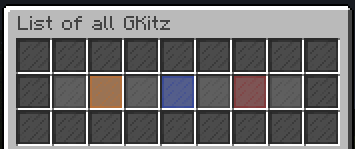
Gkitz.yml are a similar system to Essentials /kit, but with support for Custom Enchantments.
Tinker.yml is for /tinkerer, which allows you to recycle enchanted items.
config.yml, Messages.yml and HeadMap.yml allow to configure other aspects of the plugin.
Simply edit these files, most options you need are in these files described with comments, After any changes. Run the command /crazyenchantments reload!

80+ enchantments to pick from!
A mountain of customization.
Black/white scrolls.
Destroy/success rates on books.
Enchantment categories.
A shop with multi currency support
A way to limit enchantments on items.
Magical Dust.
Black Smith.
Lost Books.
GKitz.
Enchantment scramblers.
Tinkerer with xp scaling.
And more!

Are you confused about something? Hop by the Discord and you might just get an answer!
Please head to crazy-enchantments with your question and do not cross post.
Please check to make sure that your question wasn't asked before, You can use Ctrl+F on Discord to look for past conversations.
Describe your issue in detail, Don't just make it a bread crumb trail that has to be questioned out of you.
Plugin Version i.e. CrazyEnchantments 3.3 LATEST DOES NOT COUNT
Server Version & Server Type i.e. Paper 1.21.1 or Purpur 1.21.1 LATEST DOES NOT COUNT
Send any console errors or files you have through https://mclo.gs/ - (We don't own the website, You have to copy the link and send it.)
- Edition: Minecraft Java
- File type: .jar
- Minecraft versions listed: 26.1.2, 26.2
- How to install: Install the matching mod loader (Forge, Fabric or NeoForge) for your Minecraft version. → Download the .jar. → Put it in the .minecraft/mods folder and launch that loader profile.
- Where to get it: Opens on Modrinth — not every file is mirrored on our own servers.
Install steps are the general flow for this file type — How to install Minecraft Java mods & modpacks walks through it step by step.
- Ships as CrazyEnchantments-26.1.2-cbdc13d.jar — drop this file into the mods folder
- Download size: 2.0 MB
- Download link checked 27 Aug 2026 — working
These come from our own check of the pack file, not from the source page.