HomeJavaModsOpen Inventory
Open Inventory
ModsJava

Open Inventory

by infie03 · on Modrinth

OpenInv is a powerful Minecraft admin plugin that lets staff view and edit player inventories and ender chests using /inv commands, featuring a modern…

⬇ Download on Modrinth
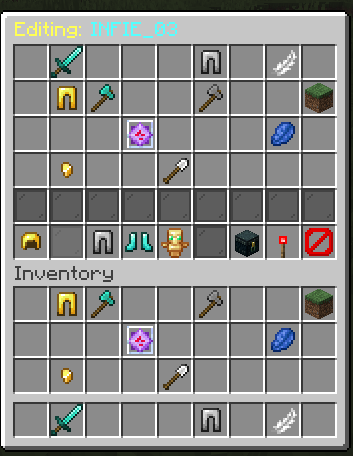
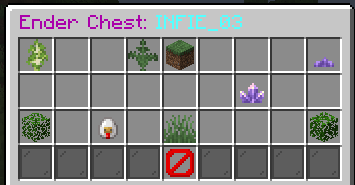
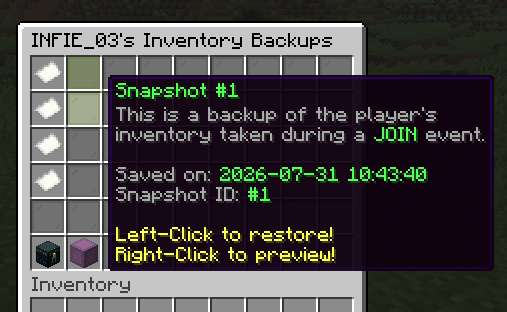
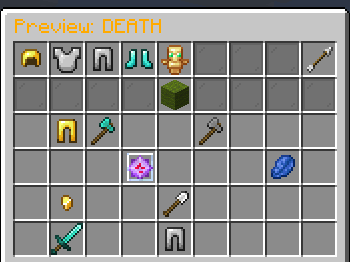
Open Inventory — screenshot 1Open Inventory — screenshot 2Open Inventory — screenshot 3Open Inventory — screenshot 4Open Inventory — screenshot 5Open Inventory — screenshot 6Open Inventory — screenshot 7Open Inventory — screenshot 8

🎒 OpenInv – Ultimate Multi-World Inventory Suite

OpenInv is a professional-grade administration plugin designed for Paper, Spigot, and Bukkit servers. It provides staff members with absolute control over player data through a sleek, interactive GUI system. Whether a player is online in another world or completely offline, OpenInv ensures you can always manage their items with precision and security.


🚀 What’s New in v1.4.2

This update brings major features for history, logging, private vaults, and autosaves.


✅ Key Features


⭐ Core Features

🎒 Advanced GUI Management

🕒 Snapshot Time Machine

🛡️ Security & Permissions

❄️ Investigation & Admin Tools


⚡ Commands Cheat Sheet

Base Commands & Aliases

Command Description
/openinv Main OpenInv command with access to all subcommands.
/invsee Alias for /openinv.
/inv <player> Shortcut for /openinv check to open an online player's inventory.
/invec <player> Shortcut for /openinv echeck to open an online player's Ender Chest.
/offlineinv <player> [world] Open an offline player's inventory.
/offlineec <player> [world] Open an offline player's Ender Chest.

Subcommands (/openinv <subcommand>)

Subcommand Description
help Displays the help menu with hover descriptions.
info Shows plugin information, version status, and quick links.
check <player> Open the inventory of an online player.
echeck <player> Open the Ender Chest of an online player.
offlineinv <player> [world] Open an offline player's inventory.
offlineec <player> [world] Open an offline player's Ender Chest.
history <player> Open a player's unified snapshot history.
search <item> <player> Search a player's inventory for a specific item.
freeze <player> Freeze a player's inventory so it cannot be used or moved.
unfreeze <player> Unfreeze a player's inventory.
preview <player> <id> Preview a saved snapshot by ID.
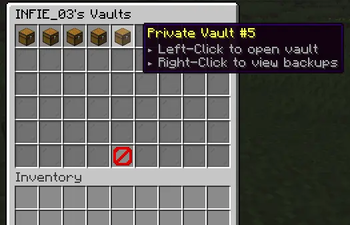
vault Open the player's private vault via PriVault integration.
drop Force drop items from a player.
clear Clear a target's inventory, armor, or Ender Chest.
reload Reloads config.yml, messages.yml, and reconnects the database if needed.

🔑 Permissions Breakdown

Global Access

Usage Permissions

Modification Permissions

Protection & Exemptions


⚙️ Technical Details


Developed with ❤️ by INFIE03. Ensuring staff integrity and inventory security since 2025.

Quick facts

Install steps are the general flow for this file type — How to install Minecraft Java mods & modpacks walks through it step by step.

Verified by MCModsHub

These come from our own check of the pack file, not from the source page.

Explore more