
ModsJava
PerfoBooster
Java mod listed for Minecraft 1.20–1.21. Downloads from the MC Java Mods app on Android.
⬇ Download on ModrinthPerfoBooster delivers powerful server optimization through intelligent resource management, helping administrators maintain smooth gameplay even under heavy load.
Key Features:
- Aggressive Despawning: Automatically despawn configurable entity types (e.g., bats, experience orbs) far from players to reduce entity load, while protecting named entities.
- Farm Rate Limiter: Control animal breeding and mob spawner output per chunk to prevent entity overload from farms.
- Disable Mob AI: Freezes specified mob types in place by disabling their movement and behavior to reduce CPU usage while keeping them visually present.
- Inactive Chunk Unloader: Intelligently unloads chunks that are far from players and not actively used, freeing up server memory.
- Chunk Load Controller: Restricts plugins from loading new chunks synchronously, preventing potential lag spikes (configurable whitelist).
- Laggy Chunk Unloader: Identifies and unloads chunks exhibiting excessive tile entity update activity if no players are nearby.
- Hopper Optimizer: Fine-tunes hopper behavior with smart throttling for empty/full hoppers, global transfer-per-tick limits, and optional per-chunk hopper count limits.
- Adjust Spawner: Dynamically adjusts mob spawner settings (spawn count, delay, activation range, max nearby entities) based on TPS, light levels, and player proximity.
- Instant Leaf Decay: Accelerates leaf block removal when logs are broken or leaves naturally decay, preventing floating leaf blocks and reducing world clutter for improved performance.
- Max Explosion Yield: Limits the maximum yield/radius of explosions to prevent excessive damage, with entity-specific limits for TNT, Creepers, Fireballs, Wither Skulls, and End Crystals.
- Anti-Chain Explosions: Prevents chain reactions where explosions trigger other nearby explosions, with configurable radius and cooldown settings to stop TNT chains and block ignition.
- Deactivate Explosions: Completely disables explosions based on server performance or configuration, with TPS-based automatic deactivation and entity-specific controls.
- Player Redstone Anti-Spam: Prevents players from spamming redstone-interactive blocks, with configurable interaction limits and temporary blacklisting.
- Redstone Limiter: Prevents lag by limiting the total number of redstone components allowed within a radius, blocking placement and interactions when limits are exceeded.
- Automated Redstone Deactivation: Automatically disables all redstone activity server-wide when TPS drops below a threshold, then re-enables it when TPS recovers, with circuit breaker protection to prevent rapid on/off cycling.
- Automatic Garbage Collection: Triggers Java's garbage collection intelligently when memory usage exceeds configurable thresholds, helping to maintain stable memory.
- Dynamic View Distance Scaler: Automatically adjusts players' view distance based on current server TPS, reducing network and client-side load during lag.
- Idle Simulation Distance: Reduces simulation distance for idle players to lower server load while maintaining normal distance for active players.
- Software Optimizer (Experimental): Simple and powerful server configuration optimizer with three optimization levels (Conservative, Balanced, Aggressive). Intelligently optimizes 45+ settings across bukkit.yml, spigot.yml, and Paper configurations with automatic backup creation.
Commands:
| Command | Description | Permission Required |
|---|---|---|
/perfobooster (alias: /pb, /perfob) |
Shows the help menu with available commands | perfobooster.command |
/pb reload |
Reloads the PerfoBooster configuration | perfobooster.reload |
/pb status |
Shows the current operational status of all optimization modules | perfobooster.status |
/pb gc |
Manually triggers server garbage collection | perfobooster.gc |
/pb load |
Displays server load statistics, including entities, chunks, TPS, and MSPT | perfobooster.load |
/pb sysinfo |
Shows detailed system information such as memory usage, CPU load, storage | perfobooster.sysinfo |
/pb update |
Displays information about the current plugin version and available updates | perfobooster.update |
/pb update check |
Forces a new check for plugin updates | perfobooster.update |
/pb update download |
Downloads the latest available update | perfobooster.admin |
/pb info |
Shows plugin information including server details, performance summary | perfobooster.command |
/pb optimizer |
Access to experimental software optimization features | perfobooster.admin |
/pb optimizer optimize <level> |
Apply intelligent optimizations (conservative/balanced/aggressive) | perfobooster.admin |
/pb optimizer stats |
Show optimization statistics and success rates | perfobooster.admin |
/pb optimizer backup list |
List available configuration backups | perfobooster.admin |
/pb optimizer restore <timestamp> |
Restore configuration from a specific backup | perfobooster.admin |
/pb optimizer help |
Show optimizer help and level descriptions | perfobooster.admin |
Permissions:
| Permission | Description | Default |
|---|---|---|
perfobooster.command |
Allows access to the base /perfobooster command and help |
true |
perfobooster.reload |
Allows reloading the PerfoBooster configuration | op |
perfobooster.status |
Allows checking the current optimization status | op |
perfobooster.gc |
Allows manual triggering of garbage collection | op |
perfobooster.load |
Allows viewing server load statistics | op |
perfobooster.sysinfo |
Allows viewing system information | op |
perfobooster.update |
Allows checking for plugin updates | op |
perfobooster.admin |
Allows downloading updates, update notifications, and software optimizer access | op |
Software Optimizer Levels:
🟢 Conservative - Safe Choice
- Performance Gain: ⭐⭐☆☆☆ (Moderate) | Gameplay Impact: ⭐☆☆☆☆ (Minimal)
- Spawn Reductions: 20-50% reduction in spawn limits
- Entity Ranges: 13% reduction in activation ranges
- Features: Basic optimizations, explosion optimization, item despawn improvements
- Best For: First-time users, production servers, minimal risk tolerance
- Expected TPS Gain: +0.5-3 TPS depending on server size
🟡 Balanced - Recommended Default
- Performance Gain: ⭐⭐⭐⭐☆ (High) | Gameplay Impact: ⭐⭐☆☆☆ (Minor)
- Spawn Reductions: 40-80% reduction in spawn limits
- Entity Ranges: 19-38% reduction in activation ranges
- Features: Alternate Current redstone, villager AI optimization, collision improvements
- Best For: Most servers, good performance/gameplay balance
- Expected TPS Gain: +1-6 TPS depending on server size
🔴 Aggressive - Maximum Performance
- Performance Gain: ⭐⭐⭐⭐⭐ (Maximum) | Gameplay Impact: ⭐⭐⭐☆☆ (Moderate)
- Spawn Reductions: 50-93% reduction in spawn limits
- Entity Ranges: 25-50% reduction in activation ranges
- Features: All optimizations enabled, nether ceiling damage, faster item despawn
- Best For: High-performance servers, testing environments
- Expected TPS Gain: +2-10 TPS depending on server size
- ⚠️ Warning: Test thoroughly before production use
Optimization Coverage:
📊 Spawn Management (bukkit.yml)
- 7 Entity Types: Monsters, animals, water creatures, ambient, axolotls, water underground
- Conservative: 20-50% spawn reductions
- Balanced: 40-80% spawn reductions
- Aggressive: 50-93% spawn reductions
🎯 Entity Performance (spigot.yml)
- 5 Activation Ranges: Animals, monsters, misc, water, villagers
- Merge Optimization: Item and XP merge radius improvements
- Spawn Range: Mob spawn distance optimization
- Hopper Performance: 2x to 8x slower hopper checks for better performance
🌍 World Optimization (paper-world-defaults.yml)
- Collision System: 25-75% reduction in entity collision checks
- Armor Stand Optimization: Disabled collision lookups for better performance
- Despawn Ranges: 25-44% closer despawn distances for all entity types
- Item Management: Alternative despawn rates for 24+ common items (cobblestone, dirt, leaves, etc.)
- Arrow Cleanup: Faster arrow despawn (20 ticks vs default)
⚡ Redstone & AI Optimization
- Redstone Implementation: Alternate Current for 2-10x faster redstone (Balanced/Aggressive)
- Pathfinding: Disabled on block updates for better performance (Balanced/Aggressive)
- Villager AI: Slower POI validation and sensor updates (Balanced/Aggressive)
- Explosion Optimization: Enabled across all levels
🛡️ Safety Features
- Automatic Backups: Created before every optimization
- Restoration: Easy rollback with timestamp-based backups
- Statistics Tracking: Monitor optimization success rates
- Error Handling: Graceful failure recovery
Performance Expectations:
📈 Expected TPS Improvements
| Server Size | Conservative | Balanced | Aggressive |
|---|---|---|---|
| Small (1-10 players) | +0.5-1 TPS | +1-2 TPS | +2-3 TPS |
| Medium (10-50 players) | +1-2 TPS | +2-4 TPS | +4-6 TPS |
| Large (50+ players) | +2-3 TPS | +4-6 TPS | +6-10 TPS |
💾 Memory Usage Reduction
- Conservative: 8-12% overall memory reduction
- Balanced: 15-22% overall memory reduction
- Aggressive: 25-35% overall memory reduction
⚠️ Gameplay Impact Warnings
- Conservative: Minimal impact, safe for all servers
- Balanced: May affect large mob farms, slower villager trading
- Aggressive: Will affect mob farms, blocks nether roof access, test thoroughly
Technical Details:
- Full Folia support using region-based and async scheduling for optimal performance.
- Works on Paper/Folia servers (1.20.1+).
- Designed for minimal performance overhead.
- Compatible with most gameplay plugins.
- Intelligent configuration management with validation and rollback capabilities.
- Optimizes 45+ settings across bukkit.yml, spigot.yml, and Paper configurations.
Support:
Having issues or need help configuring PerfoBooster?
- Join our Discord: https://discord.gg/yUghaxRSZs
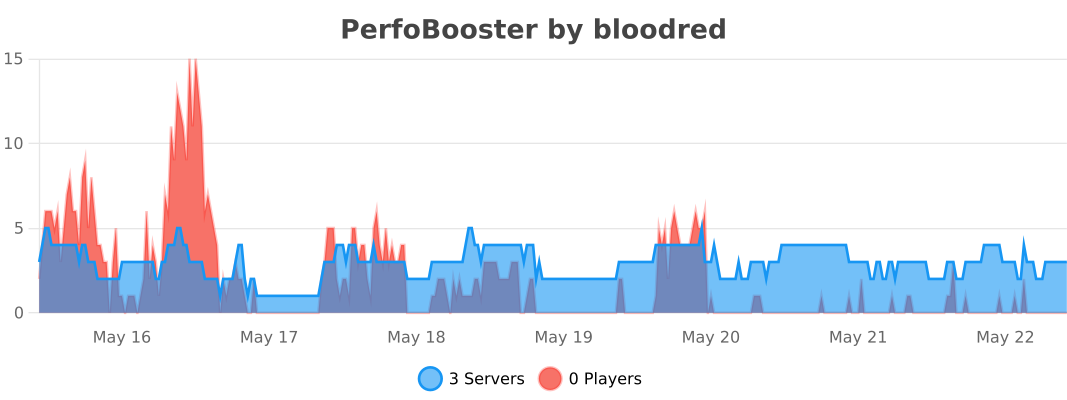
Bstats:
Recommendation Guide:
🟢 Choose Conservative If:
- First time using server optimization
- Production server with strict uptime requirements
- Server with complex redstone contraptions or farms
- Want minimal risk and gradual optimization
🟡 Choose Balanced If: (Recommended for 80% of servers)
- Want significant performance gains
- Can tolerate minor gameplay adjustments
- Most typical Minecraft servers
- Good balance of performance vs functionality
🔴 Choose Aggressive If:
- Need maximum performance optimization
- High player count server with performance issues
- Can test thoroughly before production deployment
- Willing to adjust farms and builds if needed
🔄 Migration Path:
- Start with Conservative - Test and monitor for 1-2 weeks
- Upgrade to Balanced - If no issues, most servers stop here
- Consider Aggressive - Only if maximum performance is needed
Remember: You can always restore from automatic backups if any level causes issues!
Tested Softwares
Works on Paper, Folia, Foldenor, Leaf, Luminol, SparklyPaper, LinearPaper, Patina, Pufferfish, Purpur, Gale, Scatter, and DivineMC
Quick facts
- Edition: Minecraft Java
- File type: .jar
- Minecraft versions listed: 1.20.1, 1.20.2, 1.20.3
- How to install: Install the matching mod loader (Forge, Fabric or NeoForge) for your Minecraft version. → Download the .jar. → Put it in the .minecraft/mods folder and launch that loader profile.
- Where to get it: Opens on Modrinth — not every file is mirrored on our own servers.
Install steps are the general flow for this file type — How to install Minecraft Java mods & modpacks walks through it step by step.
File checked by MCModsHub
- Ships as PerfoBooster-2.9.jar — drop this file into the mods folder
- Download size: 196 KB
- Download link checked 8 Oct 2026 — working
These come from our own check of the pack file, not from the source page.